

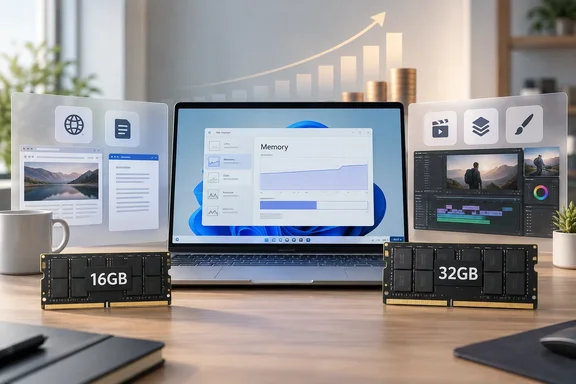
What the HT Tech guide argues
Rahi treats 16GB as the sensible starting point for most people who buy a laptop for everyday work. He says it covers web browsing, office apps, video calls, streaming and switching between programs. As an example, he describes running several Chrome tabs alongside Word, Excel, Slack and Spotify on 16GB without trouble. That's his own experience, not a benchmark. Browser tabs vary hugely in how much memory they use, so your mileage really will vary.
The rest of his argument comes down to a few points:
- RAM is about headroom, not raw speed. More memory doesn't make a laptop faster by itself. The processor, SSD and software matter too. Enough RAM simply stops memory from becoming the bottleneck when you multitask.
- 32GB suits long-term owners and heavy multitaskers. If you plan to keep the laptop for years, or you work with large files and several demanding apps at once, the extra memory means less shuffling of data between RAM and the SSD.
- Your tab habits are a rough guide. If you keep 10 to 15 tabs open and close them when you're done, 16GB should feel comfortable. If you keep dozens of tabs open, including video calls, online documents and browser-based editors, memory use climbs quickly.
- For gamers, the GPU comes first. 16GB can still be enough for gaming. 32GB helps if you also run Discord or a browser, or record gameplay, while you play. But Rahi warns that a laptop with 32GB and a weaker GPU won't automatically beat one with 16GB and a stronger GPU.
- Creators and specialists are the real 32GB+ audience. Video editing, Photoshop, Lightroom, Premiere Pro, 3D work, virtual machines, large datasets and development environments can justify 32GB. Some of those workloads can justify 64GB or more.
- Don't buy the top configuration just because it exists. For office work, studying and entertainment, paying a lot more for 64GB probably won't make a noticeable difference.
The page also carries affiliate product picks and a disclosure that Hindustan Times may earn revenue from purchases. That's worth knowing. The memory advice itself is cautious, though, and doesn't push readers toward pricier configurations.
Section summary: The HT Tech position comes down to this: 16GB for most buyers, 32GB for heavy multitaskers, creators and people who keep laptops a long time, and more than 32GB only for specialist work.
The context that matters most: memory has become expensive
The guide notes in passing that memory prices are rising. Independent market reporting backs that up, and the increases are large.
- According to TweakTown, citing market research firm SigmaIntel, in Q2 2026, DRAM prices surged dramatically, with LPDDR5X rising 89% and DDR4 up to 51%, driven by AI datacenter demand and limited supply. LPDDR5X matters here because it's the soldered memory used in many thin-and-light laptops.
- Tech Times reported that Gartner estimates a 130% surge in combined DRAM and SSD prices by the end of 2026, which it expects to lift average PC prices by 17% and push global PC shipments down 10.4%.
- The increases haven't stopped. One recent analysis says TrendForce's latest survey, published July 3, 2026, still projects conventional DRAM contract prices to rise 13% to 18% quarter-over-quarter in Q3 2026, and a further 3% to 8% in Q4 2026.
- Laptop makers are passing the costs on. Tom's Hardware reported that Framework told customers to be prepared for a further increase in pricing and volatility throughout the remainder of 2026.
This changes the 16GB-versus-32GB decision in two ways. First, the price gap between configurations is probably bigger than it was a year or two ago, so buying 32GB "just in case" costs more. Second, upgrading later is also expensive. Even on a laptop with a free SO-DIMM slot, buying memory down the line isn't the cheap fix it once was.
None of this tells you which option is right. It does mean you should work out what you actually need instead of guessing.
Section summary: Memory prices have risen sharply through 2026 and analysts expect more increases. That makes both over-buying and under-buying RAM more costly.
What Microsoft says about memory
Microsoft's guidance is useful as a reference point, as long as you read it correctly.
- Windows 11's 4GB minimum is an installation requirement, not a recommendation. Microsoft's specifications page also warns that some apps need more than the Windows minimums.
- Microsoft's consumer guidance is fairly modest. Its support article on computer memory suggests at least 4GB for browsing, documents and streaming. It recommends 8GB to keep a device running well long term, and says 16GB or more "might be a good fit" for photo and video editing or other high-performance work.
- Copilot+ PCs have a hard 16GB floor. Microsoft's specifications page says devices with fewer than 16GB of RAM are not Copilot+ PCs, even if they have a capable NPU. That means features such as improved Windows search and Click to Do won't be available on them. If you want those on-device AI features, 16GB is a requirement, not a preference.
Microsoft's guidance actually sets the bar lower than HT Tech does. In practice, though, 8GB is a tight fit for a new laptop in 2026. Browsers are heavier, background apps pile up, and the Copilot+ requirement draws a clear line at 16GB. Rahi's 16GB baseline is a reasonable, practical reading of where things stand.
How to check whether your current laptop is short on RAM
Your current machine is the best evidence for what your next one needs. Windows' built-in tools can show whether you're actually running out of memory or just looking at a scary-sounding number.
- Open Task Manager. Press Ctrl + Shift + Esc, select Performance, then Memory.
- Use your normal workload. Open what you'd usually have open on a busy day: your tabs, Teams or Slack, Office files, editing apps. Readings from a freshly booted machine don't tell you much.
- Watch "Available" and "Committed." Microsoft's developer documentation says Task Manager gets these figures from the same system performance counters as tools like Performance Monitor. "Committed" is how much memory Windows has promised to running programs. Its upper limit is your RAM plus your page file.
- Connect the numbers to how the laptop feels. The real question is whether low available memory lines up with lag, stuttering or slow app switching.
- Don't panic about page file use on its own. Microsoft's Windows client troubleshooting guidance says 100% page file usage isn't a performance problem by itself, as long as the system stays under its commit limit and there isn't a large amount of memory waiting to be written out. The signs of real memory pressure are low available physical memory, a large modified page list, and page files that are close to full, all at once.
What the results tell you:
- Plenty of memory still available on a busy day: 16GB in your next laptop is probably fine, and more RAM is unlikely to change much.
- Available memory often near the bottom, with noticeable slowdowns: 32GB is a reasonable purchase, not an indulgence.
- Slowdowns while memory is plentiful: the bottleneck is somewhere else, such as the CPU, GPU, storage or thermal throttling, and more RAM won't fix it.
Windows handles memory pressure better than it used to, partly by moving less-used data to the page file. But the page file lives on your SSD, and an SSD is still much slower than RAM, however good it is.
Check upgradeability before you buy
Rahi points out that many modern laptops, especially thin-and-light models, have memory soldered to the motherboard, so whatever you buy is what you keep. That's broadly true of current ultraportables, but it varies by model, so check the exact laptop rather than assuming:
- Read the manufacturer's spec sheet or service manual to see whether memory is soldered, socketed, or a mix of both.
- Look up the maximum supported capacity. A free slot is no help if the platform tops out at the amount you already have.
- Treat soldered memory as permanent. If the RAM can't be upgraded and you plan to keep the laptop four or five years, the case for 32GB gets stronger. That's especially true now that adding memory later, where it's possible at all, costs much more than it used to.
A quick buying guide
| Your typical workload | Sensible RAM target | Notes |
|---|---|---|
| Browsing, Office, streaming, schoolwork | 16GB | Also the Copilot+ PC minimum |
| Dozens of tabs, web apps, constant multitasking | 16GB–32GB | Check Task Manager on your current PC first |
| Gaming only | 16GB | Put the money into the GPU first |
| Gaming plus streaming, recording or Discord | 32GB | Only after the GPU is sorted |
| Photo/video editing, professional creative apps | 32GB | Project size and resolution decide the rest |
| Virtual machines, 3D, large datasets, heavy dev work | 32GB–64GB+ | Size it to the workload, not the price tag |
The verdict
The HT Tech guide gets the main point right: RAM capacity should match how you actually work, not the most expensive option on the configurator. Its examples are anecdotal and its affiliate links are worth noting, but the conclusions are moderate and line up with Microsoft's own guidance.
What has changed is the price of guessing wrong. With DRAM costs up sharply through 2026 and more increases forecast, paying for 32GB you'll never use is real money wasted. Buying a soldered 16GB laptop and outgrowing it in two years costs even more.
Before you buy, spend ten minutes in Task Manager on your current laptop during a normal busy day. If memory is regularly running low and the machine feels it, pay for 32GB. If it isn't, take Rahi's advice and spend the difference on a better screen, a faster SSD or a stronger GPU. You'll notice those every day.
Have you checked your own laptop's memory use under a real workload, or bought 32GB and never needed it? Share your numbers in the forum. Real-world data helps the next buyer more than spec-sheet arguments do.
References
- I would think twice before paying extra for 32GB RAM in a laptop | Technology News(HT Tech) - Hindustan Times Hindustan Times · 2026-10-02T03:30:25+00:00
- DRAM prices surged by up to 89% in Q2 2026, destroying the consumer segment tweaktown.com
- RAM Prices 2026: Buy Now or Wait as Gartner Forecasts 130% Memory Cost Surge techtimes.com