

The short version of one gamer's journey
Rozario says he treated 4K as the pinnacle of PC gaming for years. Back on a GTX 1070, he used NVIDIA's Dynamic Super Resolution to render above his 1080p monitor's native resolution. He accepted poor frame rates for a taste of 4K. In 2020 he built an AM4 system with an RTX 3090 and a 4K/160Hz monitor. He then moved to an RTX 4090 because the 3090 struggled to hold 60 FPS at native 4K in newer AAA games.
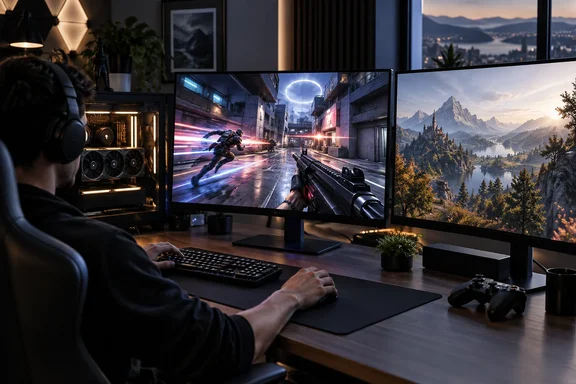
Competitive shooters changed his priorities. He bought a 1440p/360Hz OLED, and the 4K panel is now his secondary display.
These are his own experiences, not controlled tests. He gives no settings, scenes, game versions or frame-time data. Treat his figures as anecdotes. One example is Black Myth: Wukong averaging about 40 FPS on his RTX 4090 without DLSS. Another is Assassin's Creed: Shadows failing to hold 60 FPS at native 4K.
Why 1440p at high refresh can feel better
His argument rests on a rendering budget, and it is a sound one.
- Fewer pixels, more headroom. At 1440p the GPU has fewer pixels to draw per frame. It can spend the savings on higher frame rates or on image quality. Rozario says he sometimes enables DLAA with that spare capacity.
- Smoothness over sharpness in fast games. In competitive shooters he would rather chase very high frame rates than a sharper image. For slow scenery in open-world games, he concedes 4K still wins.
- OLED softens the blow. He says 1440p looks softer after years at 4K. But the panel's deep blacks, strong contrast and fast pixel response make the trade easier to accept. "Infinite contrast" is his description, not a measured spec for his monitor.
This is not a universal guarantee. How much a lower resolution helps depends on the game and on whether the GPU is the bottleneck. A CPU-limited title will gain far less from dropping to 1440p.
Refresh rate is not frame rate
A 360Hz display can refresh up to 360 times a second. That does not mean a game will render 360 unique frames. Frame rate depends on the game, settings, CPU and GPU. This is why very high refresh panels pay off most in lighter competitive titles. Rozario names Valorant and Counter-Strike 2 as examples. They matter less in demanding AAA games.
Frame generation and responsiveness
Rozario says frame generation makes motion look smoother but does not make a game feel more responsive. The distinction between displayed FPS and rendered FPS is real, but the claim needs care.
NVIDIA's documentation lists the DLSS features separately.
- Per NVIDIA's driver guide, DLSS Super Resolution reconstructs higher-resolution frames from a lower-resolution render. Frame Generation generates additional frames. DLAA applies DLSS technology for anti-aliasing at native resolution.
- NVIDIA describes Reflex as a technology that reduces system latency by synchronizing CPU and GPU work.
- When it launched DLSS 4 Multi Frame Generation, NVIDIA said the feature maintains responsiveness through Reflex. That is a vendor claim, and real results vary by game.
So a more precise version of his point is this. Generated frames are not equivalent to natively rendered ones, and a high FPS counter alone does not tell you how responsive a game feels. Check latency as well as the counter.
The RTX 5090 question
Rozario says an RTX 5090 would be "barely 30% faster" than his RTX 4090, so he is not splurging. He offers no benchmark to back the figure, and it should be treated as his estimate. NVIDIA's launch claim was different. At CES 2025 the company said the RTX 5090 outperforms the RTX 4090 by up to 2x, thanks to Blackwell and DLSS 4. That figure includes DLSS 4's generated frames. It is not a like-for-like native comparison. NVIDIA also set a US$1,999 starting price and a January 30 availability date.
The gap between the two numbers shows why native-rendering comparisons and AI-assisted ones need to be kept apart. Rozario's own recollection of the 3090 is a similar case. NVIDIA's 2020 launch material promoted 8K gaming for the RTX 3090, with 60 fps across many top games. That was a marketing claim about certain titles and settings. It was never a promise of 60 FPS at native 4K in every future game.
Update: a 4K/360Hz OLED has now been announced
Rozario writes that no 4K/360Hz OLED is on the market, that MSI showed one at Computex 2026, and that it is expected early next year. Reports from around the show add detail, and the picture is more mixed than his timing.
- PCWorld reported that the MSI MPG OLED 322URDX36 is a 31.5-inch QD-OLED that switches between 4K/360Hz, 1440p/520Hz and 1080p/680Hz.
- PCWorld said it was set to launch in the second half of 2026, with the price not yet confirmed.
- Another report said official pricing and release dates remained unconfirmed.
- Other coverage lists a 5th-generation QD-OLED panel, 1,500 nits peak HDR brightness and DisplayPort 2.1 with USB-C power delivery, according to DisplaySpecifications and Guslok.
These sources do not agree on timing. The reports I found date from around the June announcement, so I cannot confirm retail availability today. I found no independent reviews, either. Treat the specs as manufacturer-stated.
A single panel with several resolution and refresh modes complicates the either/or choice. It does not remove the GPU limit. A monitor that can do 4K at 360Hz does not give your PC the power to render demanding games at that rate.
What to take from this
- Match the monitor to the games you play. 4K favours detail in scenic single-player games. A high-refresh 1440p panel favours fast, competitive play.
- Know your GPU's limits. If you lean on upscaling to hold 60 FPS at 4K, dropping to 1440p may let you run native or DLAA instead.
- Judge frame generation by latency, not only the FPS counter. Rendered frames and generated frames are not the same thing.
- Be wary of launch-day multipliers. "Up to 2x" claims may mix native and AI-generated frames. Look for native-rendering benchmarks before paying for a flagship GPU.
- Consider waiting for hardware like MSI's triple-mode monitor. Wait for independent reviews and confirmed pricing first.
Rozario's preference is his own, and plenty of players will still choose 4K. But his central point holds up. A resolution and refresh rate only matter if your GPU can use them. Until a PC can drive 4K at very high frame rates in the games you actually play, 1440p at high refresh remains a reasonable compromise.
References
- I chased 4K gaming for a decade, then 1440p OLED made me stop caring about resolution XDA · 2026-10-05T11:00:17+00:00
- MSI introduces the MPG OLED 322URDX36 monitor with 360Hz and adaptive gaming modes - guslok guslok.com
- The MSI MPG OLED 322URDX36 is a 4K 360Hz QD-OLED monitor debuting at Computex 2026 displayspecifications.com