

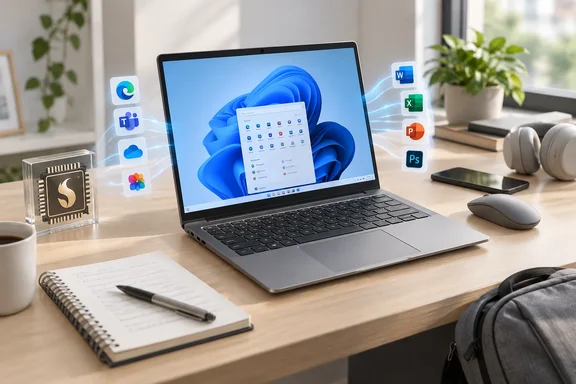
The Gadgeteer's write-up gets the headline right: the laptop pairs 16GB RAM, a 512GB SSD, and a 16:10 display with Snapdragon X, and buyers should check Windows-on-Arm compatibility before buying. Here's what the listings confirm, where they contradict each other, and how to check compatibility before you spend the money.
The spec sheet: what's confirmed
Several retailer listings agree on the core configuration. Micro Center's listing gives a Snapdragon X processor, 16GB LPDDR5 RAM, Qualcomm Adreno integrated graphics, a 512GB SSD, a 14" WUXGA IPS display, Gigabit LAN, Wi-Fi 6 (802.11ax) and Bluetooth 5.3. It also confirms the Qualcomm Hexagon NPU with up to 45 TOPS and the manufacturer part number NX.DWNAA.001.
The exact chip appears to be Qualcomm's entry-level Snapdragon X part. One retail listing names it as a 3GHz Qualcomm Snapdragon X X1-26-101 8 Core, which matches Acer's own designation for this model.
The rest of the picture, based on Acer's and B&H's listings as reported by The Gadgeteer:
| Component | Listed spec |
|---|---|
| Display | 14-inch IPS, 1920 × 1200, 16:10, 60Hz, matte ComfyView, no touch |
| Color gamut | 45% NTSC (B&H); Acer lists both 45% and 48.5% NTSC |
| Storage | 512GB PCIe Gen4 NVMe M.2 (B&H says the slot is occupied) |
| Ports (per B&H) | 2× USB-C, 2× USB-A, HDMI, 3.5mm headset jack, microSD, Gigabit Ethernet |
| Power | 65W adapter |
| Extras | Copilot key; no keyboard backlight, no fingerprint reader |
| OS | Windows 11 Home |
Section summary: On paper this is a sensible everyday setup. 16GB of RAM and 512GB of storage are the right baseline for a laptop you plan to keep for years, and the port selection means most people won't need a dock straight away.
The spec-sheet contradictions
Acer's own product page is messy, and the retail listings don't fully agree with each other either.
Memory. The Gadgeteer found that Acer's listing shows 16GB installed but gives the "maximum supported system memory" as 8GB. That's clearly an error. Micro Center's listing is more sensible, giving Maximum Memory Supported 16GB, 16GB onboard. B&H also describes the memory as onboard. Either way, 16GB soldered LPDDR5 means what you buy is what you keep. You can't upgrade it later.
Weight. This one is a genuine contradiction. The Gadgeteer says Acer lists about 3.31 pounds, and Micro Center agrees with 3.31 lbs. (1.50 kg). Notebookcheck's launch coverage instead calls it the new 1.2 kg (2.65 lb) laptop. A 0.66-pound gap is a big deal if you carry the laptop around campus all day. If weight matters to you, ask the seller to confirm the figure before you order.
Display gamut. Acer gives two figures, 45% and 48.5% NTSC. Either way it's a basic-gamut panel. It's fine for documents, browsing and streaming. It's not suitable for photo grading or color-accurate video work, whatever the marketing copy says about content creation.
Price and availability
The Gadgeteer lists the laptop at $749.99, and B&H's Windows 11 Qualcomm category page showed the AL14-11M-X8EN at that price, marked as a new release and in stock. Notebookcheck reports that it retails for $749 in the US from multiple retailers, including Amazon, and that official listings currently appear only in the US. Prices aren't the same everywhere, though. One other storefront listed the same model at 899.99, so compare prices before you buy.
Know its sibling: Aspire Lite 14 AI vs. Aspire 14 AI
Acer already sells a more upmarket Snapdragon X laptop, the Aspire 14 AI (A14-11M), and comparing the two shows where the "Lite" savings come from. Acer UK's listing for one Aspire 14 AI configuration shows a Processor Model: X1-26-100, Processor Speed: 3 GHz, Octa-core, Hexagon NPU at 45 TOPS. That's essentially the same class of silicon. Notebookcheck's spec sheet for the A14-11M, however, lists a 120 Hz panel, 2 USB4 40 Gbps ports with USB-C Power Delivery, Wi-Fi 7, and a 65 Wh battery. Acer claims the Aspire 14 AI with its WUXGA panel and 65Wh battery reached 28 hours under a video playback scenario and 17 hours under a web browsing scenario in its own testing.
So the Lite model appears to drop the faster screen, USB4 and Wi-Fi 7. Notebookcheck says it uses a 3-cell battery that supports 65 W charging, but Acer has not revealed more details yet, nor has it provided expected runtimes. Don't read the sibling's 28-hour claim as a promise for this model.
Section summary: The NPU and CPU class are about the same as the Aspire 14 AI. The cuts are in display refresh, port bandwidth, wireless and possibly battery capacity. No independent battery or performance testing of the Lite model was found.
The catch: Windows on Arm
The 45 TOPS NPU clears Microsoft's 40+ TOPS threshold for Copilot+ PC hardware. Microsoft notes that individual Copilot+ features can depend on updates, region and device, so treat the NPU figure as eligibility, not a guarantee of every feature.
The more important thing to understand is how apps run. In Microsoft's documentation, Windows 11 runs native Arm64 apps directly and runs many unmodified x86 and x64 apps through emulation. Windows 11 version 24H2 added the Prism emulator, which Microsoft says improves emulated performance on Snapdragon X-series Copilot+ PCs. Microsoft's support FAQ names native Arm versions of the Microsoft 365 apps (Word, Excel, PowerPoint, Outlook, Teams, OneDrive, OneNote), plus Chrome, Slack, Spotify, Zoom, WhatsApp, Blender, Affinity Suite and DaVinci Resolve.
Drivers are where things break. Microsoft's developer FAQ says kernel-mode drivers and user-mode print drivers must be built as native Arm64 binaries, and an x86 or x64 setup program can't install an Arm64 driver. Microsoft's consumer FAQ lists the practical consequences:
- Peripherals work only if their driver is built into Windows 11 or the manufacturer ships an Arm64 driver.
- Games that rely on anti-cheat drivers not built for Arm may not run.
- Some third-party antivirus can't be installed unless it has been made for Arm.
- Apps that customize Windows, including some input method editors, assistive technologies and cloud-storage clients, may have problems.
- Windows Fax and Scan isn't available on Arm-based PCs at all.
Printing is mostly fine. Microsoft says Arm PCs support most printers, including Mopria-certified models.
A five-minute pre-purchase checklist
- List your must-have apps, including plug-ins, VPN clients and specialist line-of-business tools.
- Check each one for an Arm64 build on the developer's site. Microsoft also points users to Windows on Arm Ready Software / worksonwoa.com, a maintained compatibility resource that Microsoft contributes data to.
- Check drivers for every peripheral you use, such as scanners, label printers, audio interfaces, dongles and security keys, and look specifically for Arm64 drivers from the manufacturer.
- Gamers: check anti-cheat support for each title before buying.
- IT admins: confirm that your endpoint security, VPN and management agents support Arm64 before you add this machine to a fleet.
- Confirm the SKU details with the seller, especially weight and memory, given the conflicting listings.
The verdict
The Aspire Lite 14 AI is a well-chosen spec list at a mid-range price. You get 16GB of RAM, a 512GB Gen4 SSD, a matte 16:10 screen, Ethernet and a full set of ports. It looks like a good fit for students, remote workers and households that mostly live in a browser and Microsoft 365. It's a weaker choice if you need color-accurate work, a backlit keyboard for late-night typing, or support for an old scanner that never got an Arm64 driver.
Is the $749.99 laptop worth it? That depends less on Acer and more on whether the software and hardware you rely on already support Arm. Check that list before checkout.
References
- Acer Aspire Lite 14 AI Has the Right Everyday Specs, With One Catch - The Gadgeteer The Gadgeteer · 2026-10-02T03:00:00+00:00
- Aspire 14/16 AI Snapdragon - A14-11M-X2N7 Tech Specs acer.com
- Notebookcheck Logo notebookcheck.com