

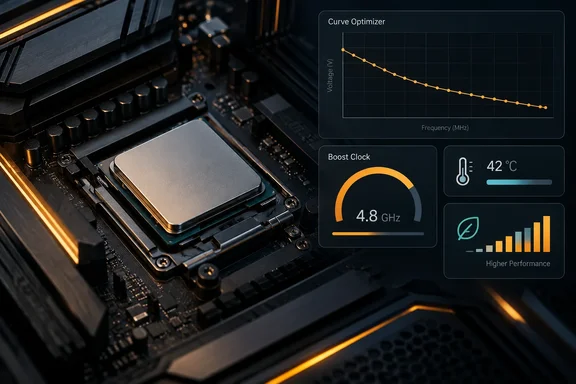
The argument holds up in principle. The numbers behind it need more caution. Here is what was tested, what AMD's documentation says, where the data looks shaky, and how to try it yourself without turning a stable gaming PC into a crash-to-desktop machine.
Why the old overclocking method stopped paying off
The old method was simple. You raised the multiplier, added voltage, and hoped your cooler kept up. That worked when CPUs shipped with cautious boost tables and plenty of unused headroom. You found where your chip landed in the silicon lottery, locked an all-core frequency above stock, and kept the difference.
Raj traces the change to AMD's Zen 2 era. By then, Precision Boost 2 was a mature per-core algorithm. Many times a second, it reads package power (PPT), sustained current (TDC), peak current (EDC) and die temperature, then pushes each core as far as those limits allow. His Zen 4 Ryzen 5 7600X regularly reaches about 5,450 MHz in single-core work at stock settings, above the 5.3 GHz printed on the box. That 5,450 MHz figure is his own measurement, not an AMD rating.
That is why fixed all-core overclocks lost their appeal. Reviewers have generally found that a manual all-core clock scores below Precision Boost on single-thread work and at best matches it on multi-thread, while drawing more voltage and producing more heat. A locked clock also switches off the clever behaviour you paid for.
Raj's summary is that modern chips don't lack frequency headroom. They hit voltage, thermal and current limits first. Raising the clock ceiling does nothing if the chip runs into those limits before reaching it.
Section summary: Precision Boost already takes most of the easy clock gains. What's left is limited by voltage, heat and current, not by the frequency cap.
What Curve Optimizer actually does
Curve Optimizer applies a voltage offset, either to all cores or to each core separately. A negative value tells a core to request less voltage at each point on its voltage-frequency curve. AMD's FAQ describes the feature as a way to tune the CPU's AVFS curve, either for the whole CPU or for specific cores, so that the tuning overrides the fixed curves that they are fused with, resulting in an increased CPU performance. AMD's current Ryzen Master user guide lists three modes: All Cores, Per Core, and Per Die, with Per Die available only on multi-die CPUs.
This is where it connects to overclocking. On Zen 4 and Zen 5, the main overclocking control is a boost clock override, which lets the chip boost past its rated maximum. On the 7600X, a +200 MHz override raises the ceiling from 5.3 GHz to 5.5 GHz. The override doesn't change the chip's voltage limit, and Precision Boost still stops raising clocks once it reaches that limit. On the stock voltage curve, the limit arrives well before the new ceiling.
A negative Curve Optimizer offset makes each frequency step cheaper in voltage. That leaves the boost algorithm room to climb further before it hits its safety limits. Without the undervolt, the override mostly has no effect.
A note on history: Curve Optimizer started out as a limited feature. AMD's original FAQ said it arrived in Ryzen Master build 2.9.0.2093 and was supported on below CPUs only: Desktops utilizing AMD Ryzen™ 5000 processors AMD Ryzen™ Threadripper™ PRO 5000WX processors. Support has since expanded to Zen 4 parts such as the 7600X. Still, the XDA claim that the setting exists on "every modern Ryzen board" is too broad. Availability depends on the CPU, motherboard, BIOS version and tuning software. And despite the article's nod to Intel's Thermal Velocity Boost, Intel has no equivalent of Curve Optimizer. This is an AMD story.
Section summary: Curve Optimizer lowers the voltage each core asks for. That gives Precision Boost room to use a higher boost override. The two settings work together.
The numbers, and where they don't add up
Raj tested his Ryzen 5 7600X in Maxon Cinebench 2026. These are one reviewer's results from one chip, as he reported them:
Single-core
| Configuration | Score | Package power | Tdie |
|---|---|---|---|
| Stock | 613 | 75.2 W | 83.2°C |
| CO -15 | 630 | 64.1 W | 74.1°C |
| CO -15 + 200 MHz | 633 | 66.4 W | 76.0°C |
Multi-thread
| Configuration | Score | Package power | Tdie |
|---|---|---|---|
| Stock | 3,323 | 122.7 W | 94.7°C |
| CO -15 | 3,385 | 118.8 W | 90.6°C |
| CO -15 + 200 MHz | 3,388 | 121.7 W | 92.1°C |
The single-core result is the clearest win. The undervolt alone added about 2.8% to the score while cutting package power by about 11 W and Tdie by about 9°C. Higher performance with lower power is a good trade.
The multi-thread figures contain an inconsistency:
- The stock score differs between the text and the table. The prose gives 3,223 points and calls the gain "5%". The table gives 3,323. With 3,323 as the baseline, the Curve Optimizer gain is about 1.9%, not 5%. A 5% gain only works if 3,223 is correct. One of the two numbers is a typo, and the article doesn't say which. Assume roughly 2% until the author corrects it. (The article also calls the chip a "76000X" at one point, so typos clearly got through.)
- The boost override adds very little in Cinebench. Going from CO -15 to CO -15 plus 200 MHz added three points in each test. That's about 0.5% in single-core and about 0.1% in multi-thread, which is within normal run-to-run variation for Cinebench.
My reading, based on general benchmarking experience rather than any extra testing: in these Cinebench numbers, the undervolt does nearly all the work, and the clock override barely registers.
The game test: interesting, but thin
To see whether this matters outside synthetic benchmarks, Raj used Star Wars Jedi: Survivor, an Unreal Engine 4 game known for heavy CPU load. He ran it with DLSS Performance to keep it CPU-bound and did two controlled runs through the crowded Pyloon's Saloon area:
| Metric | CO -15 | CO -15 + 200 MHz | Change |
|---|---|---|---|
| Average FPS | 121.2 | 127.4 | +5.1% |
| 1% low FPS | 75.8 | 79.5 | +4.9% |
| Average CPU clock | 5,450 MHz | 5,491 MHz | +0.8% |
| Average CPU power | 96 W | 102 W | +6.3% |
| Average Tdie | 71°C | 74°C | +4.2% |
A 5% gain in frame rate and 1% lows would be worth having in a CPU-limited game. Some caveats:
- The clock gain is far smaller than the FPS gain. Average clocks rose 0.8%, yet frame rates rose about 5%. Raj says the result matches the Cinebench trend. It doesn't: Cinebench showed the override adding almost nothing. A gain six times larger than the clock increase points to run-to-run variance, NPC behaviour in a busy hub area, or something else that wasn't controlled.
- There is no stock baseline. The game test compares CO -15 against CO -15 plus the override. It never compares against untouched stock settings, so it can't show the full effect of tuning versus doing nothing.
- Two runs are very few. That's enough for a first impression, not enough to make a confident claim about repeatability.
None of this means the result is wrong. It means you should treat it as a promising data point and test your own system rather than assume you'll get 5%.
Section summary: The undervolt clearly helps efficiency and slightly improves Cinebench scores. The extra benefit of the boost override is small in Cinebench and unclear in the game test.
How to try it on your own Ryzen system
You can tune Curve Optimizer in your motherboard BIOS (often under AMD Overclocking or Precision Boost Overdrive) or in AMD Ryzen Master on Windows. Tom's Hardware notes that while undervolting can be achieved through your motherboard's BIOS, AMD's Ryzen Master software offers all the necessary tools to fine-tune your CPU.
First, the warning. Tom's Hardware stresses heeding the Ryzen Master startup warning, because overclocking voids your warranty, and all forms of PBO are strictly classified as overclocking. Read that warning before you click through it.
Before you start:
- Update your BIOS to the latest stable release and confirm your board exposes Curve Optimizer or PBO settings for your CPU.
- Make sure the system is stable at stock settings, including your EXPO memory profile.
- Install a monitoring tool. HWiNFO64 can show effective clock speeds, CPU core voltage, package power, thermal limits, PPT/TDC/EDC readings, CPU temperature, and WHEA error counters.
The tuning loop:
- Record a baseline. Note your stock scores, effective clocks, power and temperatures in the benchmarks and games you actually use.
- Start conservatively. Common community advice is an all-core negative offset of about -10, then step deeper in increments of 5 until you find instability, and back off from there. Raj's -15 is a reasonable reference point, not a value every chip can run.
- Test with more than Cinebench. Short benchmark passes aren't enough. As one Ryzen Master guide warns, a CPU may boot and pass a short test but still crash later in a game or productivity workload. Run longer stress tests such as OCCT, then play your games and use your everyday apps.
- Watch for WHEA errors as well as crashes. If a crash or WHEA error appears, reduce the offset by 5. For game-only crashes, one guide suggests making the offending core's offset 2 to 3 steps less negative.
- Move to per-core tuning if you want more. Your strongest cores usually tolerate less undervolt than your weakest ones.
- Add the boost override last. Some guides suggest +100 to +200 MHz if temps/voltages allow (watch stability). Then compare against your CO-only results. If the gain sits within run-to-run variation, as it did in Raj's Cinebench tests, keep the simpler setup.
- Recover from boot loops. If the PC won't boot, clear CMOS, load defaults, re-enable EXPO and reapply a milder offset.
Ryzen Master's automatic option is also available. XDA's earlier walkthrough describes clicking Start Optimizing in the Curve Optimizer section, which shows suggested values, and warns that this optimization process can take some time and could restart your system as well. AMD's own FAQ admits the tradeoff: a short stress-test duration finishes faster, but the derived values may not be stable.
The verdict
Raj's main argument is correct. On a modern Ryzen chip, the useful tuning is now voltage, not frequency. A modest Curve Optimizer offset on a 7600X gave higher single-core scores and noticeably lower power and temperatures, which most PC owners will happily take even if they never touch a clock setting.
The headline overstates the rest. The extra benefit of the +200 MHz override is close to zero in Cinebench. The 5% gaming gain comes from two runs, with no stock baseline and clock speeds that rose less than 1%. The multi-thread figures also contradict each other.
It is worth trying, but treat it as an experiment on your own system rather than a guaranteed gain. Start small, test thoroughly, compare effective clocks and frame rates instead of peak readings, and keep a stock BIOS profile saved in case you need to roll back.
References
- CPU overclocking isn't dead, most people just aren't touching the one setting that still boosts performance XDA · 2026-10-01T11:01:18+00:00
- How to use Precision Boost Overdrive and Curve Optimizer to improve Ryzen CPU performance tomshardware.com
- faq curve optimizer amd.com