

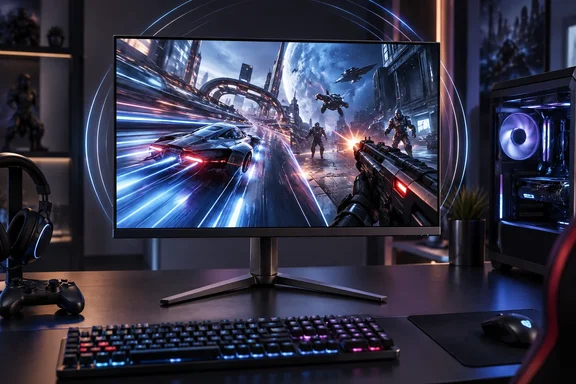
What AOC actually announced
The main selling point is that you don't have to give up resolution to get the speed. According to tbreak's report, 1,000Hz is available at its full 1920 × 1080 resolution, rather than being a mode reached only after reducing resolution. That matters because "1,000Hz" monitors announced earlier in this cycle often used dual-mode designs, where the very high refresh rate only works at a lower resolution such as 720p.
Here are the headline specs from AOC's product listing:
| Specification | AOC AGON PRO AGP257FT (manufacturer claims) |
|---|---|
| Panel | 24.5-inch oxide-based Fast IPS, 1920 × 1080, 16:9, flat, anti-glare |
| Refresh rate | 1,000Hz native; 1,050Hz overclocked |
| Response time | 0.3ms GtG (minimum); 0.1ms MPRT |
| Brightness / HDR | 450 nits; VESA DisplayHDR 400; 20-zone local dimming |
| Colour | 99% sRGB, 90% DCI-P3, 8-bit |
| Contrast | 1,000:1 static |
| Sync | NVIDIA G-SYNC Compatible |
| Inputs | 2× HDMI 2.1, 1× DisplayPort 2.1 |
| Extras | 3× USB-A 5Gbps hub, headphone out, headset hook |
| Stand | 150mm height, tilt, swivel, pivot |
VideoCardz reports that an overclocking mode increases the refresh rate to 1050Hz without lowering the resolution, and tbreak adds that AOC's specification sheet says it can reach 1,050Hz over DisplayPort 2.1 or HDMI 2.1 when overclocked. AOC's own spec page lists a vertical signal frequency of 48–1,000Hz over both HDMI and DisplayPort. It also lists power draw at 29W typical and 80W maximum, and names Windows 8.1, 10, 11 and macOS as supported operating systems.
The spec sheet has already changed once
Anyone who followed this monitor since spring will notice a revision. The AGP257FT first appeared in May, when, as VideoCardz reported, the product was shown during BOE's native 1000fps technology event. AOC quoted a 0.2ms response figure at the time. Now AOC now lists a minimum 0.3ms GtG response time and 0.1ms MPRT. This differs from the 0.2ms GtG specification shown during the earlier BOE presentation.
That's a small change, but it's a useful reminder that these are marketing numbers on pre-release hardware. GtG (grey-to-grey) measures how fast a pixel changes from one shade to another. MPRT measures how long each image stays visible to your eye. They describe different things and shouldn't be compared directly.
Section summary: This is a true native-1080p, 1,000Hz IPS esports panel with a 1,050Hz overclock mode. It's due in Q1 2027, it has no price yet, and no independent reviews have been published.
The math behind 1,000Hz
Refresh rate is how many times per second the monitor can draw a new image. The interval between those updates is simple to calculate:
| Refresh rate | Time between refreshes |
|---|---|
| 144Hz | ~6.94ms |
| 240Hz | ~4.17ms |
| 360Hz | ~2.78ms |
| 500Hz | 2.00ms |
| 720Hz | ~1.39ms |
| 1,000Hz | 1.00ms |
| 1,050Hz (OC) | ~0.95ms |
These numbers show where the gains get smaller. Going from 144Hz to 240Hz cuts about 2.8ms from each refresh interval. Going from 500Hz to 1,000Hz cuts exactly 1ms. Going from 1,000Hz to 1,050Hz cuts about 0.05ms. Wccftech is blunt about the overclock mode: going from 1000 Hz to 1050 Hz will be unnoticeable, given that it's already difficult to differentiate between a 500 Hz and a 1000 Hz monitor.
A faster refresh also puts pressure on the panel itself. VideoCardz notes that at 1000Hz, the display produces a new refresh every 1ms, so pixel response performance will be an important part of independent testing. If pixels can't finish changing within each 1ms window, you get smearing and ghosting, and the extra refreshes do less for image clarity. AOC's answer, according to Wccftech, is that the oxide-based Fast IPS panel is meant to overcome the voltage-response limits, which holds back LCD panels at extremely high refresh rates. Whether it actually manages that will only become clear once reviewers measure it.
Section summary: 1,000Hz means a 1ms refresh interval. Each step up the refresh-rate ladder saves less time than the one before, and the 1,050Hz overclock is mostly a spec-sheet number.
Can your PC actually feed it?
A 1,000Hz monitor can show up to 1,000 new images per second. It can't make your game render 1,000 frames per second. TechRadar's Darren Allan points out that even top-end PCs running esports shooters won't sustain 1,000fps on average, and that sustained frame rate matters far more than occasional peaks.
AOC is targeting the right games. Digital Citizen reports that it is positioning the AGP257FT for fast competitive games such as Counter Strike 2, Valorant, Call of Duty, and racing titles, which benefit most provided the PC can actually push enough frames to match the display.
That said, a higher refresh rate still helps when your frame rate falls short of it. TechRadar acknowledges that running at 1,000Hz still reduces motion blur and input lag even when fps is below 1,000. NVIDIA's own latency guide breaks display latency into scanout, display processing and pixel response, and says that a higher refresh rate reduces scanout latency. NVIDIA also stresses that PC latency (the operating system, the game and rendering) is often the biggest part of total system latency. In other words, a slow PC paired with a 1,000Hz monitor is still a slow PC.
Section summary: Not reaching 1,000fps doesn't make the panel pointless, but the full benefit depends on a CPU and GPU that can deliver very high, consistent frame rates in your specific game.
Motion clarity: refresh rate isn't the whole story
Blur Busters has explained this for years: on a sample-and-hold display, each frame stays on screen for a full refresh cycle, and that holding time causes perceived blur. Under ideal conditions, 1,000fps at 1,000Hz gives about 1ms of persistence. In Blur Busters' example, that works out to roughly one pixel of blur for every 1,000 pixels per second of motion. Real panels with slower pixel transitions do worse than that ideal. The other way to cut blur is strobing, also called black frame insertion.
AOC uses both approaches. Its spec sheet lists Motion Blur Reduction Plus (MBR+), and Aroged reports that unlike traditional MBR technology that flashes (turns on and off) the entire screen backlight at once, MBR+ uses a dual light bar system with 20 independent sets of LEDs. Aroged also says the monitor offers flicker reduction modes based on DC dimming instead of traditional pulse width modulation (PWM).
This is also where TechRadar's IPS-versus-OLED point comes in. Many gamers will argue that a 720Hz OLED would be the better choice for motion clarity. That may well turn out to be true, since OLED pixels change state almost instantly. But until someone tests the AGP257FT next to an OLED rival, it's a reasonable guess rather than a settled fact. An IPS panel does have some known advantages, including no burn-in risk, which matters to esports players who stare at the same HUD for thousands of hours. Its known weaknesses include a 1,000:1 contrast ratio and limited HDR performance from DisplayHDR 400 with only 20 dimming zones.
Section summary: Motion clarity depends on refresh rate, actual frame rate, pixel response and blur-reduction techniques together. Model-specific testing will decide the IPS-versus-OLED question.
Getting the most out of any high-refresh monitor on Windows
You don't need a 1,000Hz monitor to benefit from checking these settings. Many people run 240Hz panels at 60Hz without realising it. The following steps are based on NVIDIA's latency guidance and standard Windows 11 settings:
- Confirm the refresh rate. In Windows 11, go to Settings > System > Display > Advanced display and pick the highest rate. NVIDIA also suggests checking in the NVIDIA Control Panel under "Change resolution", and notes you may need to be at native resolution to get the maximum rate.
- Use the right cable and port. On the AGP257FT, the highest refresh rates are listed for DisplayPort 2.1 and HDMI 2.1, so an old cable may hold you back.
- Enable Game Mode. Go to Settings > Gaming > Game Mode and switch it on.
- Turn on NVIDIA Reflex in games that support it. If a game doesn't, NVIDIA recommends its driver's Ultra Low Latency Mode instead.
- Prefer exclusive fullscreen. NVIDIA says it bypasses the Windows compositor, which adds latency.
- Use moderate overdrive. NVIDIA suggests starting at the first overdrive level, because too much creates distracting artifacts called overshoot.
- Max out your mouse polling rate. NVIDIA notes that a 125Hz polling rate can add up to 3ms of latency on average compared with 1,000Hz.
So, do you need 1,000Hz?
For most players, probably not. TechRadar argues that the vast majority of gamers would get more from spending on the PC itself, especially with RAM-driven price pressure across the hardware market. That's sensible advice: a faster CPU and GPU help in every game, while a 1,000Hz panel mainly helps in a few competitive shooters at 1080p.
There is another side to this, though. If you're a pro or high-level competitive player who already sustains very high frame rates in CS2 or Valorant, a 1ms refresh interval at native 1080p is a real engineering milestone. Club386 noted back in May that this panel class surpasses existing FHD 600Hz displays like BenQ's XL2586X and even the 720Hz 720p dual-mode options.
AOC hasn't announced a price, and no independent tests of input lag, pixel response or overshoot have been published. Until then, the sensible approach is to wait for both the price and the reviews before you decide.
References
- AOC has a 1,000Hz gaming monitor, but do you need that high a refresh rate? TechRadar · 2026-10-01T13:40:07+00:00
- AOC AGON PRO AGP257FT: native 1,000Hz monitor tbreak.com
- AOC AGON PRO AGP257FT 1050Hz OC Full HD monitor launches in Q1 2027 - VideoCardz.com videocardz.com