

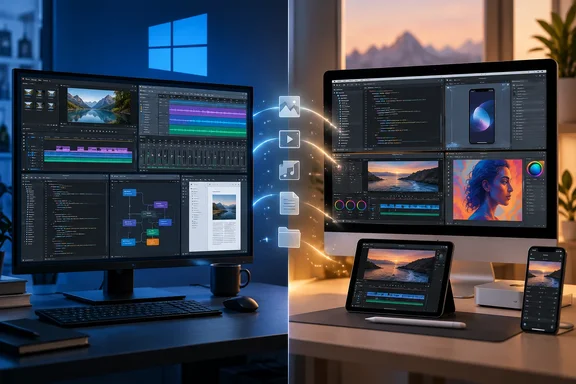
He's right on the narrow point. None of those six ships as a native Windows app. The more useful question for PC owners is different: what do you actually lose, and what do you use instead? That depends a lot on the app.
First, a distinction: "missing" is not the same as "impossible"
Gawde says plainly that Windows isn't short on essential software and that capable alternatives exist for everything on his list. His case is really about integration. Apple's pro and creative apps are tied to Apple hardware, and for people who depend on them, that tie is often why they stay.
Some of his supporting claims are judgment calls, not tested findings. Examples include Final Cut's "performance advantage" over Windows editors and his view that no Windows program matches its mix of speed and ease. No benchmarks back those up here, so read them as one experienced user's opinion.
Summary: Apple's apps really are Apple-only. Whether that matters depends on your work, your budget, and how deep you already are in Apple's ecosystem.
Final Cut Pro: Mac and iPad, never Windows
Final Cut Pro is the headliner, and it isn't strictly a Mac app anymore. Apple now describes it as a video editor for Mac and iPad. Apple's product page highlights the Magnetic Timeline, Magnetic Mask subject isolation, automatic captions, and Visual and Transcript Search for finding clips. Apple's June 2026 update added Auto Mask and a reworked Match Color on the Mac.
The pricing model has changed since Gawde's framing:
- One-time purchase: Final Cut Pro for Mac is still sold outright on the Mac App Store, at US$299.99 according to Apple's product materials.
- Subscription: It is also part of Apple Creator Studio, Apple's creative bundle that includes Logic Pro and Pixelmator Pro. Apple's June 2026 newsroom post lists new-subscriber pricing of US$12.99 a month or US$129 a year, with education pricing of US$2.99 a month or US$29.99 a year.
So "Final Cut is one-time, the rivals are subscriptions" is now only half the story, because Apple sells a subscription too. Gawde's claim that DaVinci Resolve and Adobe Premiere Pro both carry ongoing subscription costs also needs a caveat. As general industry knowledge, Resolve has long been offered as a free edition plus a paid Studio license, not only as a subscription. Check current terms before you budget.
His description of Resolve as the closest Windows option, with a steeper learning curve, is a fair opinion. It isn't a measured result.
Logic Pro and GarageBand: Apple's music ladder
Gawde calls Logic Pro the music-production counterpart to Final Cut, and Apple's own description fits. Apple's App Store listing describes a full set of tools for songwriting, beat-making, editing and mixing. Its feature list includes Stem Splitter, Smart Tempo, Flex Time and Flex Pitch, Live Loops, and Mastering Assistant.
One pricing correction: Gawde lists Logic at US$199. Apple's May 2025 announcement put the Mac version at US$199.99 for new users, with updates free for existing owners. The iPad version is a separate subscription at US$4.99 a month or US$49 a year. The Mac app is also included in Creator Studio.
GarageBand is the free entry point. Apple pitches it as a beginner's studio with instruments, guitar and voice presets, drummers, loops, and recording and mixing tools. It runs on Mac, iPad and iPhone.
The feature Windows users can't easily copy is the upgrade path. Apple's Logic listing confirms that Logic imports GarageBand projects and can move projects back and forth with Logic Pro for iPad. A beginner's sketch can become a professional session without any conversion.
On Windows, Gawde points to FL Studio and Ableton Live for music production and Cakewalk Sonar for beginners. His view that Sonar is less polished than GarageBand for newcomers is his opinion. So is his claim that neither FL Studio nor Ableton matches Logic's value. Both are reasonable starting points for your own trial, not settled facts.
Summary: Apple's music advantage comes from how the apps connect: GarageBand to Logic, Mac to iPad. Windows has strong DAWs, but no free app from the platform owner that leads straight into a pro one.
Xcode: the only real wall on the list
The other five items are about taste and convenience. Xcode is a hard requirement. Apple's system-requirements documentation ties each Xcode release to supported macOS versions, along with its SDKs, simulators and Swift compiler. The official Apple toolchain installs on macOS and nowhere else.
Gawde's point holds: Xcode isn't just a code editor. It bundles Apple's SDKs, debugging, code signing and device simulators in one place.
The distinction Windows developers should keep in mind:
- Writing code for an iOS app can happen on Windows. Visual Studio, VS Code and cross-platform frameworks such as Flutter cover a lot of that work, as Gawde notes.
- Building, testing in Apple's simulators, and signing through Apple's Xcode workflow requires a Mac running a supported macOS version.
That's why many Windows-first teams keep at least one Mac around for the final build and release steps. It's not a comment on Windows tooling. It's simply how Apple's platform works.
Shortcuts vs. Power Automate: closer than the headline suggests
This is where Windows is least behind. Apple's Shortcuts guide describes shortcuts as chains of actions across apps, device content and web services. You can start from curated Gallery examples or build your own, with conditional and repeat logic. Shortcuts can be run from Spotlight, Finder, the Dock, keyboard shortcuts or the command line. Apple also notes that some event-triggered automations ask for your confirmation before they run.
Gawde says Power Automate is for "enterprise-level workflows" and that Windows lacks a ready-to-use equivalent. That undersells what already ships with the OS:
- Power Automate for desktop comes pre-installed on Windows 11 but can be installed for free on Windows 10, according to Microsoft's Power Platform community.
- Microsoft's licensing FAQ says Windows 11 users can search for "Power Automate" in the Windows search bar, and the desktop app downloads automatically and then launches the first time you select its icon.
- The Microsoft Store listing says Power Automate can automate web and desktop applications on your Windows desktop by mimicking the user interface actions like clicks, and keyboard input.
There are limits. Microsoft's FAQ says Windows 11 users can try desktop flows in attended RPA for personal productivity in the default environment, but they can't share the desktop flows or create desktop flows in a different environment. It also notes that Windows users don't have access to cloud flows; full cloud flows and RPA features require the Power Automate Premium plan. Unattended runs, where a flow executes while you're asleep, also sit behind paid licensing.
Gawde's broader point still has some weight. Shortcuts syncs across Mac, iPhone and iPad and hooks into system surfaces such as Spotlight, while Power Automate relies mostly on UI automation. But "Windows has nothing built in" isn't accurate. AutoHotkey, PowerShell and Task Scheduler cover what's left for power users.
Preview: the fairest complaint on the list
Apple documents Preview as a built-in Mac app for PDFs and images. It can annotate, sign, fill forms, combine or split PDFs, crop, convert image formats, remove image backgrounds, and password-protect PDFs. Signatures can be captured with the trackpad, the camera, or a nearby iPhone or iPad.
Gawde says nothing built into Windows "comes close" and that PDF editing beyond viewing is paywalled. The first claim is mostly fair, since Windows spreads these jobs across several apps. The second goes too far. As general Windows knowledge, Microsoft Edge's built-in PDF viewer handles basic highlighting and inking, and Paint in Windows 11 gained background removal. Neither merges PDFs or password-protects files the way Preview does, though. For those jobs, Windows users usually need a third-party tool, and quality and pricing vary widely.
The bottom line for Windows users
Here's the list, sorted by how much each gap should matter to you:
| Apple app | Gap for Windows users | Practical Windows route |
|---|---|---|
| Xcode | Hard requirement for Apple's official build and sign workflow | Code on Windows, keep a Mac for Apple builds |
| Final Cut Pro | Mac/iPad only; also sold via Creator Studio | Resolve, Premiere Pro (verify current pricing) |
| Logic Pro / GarageBand | Mac/iPad ecosystem with a built-in upgrade path | FL Studio, Ableton Live, Cakewalk Sonar |
| Preview | No single built-in Windows equivalent | Edge for basics, third-party PDF tools |
| Shortcuts | Smallest gap | Power Automate for desktop, AutoHotkey |
Gawde's conclusion is the right one, even though some of his claims needed correcting. Windows isn't missing essential software. What it can't copy is Apple's control of both the hardware and the software, which lets a Mac, an iPad and an iPhone pass the same project around. For Windows users, the practical move is to pick the best tool for each job, and to buy a Mac only if you need Xcode.
References
- Final Cut Pro - Apple apple.com
- Final Cut Pro - Apple apple.com
- Final Cut Pro App - App Store apps.apple.com