

The point holds up, but "still usable" isn't the same thing as "a smart thing to buy." The gap between the two comes down to Windows 11 support, platform age, power draw and what you actually do with the machine. Here's what the article claims, what the spec sheets confirm, and where Windows users should be careful.
The four veterans at a glance
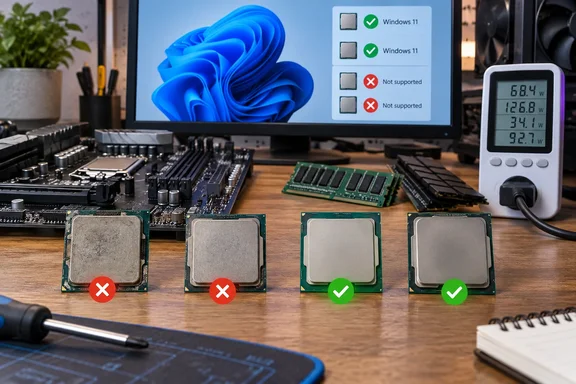
| CPU | Launch | Cores/Threads | Max boost | TDP | Memory | Windows 11 status |
|---|---|---|---|---|---|---|
| Ryzen 5 3600 (Zen 2) | July 2019 | 6/12 | 4.2 GHz | 65 W | DDR4 | Supported |
| Core i7-8700K (Coffee Lake) | Q4 2017 | 6/12 | 4.7 GHz | 95 W | DDR4 | Supported (8th gen and later) |
| Core i7-4790K (Haswell "Devil's Canyon") | Q2 2014 | 4/8 | 4.4 GHz | 88 W | DDR3 | Not supported |
| Xeon E5-2670 v1 (Sandy Bridge-EP) | Q1 2012 | 8/16 | 3.3 GHz | 115 W | DDR3 | Not supported |
Section summary: Two of these chips meet Windows 11's requirements and two don't. That split shapes everything that follows.
Ryzen 5 3600: the budget gaming workhorse
The Ryzen 5 3600 launched in July 2019, so it's seven years old and three generations behind AMD's newest desktop parts. Hrnjicevic still calls it a strong budget pick, for three reasons:
- Six cores, twelve threads. That's still enough for everyday desktop use and a lot of mainstream 1080p gaming.
- DDR4 memory. He notes DDR4 costs much less than DDR5 right now, and argues that the current memory shortage makes the AM4 platform's cheap DDR4 more attractive.
- PCIe 4.0. Many current budget graphics cards use only eight PCIe lanes. On a PCIe 4.0 slot those lanes run at full speed, so the card loses less bandwidth than it would on an older PCIe 3.0 board.
One thing to plan for: the 3600 has no integrated graphics, so you need a discrete graphics card. That adds real cost to a "cheap" build.
Hrnjicevic says recent sold eBay listings put the chip at roughly $50 to $80, depending partly on whether a cooler is included. Treat that as his own snapshot of the used market. Used prices change week to week.
He calls the Ryzen 5 5600 the faster but more expensive successor. AMD's March 2022 launch announcement lists the 5600 as a six-core, 12-thread Zen 3 part with boost up to 4.4 GHz, 35 MB of cache, a 65 W TDP, PCIe 4.0 and a $199 suggested price at launch. The same announcement says AMD would bring Ryzen 5000 support to older X370, B350 and A320 boards through selective beta BIOS updates. That supports his "excellent upgrade path" claim, with one condition. Whether your board can take a newer chip depends on your board maker releasing the right BIOS. Check your motherboard's CPU support list before you buy anything.
Section summary: The Ryzen 5 3600 is the most sensible buy here, especially if you already have an AM4 board and DDR4. Don't assume every AM4 board will accept every later AM4 chip.
Core i7-8700K: more than a gaming chip
Intel launched 8th-gen Coffee Lake in 2017, after first-gen Ryzen put pressure on its core counts. The i7-8700K was the flagship: six cores, 12 threads, a 3.7 GHz base clock and a 4.7 GHz maximum turbo.
Hrnjicevic argues the extra threads matter most outside of games:
- Video rendering and transcoding
- File compression and other heavy threaded work
- Heavy multitasking, with lots of browser tabs and background apps open
The biggest practical point for Windows users is that the 8700K is on the right side of the Windows 11 line. Intel says its 8th-gen Core processors and later support Windows 11. That makes the 8700K a legitimate, supported choice for a Windows 11 PC, not a workaround.
Some claims in the article need caveats:
- The 5 GHz overclock. He says good chips can reach 5 GHz with strong cooling and more voltage. That depends on the individual chip, your motherboard's power delivery and your cooler. It's possible, not guaranteed.
- "High idle power draw." He mentions it, but the 95 W TDP is a thermal design rating, not a measured power figure. Actual idle draw depends heavily on the motherboard and BIOS settings.
- Beating the Ryzen 5 3600 in games. He says the 8700K wins some gaming benchmarks and trails slightly in productivity work. Results like that swing with the game, graphics card, memory speed and overclock. Read it as a tendency, not a fixed ranking.
Section summary: If you already own an 8700K, it's a solid, supported Windows 11 machine. The comparative claims depend heavily on how the system is set up.
Core i7-4790K: the Haswell holdout
The 4790K was Intel's "Devil's Canyon" enthusiast chip from 2014. Intel's official spec page confirms the features the article relies on. It lists Intel Quick Sync Video, PCI Express Revision 3.0 with a maximum of 16 lanes on the FCLGA1150 socket, and instruction set extensions Intel SSE4.1, Intel SSE4.2, Intel AVX2. Intel's memory specs show dual-channel DDR3-1333/1600 with a Max Memory Size (dependent on memory type)32 GB.
Those specs explain one piece of advice in the article. Hrnjicevic suggests pairing the chip with an older full-width card such as the RX 5700 XT to avoid a bandwidth bottleneck. His reasoning is that the 4790K tops out at PCIe 3.0. A modern budget card with only eight lanes would get half the bandwidth it was designed for on this platform, compared with running on PCIe 4.0. A card that uses all 16 lanes avoids that problem. It's one of the more practical tips in the piece.
For gaming, he cites a recent test of an overclocked 4790K with an RTX 2060 Super. It reached roughly 60–70 FPS at 1080p in Kingdom Come: Deliverance 2, Cyberpunk 2077 and Battlefield 6. The same test found the 1% lows were often much lower, so frame times weren't smooth. Keep three limits in mind:
- The chip was overclocked, so stock results will be worse.
- It's one test, with one graphics card, one set of settings and particular game scenes.
- The article itself says four cores and DDR3 cause stuttering in demanding games.
Windows is the harder problem. The 4790K doesn't officially support Windows 11. You can get around the installer's checks, but that doesn't make the chip supported. Standard Windows 10 support ended in October 2025. Microsoft says eligible consumer Windows 10 version 22H2 PCs enrolled in Extended Security Updates can receive critical and important security updates through October 12, 2027. The i7-4790K still lacks official Windows 11 support, so Linux remains an option for reuse rather than an immediate deadline-driven necessity. Microsoft explains consumer ESU eligibility and enrollment. His own verdict: don't go out and buy a 4790K, but if you already have one, it can probably last a few more years.
Section summary: The 4790K is worth reusing if you already own one, not worth buying. An eligible Windows 10 PC can keep receiving critical and important security updates through October 12, 2027 if enrolled in consumer ESU; Linux is another way to reuse the processor.
Xeon E5-2670 v1: eight cores for pocket change
The last pick is the original E5-2670. It's a 2012 Sandy Bridge server chip with eight cores, 16 threads, a 115 W TDP and a 3.3 GHz maximum boost. Hrnjicevic reports prices of about $5–$10 on Facebook Marketplace and eBay, which works out to less than a dollar per thread. Again, that's his own market snapshot.
He thinks the chip belongs in a homelab more than a gaming rig. With lots of threads and cheap DDR3, it can run a stack of self-hosted apps. He admits it bottlenecks many modern games. Before you get excited about the price, factor in these costs:
- The v1 versus v2 naming. Later E5-2670 v2 and v3 chips are different processors. Check exactly which model a listing is selling.
- The rest of the platform. A $7 CPU still needs an LGA2011 motherboard, DDR3 memory and a cooler, and those can easily cost more than the chip.
- Electricity. He warns that running it for a year can cost more than buying it, so it may not suit an always-on server. The 115 W TDP isn't a direct measure of power use. To know your real cost, measure the whole system at the wall and multiply by your local electricity rate.
- Security updates. This generation's servicing life is long over, so don't expose it directly to the internet.
Section summary: The E5-2670 is a fun, cheap way to experiment with threaded workloads, but electricity costs may make it a poor choice for a 24/7 server.
So is old silicon obsolete?
Our analysis, based on general industry knowledge: the article is right, as long as you ask the right question. The real question isn't how old a chip is. It's what the machine needs to do, and whether its operating system still gets security updates while it does it. For Windows users, a simple rule falls out of this:
- Want a supported Windows 11 PC? Choose the Ryzen 5 3600 or i7-8700K.
- Already own a 4790K? An eligible Windows 10 PC can use consumer ESU through October 12, 2027; Linux or a non-critical role are other reuse options.
- Building a homelab? The Xeon is cheap to buy, but the electricity bill is the real price.
A decade-old CPU can still earn its place. Just don't let the low sticker price stop you from counting the running costs, like electricity and security updates.
Correction (September 27, 2026): An earlier version said consumer Windows 10 Extended Security Updates would end in October 2026. Microsoft currently states that eligible enrolled consumer devices receive critical and important security updates through October 12, 2027. We updated the reuse advice accordingly.
References
- These 4 ancient CPUs refuse to become obsolete, even in 2026 How-To Geek · 2026-09-27T11:30:13+00:00
- Intel® Core™ i7-4790K Processor (8M Cache, up to 4.40 GHz) - Product Specifications | Intel intel.com
- AMD Launches the Ultimate Gaming Processor, Brings Enthusiast Performance to an Expanded Lineup of Ryzen Desktop Processors :: Advanced Micro Devices, Inc. (AMD) ir.amd.com