

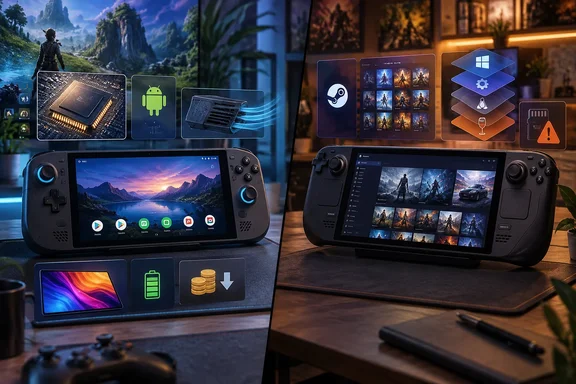
The argument comes from a MakeUseOf opinion piece. Its thesis is that the "RAMpocalypse" has made x86 handhelds unaffordable, and that Android handhelds, helped by better PC emulation, could step in. The underlying pressures are easy to confirm. The strongest version of the claim, that most players "won't be able to tell a difference" between a converted Android handheld and a Steam Deck, is a different matter. This piece looks at the prices, the software stack, the risks of installing a SteamOS-like system on Android hardware, and what Valve's own ARM work actually shows.
Memory Shortages Push Steam Deck OLED Buyers Toward the AYN Odin 3
The price gap is real, but it moves around. MakeUseOf puts a 512 GB Steam Deck OLED at about $789 and a fully specced AYN Odin 3 at $569. Treat both as snapshots, not list prices. AYN's own store currently shows the Odin 3 as a "Batch 8 Pre-order" starting at $369. There are four tiers: Base with 8 GB of RAM and 128 GB of storage, Pro with 12 GB and 256 GB, Max with 16 GB and 512 GB, and Ultra with 24 GB and 1 TB. The listing confirms that the top tier pairs 24 GB of RAM with a terabyte of storage. The $569 price for that tier comes only from MakeUseOf and isn't visible in the store excerpt available here. No other outlet has confirmed the Steam Deck OLED figure either.
The official listing gives the core specs. The Odin 3 runs Android 15 on Qualcomm's Dragonwing Q8 platform. It has a customised 6-inch Full HD AMOLED touchscreen at 120 Hz, an 8,000 mAh battery, Hall-effect sticks, UFS 3.1 storage and weighs 390 grams. AYN says no games come preinstalled and gives a one-year warranty. Its pre-order notes said Batch 7 would start shipping in mid-June and Batch 8 in August. That is typical of the small-batch way these devices reach buyers, and it matters if you want one soon. MakeUseOf points out that stock is a problem for both Android and x86 handhelds.
The memory shortage behind all this has hit more than handhelds. Valve's own ARM hardware ran into it. Earlier this year, TechSpot reports, Valve announced that the headset's final release date had been delayed due to the memory shortage crisis caused by AI data center overprovisioning. When the Steam Frame finally opened for orders, Technology Org reports, Valve opened Steam Frame reservations on September 14, with kits priced at $1,059 for 256GB and $1,299 for 1TB. The same report notes that the company had revisited its schedule and pricing during this year's memory shortage, and the final figures came in well above early analyst estimates. The Frame is a VR headset, not a handheld, but it shows the same pressure MakeUseOf describes: memory costs are showing up in what consumers pay.
Put the numbers side by side and the Odin 3 looks good on paper. It has a sharper 1080p OLED panel than the Steam Deck's 800p screen, more RAM at the top tier, active cooling, and a mobile chip designed for battery efficiency. What it lacks is the thing that makes the Steam Deck a PC: an x86 processor that runs Windows and Linux PC games natively, or through Proton with no CPU translation involved. Everything below is about how far software can close that gap.
Valve's Lepton and FEX Run on SteamOS, Not on Android
The MakeUseOf piece says Valve has released "Lepton and FEX translation layers for Android" that "let you play x86 titles without much fuss." That mixes up two tools and gets their direction wrong. Several outlets have now documented both. Neither is an Android app, and neither brings x86 games to stock Android. They run on Linux, specifically SteamOS on ARM hardware.
Take Lepton first. VideoCardz reports that Valve describes Lepton as an Android compatibility layer for Linux. It runs Android software inside a container, which allows the host Linux system and Android environment to share hardware resources with limited overhead. Lepton runs Android games on Linux, the reverse of what the Android-handheld argument needs. According to Wikipedia's Steam Frame entry, Lepton is a fork of Waydroid as an Android Open Source Project (AOSP)-based runtime environment with sideloading support. Valve has since opened the code. GamingOnLinux reports that Valve have officially opened up the source code for Lepton, their compatibility layer to run Android games on Linux for the Steam Frame. It's available on their GitLab instance, under the MIT license for their code.
FEX is the piece that actually handles x86 code, and it also targets Linux. VideoCardz explains that FEX translates 32-bit and 64-bit x86 instructions to ARM64. On Valve's hardware the jobs are split: Lepton handles Android games, FEX handles x86 code, and Proton provides Windows compatibility. WindowsForum's earlier coverage of the Steam Frame explained why the split is needed. On an ARM chip, Proton alone cannot make a typical Windows game executable run, because the game code was compiled for x86 processors while the headset uses Qualcomm's Arm-based Snapdragon 8 Gen 3. Proton translates Windows calls into Linux ones. FEX translates the processor instructions underneath. An x86 Windows game on ARM needs both.
Timing adds to the confusion. The tools appeared publicly in early August. TechSpot notes that Lepton and FEX still lack public store pages on Steam, but their update histories can be viewed through SteamDB's archive. VideoCardz adds that Lepton operates as a background service component rather than as a normal store listing. GamingOnLinux's reading of the project is that most users should use Lepton provided by the Steam Client itself. For anyone holding an Android handheld, the result is plain. Valve hasn't shipped an app you install on Android to run your Steam library. What Valve has shipped is the plumbing for a SteamOS that runs on ARM chips. That is relevant to Android hardware only if you first replace Android with Linux, and that is where community projects come in.
Armada Turns Odin-Class Hardware Into a SteamOS-Like Linux Handheld
The MakeUseOf article mentions "SteamOS clones for Android (such as ArmadaOS)". The most concrete one is Armada, which calls itself "SteamOS-like Linux for ARM handhelds." It isn't Android and it isn't Valve's SteamOS. It is an independent Linux distribution that replaces or sits alongside Android on supported devices. It then provides the Steam-client-plus-translation setup that Valve built for its own ARM hardware.
The project's official site describes the stack. Armada combines ARM64 Steam, FEX x86 translation, CachyOS Proton 11, a KDE desktop, over-the-air updates, and handheld-focused power and fan controls. It is built on Fedora bootc, an image-based approach to building an operating system, with device support derived from ROCKNIX, an existing Linux distribution for handheld devices. In practice, you boot into a game-mode interface built around Steam, can drop to a full KDE Plasma desktop, and run x86 Linux and Windows games through FEX and a Proton build from the CachyOS project instead of Valve's own Proton. MakeUseOf notes that these distributions include TDP controls, a common handheld feature that caps the chip's power draw to trade performance for battery life. Armada's own documentation covers power profiles and compatibility settings through a tool it calls Armada Control.
Emulators are part of the design too. Armada's emulation documentation says emulators can be launched from Steam so that controller mappings stay the same in both game mode and desktop mode. That solves a real annoyance: on a Linux handheld, the same emulator can see different controller layouts depending on which session started it. Routing launches through Steam's input layer gives one mapping everywhere.
Hardware support is limited, and that shapes everything else. Community listings of Armada targets include selected AYN Odin models, the Odin 3, AYN Thor, AYANEO Pocket EVO and some Retroid devices. Status varies by model, and some are marked tested, some supported and some untested. That doesn't mean "any Snapdragon handheld." MakeUseOf likewise notes that support is currently limited to specific Android handhelds. If your device isn't on the project's list, assume Armada won't boot on it.
The project is also frank that it is early. Its site calls Armada prototype software, under active development and "not stable." That warning should carry more weight than any enthusiast's description of how polished the game mode feels.
Flashing an ABL Puts the Odin 3's Android Install at Risk
Installing Armada is a firmware change, not just installing an app. The official site states that booting Armada requires flashing an ABL. That is the Android bootloader component that decides what the device loads at startup. The project warns this could brick your device or corrupt your Android partition. Because the change happens at the bootloader level, a mistake can leave you with neither Android nor Armada working, not just a failed install.
The rest of the process is built around an SD card. The project's getting-started material asks you to confirm your handheld is supported, prepare an SD card, and then install. That design means Armada can run from removable storage while Android stays on the internal drive, but the ABL change still touches the device's own firmware. Updates follow the same pattern. Armada can update itself over the air, but the project calls that path experimental and still being validated. Its documented fallback is that if an update fails, reflashing the SD card is the reliable way to recover. In other words, your SD card image is your recovery disk, and you should keep a known-good one.
One detail matters for anyone who also runs a home network: Armada ships with a known default password. The image uses the username armada and the password armada. SSH, the remote login service, is disabled by default. The project warns that if you turn it on from Armada Control, anyone on your network can log in until you change the password. Anyone who has set up a Raspberry Pi will recognise the pattern. It is safe as shipped, but turning on remote access without changing the credentials leaves the device open on your LAN.
Armada's documentation sets out these precautions before you begin:
- Confirm that your exact handheld model appears in Armada's device support list, and check whether it is marked tested, supported or untested.
- Back up anything on the Android side you care about, including save data from Android emulators and games, before touching the bootloader.
- Prepare the SD card as the installation guide describes, and keep a copy of the working image so you can reflash if an over-the-air update fails.
- Read the project's known-issues page before changing an installation. The project maintains a list of current limitations and workarounds.
- Change the default armada password before turning on SSH in Armada Control, or leave SSH off.
The project's public material doesn't document a step-by-step way to restore the original ABL if things go wrong. That gap matters if you can't afford to lose the device. Its stated recovery route covers failed Armada updates, not a corrupted Android partition.
Four Ways an ARM Handheld "Runs a PC Game" on the Odin 3
Most of the confusion around Android gaming comes from one phrase: "runs PC games." On an ARM handheld it can mean at least four different things, and each has different performance and compatibility.
The first is Android-native games. These are compiled for ARM64 and run directly with nothing translated. This is where Android handhelds are strongest, and it is the category Valve is pulling onto Steam. The second is emulators for older consoles, such as PPSSPP for the PlayStation Portable. They are native Android apps that emulate a different, usually much older, system. The third is x86 PC emulation inside Android. This is where projects like ARMSX3, which MakeUseOf names, fit: an Android app that tries to run x86 Windows software on top of Android. The fourth is the Armada route. You replace Android with ARM Linux, run the Steam client for ARM64, and let FEX translate x86 code while Proton handles Windows calls.
Each step down that list adds a translation layer, and each layer costs something. MakeUseOf admits "there is some overhead involved" in running x86 titles, though it calls the performance "surprisingly well." That judgment is the writer's own impression, not a measured benchmark. The headline example, GTA 5 booting on a mid-range mobile chip, shows what is possible, not what is typical. The ARMSX3 frame-rate and compatibility claims circulating online couldn't be traced to an authoritative project source. They should be read as individual demos, not a compatibility list.
A SteamOS-like interface also doesn't guarantee better performance. JunubGames' coverage of Armada on the Retroid Pocket 6 includes community reports of cases where running under Android beats running through an ARM Linux translation stack. That makes sense. An emulator or game built for Android, running on the vendor's Android graphics drivers, has no instruction translation to pay for, while an x86 game on Armada pays for FEX on every instruction. Switching operating systems changes which software you can run. It doesn't make the chip faster.
Some limits go beyond raw speed. Anti-cheat systems and copy protection often check low-level details of the machine, and the graphics drivers on ARM Linux come from a different source than Android's. This is a general inference from how these systems work, not something measured on Armada. But it's the reason Steam Deck owners learned to check compatibility ratings before buying, and the same habit applies here, only more so. MakeUseOf concedes the point itself: the writer doesn't expect these devices to run day-one AAA releases any time soon.
Your Android Phone Already Handles PPSSPP-Class Emulation
The least risky part of the Android argument is the part that needs no new hardware. MakeUseOf argues that a recent mid-range phone has plenty of processing power for emulation. It suggests 8 GB of RAM as a practical minimum, and a controller, either paired over Bluetooth or clipped on as an attachment, to complete the setup. It is also a sensible use for an old phone or tablet sitting in a drawer.
The emulators themselves come in two tiers. Mainstream ones like PPSSPP are on the Google Play Store and install like any other app. The more experimental ones, including x86 PC projects like ARMSX3, aren't on the Play Store and have to be sideloaded. MakeUseOf calls that "a bit of an annoyance" and notes it applies to the exotic end of the list, not most emulators.
Sideloading involves more than annoyance. An APK installed from outside the Play Store skips Google's review and its automatic update channel. You're relying on wherever you downloaded it. Get sideloaded emulators only from the project's own releases, check signatures or hashes where the project publishes them, and remember that updates are your responsibility.
How well any of this performs depends on the chip, the graphics driver, how the phone handles heat, the RAM, the Android version and the specific emulator build. A phone that runs PSP games perfectly may throttle during a long session in a way a handheld with a fan won't. That is the real hardware advantage MakeUseOf gives dedicated Android handhelds. The site says the Odin 3's active cooling stops it throttling under emulator loads, and its bigger battery and grip make long sessions comfortable. For many people, though, the phone they already own is enough for older games.
The Steam Frame Is Valve's Real Bet on SteamOS for ARM
MakeUseOf says Android gaming needs a "Steam Deck moment," a mainstream device from a major company that does more than "slap a pretty launcher on top of stock Android." The most important ARM gaming device right now is exactly that kind of product, just not a handheld and not running Android. Valve's Steam Frame is the first SteamOS hardware with an ARM chip, and it is where the compatibility stack is actually shipping.
TechSpot reports that the headset is based on a Snapdragon 8 Gen 3 Arm64 SoC and a SteamOS build based on the Arch Linux distribution. Android games, not x86 translation, already carry much of its early catalogue. Technology Org reports that an analysis of Steam metadata found that 52 of the first 120 "Great on Frame" games run as Android executables through Lepton. Steam's publishing tools have changed to match. VideoCardz reports that Steam developers can now create an Android depot containing an APK and optional OBB data. They can select Android as a supported operating system and configure the APK as the Steam launch executable. The store has even begun selling games with no desktop version: Technology Org notes that the list includes the first three Steam games sold without any Windows, Mac or Linux build. Their store pages show no desktop system requirements at all.
The Android-first catalogue has a specific cause. Many standalone VR games that owners will play on it were originally designed for the Android-based Quest headsets. WindowsForum's earlier analysis of Valve's Steamworks documentation found that the relevant Android VR software is commonly already compiled for Arm64, which matches the Steam Frame processor architecture. That means an Android Arm64 build does not generally need FEX. This is the most useful lesson for the handheld argument. On ARM hardware, the easiest games are the ones already built for ARM. Translated x86 games come second.
Valve has hinted the stack will reach further than the headset, but carefully. Neoteo reports that on September 16, 2026, Valve engineer Pierre-Loup Griffais described the device as paving the way toward more general SteamOS support for Arm hardware. The same outlet describes that direction as still exploratory: the company is working toward making SteamOS useful on more Arm devices rather than presenting a universal hardware target. Technology Org adds that Valve is stressing that it remains focused on games rather than general Android apps. Valve hasn't announced SteamOS images for the Odin 3 or any other Android handheld. The route from the Steam Frame's software to a supported ARM handheld is a possibility Valve has mentioned, not a product it has announced.
The open-sourcing shortens that route for community projects, though. It's FOSS notes that Lepton joins FEX, the x86-to-ARM translation layer Valve relies on for the same headset, as pieces of a stack that developers can now read, inspect, and build against. Armada already bundles FEX. As Valve's version of the stack matures for the Frame, distributions like Armada get a better-tested foundation to build on for handhelds Valve doesn't support.
What This Means for Windows Handheld and Steam Deck Buyers
Choose based on the games you actually play. If your library is mostly current Windows PC games, especially ones with anti-cheat or big new releases, an x86 handheld is still the only choice that runs them natively or through Proton without CPU translation. An Android handheld at a lower price doesn't change that yet. If you mainly play emulated classics, Android-native games or older and lighter PC titles, an Odin 3-class device is a strong buy even at today's prices. That's because its main strengths, native Android emulators, a good screen, active cooling and a big battery, work without any Linux conversion.
The Armada path is for tinkerers who own a device on its support list and can afford the risk of bricking it. Wait if you need the handheld to work every day, can't replace it, or expect a SteamOS-quality update process. The project itself calls its update path experimental. Anyone waiting for official Valve support on Android handhelds should follow the Steam Frame's launch. That is where Valve's ARM software is being tested at scale, and Valve's only commitment so far is to explore more ARM hardware.
- Valve's Lepton runs Android games on Linux, and FEX translates x86 code on ARM64 Linux. Neither one lets stock Android run your Steam library.
- Armada is independent prototype software, not official SteamOS. Installing it means flashing the device's ABL, which the project warns could brick the handheld or corrupt the Android partition.
- Armada's default login is armada/armada. Change it before turning on SSH in Armada Control, or anyone on your network can log in.
- The AYN Odin 3 currently starts at $369 for the Base 8 GB/128 GB model and goes up to an Ultra 24 GB/1 TB tier. It ships in pre-order batches, so check the price and delivery window before comparing it with a Steam Deck OLED.
- A mid-range Android phone with about 8 GB of RAM and a paired controller already handles Play Store emulators like PPSSPP. Sideload experimental emulators only from the project's own releases.
- Treat GTA 5-on-a-phone demos and "you can't tell the difference" claims as individual impressions, and check compatibility game by game.
Android and ARM are becoming a real second route into handheld gaming. The hardware is already there, and the memory shortage has made its price advantage more noticeable. The software that would make an Odin 3 behave like a Steam Deck is still split between Valve's headset-focused stack and community distributions that warn about bricking on their front page. The next concrete step is the Steam Frame shipping to reservation holders. It will show how well FEX and Lepton hold up in ordinary use, and projects like Armada will inherit whatever Valve fixes. Until a manufacturer ships an ARM handheld with that stack installed and supported, the cheaper handheld comes with a real trade-off in compatibility and support.
Update: Steam Frame’s ARM SteamOS build is already being adapted for Android handhelds (September 26, 2026)
Retro Handhelds reports that Valve has released the Steam Frame’s official ARM SteamOS build, prompting rapid community ports for several Snapdragon-based Android handhelds. That changes the practical landscape from a Valve-developed stack visible only on the Frame to code that developers can inspect and adapt for other hardware.
Early projects reportedly include SteamOS-ARM-SM8550 for the AYN Odin 2, plus SteamOS-ARM-SM8650 builds for the KONKR Pocket Fit G3 and AYANEO Pocket S2 family. These are not official Valve device ports: Valve’s kernel supports the Steam Frame rather than outside hardware, so each project needs its own kernel and device work.
For Odin 3 owners, Retro Handhelds says a project called Holodor is intended to bring the same SteamOS build to the device, but no downloadable image was available at publication. That means Armada remains the usable Odin 3 route for now.
Armada’s team says access to the Frame software has not yet revealed a meaningful performance or compatibility advantage over Armada. It plans to adopt selected upstream changes, but says its Fedora bootc-based approach and focus on device support, sleep power use, performance and OTA reliability remain unchanged. As before, these ports require the ROCKNIX ABL, so the bootloader-level installation risks described earlier still apply.
Update: ROCKNIX adds experimental Steam and Proton support for Snapdragon handhelds (September 29, 2026)
TweakTown reports that ROCKNIX nightly builds now support native Linux games and Windows games through Proton on selected Qualcomm-powered handhelds. This is a concrete step beyond the earlier device-port announcements: users of supported hardware can reportedly install Steam from the ROCKNIX menu and begin testing the ARM gaming stack now.
The reported target list includes the AYN Odin 2 and Thor, AYANEO Pocket models, and Retroid Pocket 5 and 6. Support remains experimental and is limited to nightly builds, so it should not be treated as a stable SteamOS replacement or proof that every Steam game will run well.
One current limitation is significant for handheld use: TweakTown says the Steam menu cannot be opened while a game is running. Users must exit the game and Steam before launching another title. ROCKNIX also offers renderer choices, which may help testing on different Qualcomm GPUs but adds another compatibility variable for users and administrators evaluating the platform.
This does not yet change the position for Odin 3 owners, whose hardware is not named in the reported ROCKNIX rollout. It does, however, show that Steam Frame-derived ARM support is moving from prospective ports toward usable, if rough, community builds on several Android-handheld families.
References
- Android handhelds become compact Steam Decks thanks to the Frame's SteamOS on Arm support - TweakTown TweakTown · 2026-09-29T05:03:15+00:00
- The future of handheld gaming could have more Android in it than you expect MakeUseOf · 2026-09-22T19:00:15+00:00
- SteamOS on Android Handhelds Just Got a Lot More Interesting - Retro Handhelds Retro Handhelds · 2026-09-25T20:15:27+00:00