

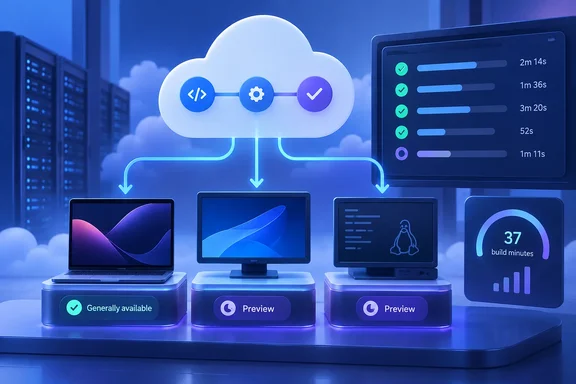
For development teams, this is an additional agent pool—not a forced migration or a replacement for the existing Microsoft-hosted Azure Pipelines pool. The practical question is whether a different machine configuration improves a particular build enough to justify its per-minute cost. More cores are an option, not a performance guarantee.
What is available—and what is still rolling out
Microsoft says the new GitHub-hosted Agents pool uses the same infrastructure as GitHub Actions. Each job receives a fresh, isolated virtual machine containing one agent, with the VM reimaged after completion. The launch announcement lists these configurations and rates:
| Agent SKU | Launch rate per minute | vCPU | RAM | SSD storage | Architecture |
|---|---|---|---|---|---|
| macOS Standard | $0.062 | 3 | 7 GB | 14 GB | arm64, M1 |
| macOS XLarge | $0.102 | 5, plus 8 GPU hardware-acceleration cores | 14 GB | 14 GB | arm64, M2 |
| Linux 8-core | $0.022 | 8 | 32 GB | 300 GB | x64 |
| Linux 16-core | $0.042 | 16 | 64 GB | 600 GB | x64 |
| Windows 8-core | $0.042 | 8 | 32 GB | 300 GB | x64 |
| Windows 16-core | $0.082 | 16 | 64 GB | 600 GB | x64 |
These are the published launch rates, rather than a promise of unchanged future pricing. Microsoft separates SKU availability from image availability, so the presence of a machine family does not mean every associated image is selectable immediately.
The image choices include:
- macOS Standard:
macos-26-arm64andxcode-27. - macOS XLarge:
macos-26-arm64-xlandxcode-27-xlarge. - Linux: Ubuntu 24.04 and Ubuntu 26.04 labels, each with
8-coreor16-coreconfigurations. - Windows:
windows-2025-8-core,windows-2025-16-core, and correspondingwindows-2025-vs2026-*labels.
At launch, the Ubuntu 26.04 images and Windows labels without vs2026 are still rolling out. Microsoft says Ubuntu 24.04 and Windows Server 2025 with Visual Studio 2026 images are available to all organizations that have enabled the new pool.
There is a useful toolchain distinction behind those Windows names. Microsoft Learn identifies the plain windows-2025-* images as Windows Server 2025 with Visual Studio 2022, while the windows-2025-vs2026-* images contain Visual Studio 2026. Choosing a label is therefore also choosing a development-toolchain baseline—not simply a CPU count.
Pay-as-you-go does not replace parallel-job billing
The new pool has its own billing model. GitHub-hosted agent jobs do not require purchased parallel-job capacity and do not consume an organization’s existing parallel jobs. There is also no free tier or allocation of free minutes for this pool. Existing pipelines retain their current pool until explicitly changed.
That separation makes selective adoption possible: a team can move a demanding build without redirecting every pipeline in the organization.
A simple calculation illustrates why benchmarking matters. Using Microsoft’s launch rates, 20 execution minutes on Windows 8-core cost $0.84. Ten execution minutes on Windows 16-core cost $0.82; 15 minutes cost $1.23. These are arithmetic examples, not measured build results or complete invoice estimates. The larger machine only wins this cost comparison if it reduces execution time sufficiently.
The sensible evaluation is therefore cost per successful build, alongside completion time—not price per minute in isolation.
Enable the pool and run a Windows smoke test
Microsoft Learn adds a prerequisite beyond billing permissions: the organization needs an Azure subscription in the same Microsoft Entra ID. Billing must also be configured before enabling the feature.
To provision the pool:
- Open Organization settings > Billing in Azure DevOps.
- Set Enable GitHub-hosted agents to On.
- Select Save.
- Allow up to 24 hours for provisioning.
Enabling the setting does not start jobs, change existing pipelines, or begin agent charges by itself. Charges start when a pipeline runs on the new agents.
For an initial Windows test, the following configuration selects the Visual Studio 2026 image rather than a plain Windows label still undergoing rollout:
pool:
  name: 'GitHub-hosted Agents'
  vmImage: 'windows-2025-vs2026-16-core'

steps:
- pwsh: |
    Write-Host "Logical processors: $([Environment]::ProcessorCount)"
    Get-ComputerInfo | Select-Object WindowsProductName
Microsoft Learn documents this pool/image combination and the diagnostic commands. A successful smoke test should execute the PowerShell step and report the Windows product name and processor count. It confirms basic execution; it does not establish that an application’s dependencies, tests, or packaging process work unchanged.
If the pool has not appeared, account for the provisioning window. If an image is unavailable, check its rollout status before treating the failure as a YAML problem. For the first production trial, use one explicitly selected pipeline and validate its outputs before expanding adoption.
Check connectivity before moving deployment jobs
Larger machines do not remove hosted-agent networking constraints. Microsoft Learn states that traffic between these agents and customer servers travels over the public network; ExpressRoute or VPN cannot provide private connectivity from the agents to a corporate network. A pipeline that requires privately reachable services therefore needs a connectivity assessment before migration.
This is an important distinction for enterprise IT: extra compute capacity and private-network access are separate requirements.
Monitor minutes, then judge the results
The pool’s Analytics tab shows consumed minutes and supports investigation by SKU, project, and pipeline. Microsoft also exposes pay-as-you-go usage through Azure Cost Management, where budgets and alerts can help track spending.
For more precise cost filtering, Microsoft Learn specifies:
- Meter category: Azure DevOps
- Meter subcategory: Azure Pipelines
- Unit of measure: 1/Minute
- Organization and project tags:
_organizationname_and_projectname_.
The strongest adoption case is a measured one: choose the appropriate OS and toolchain, run representative builds, compare execution time and successful outputs, then review consumed minutes. GitHub-hosted agents expand Azure Pipelines’ compute choices without forcing existing workloads to move. Whether they improve a team’s economics is something its pipeline results—not the size of the VM—must demonstrate.
References
- GitHub-hosted agents with Pay-as-you-Go pricing are now generally available in Azure Pipelines Azure DevOps Blog · 2026-10-01T12:27:54+00:00
- GitHub-hosted agents for Azure Pipelines (pay-as-you-go) - Azure Pipelines | Microsoft Learn learn.microsoft.com