

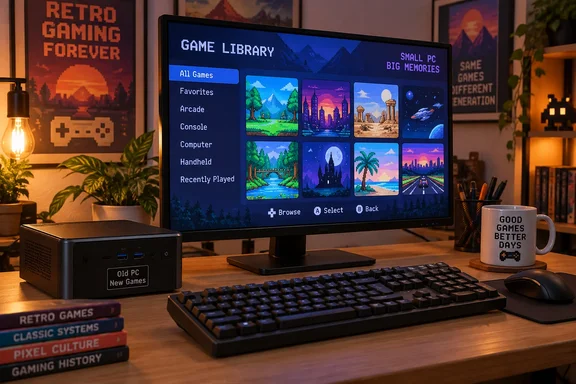
The result is an instructive PC-reuse project, with a few qualifications. Gibson reports comfortable play in familiar classics and a successful Steam experiment with Deus Ex. But the more useful lesson is the distinction between supporting a keyboard and making the entire experience keyboard-friendly. Batocera can do the former without consistently delivering the latter.
A storage problem nearly derailed the build
Gibson’s Zotac had modest specifications: an Intel Celeron N3160, 8GB of RAM, and a spare 120GB SATA SSD that ultimately became its Batocera drive. His initial attempt used a USB stick instead.
That attempt was painfully slow. He describes approximately 45 minutes of waiting, a splash screen followed by a blank display, sluggish SSH access, and an eventual game menu that barely responded.
To investigate, he ran:
vmstat 1 5
The command produces five reports: the first contains averages since boot, followed by four reports covering one-second sampling intervals. The procps-ng manual defines the wa column as time spent waiting for I/O—not time spent executing game or interface code.
Gibson reports I/O-wait readings between 75% and 86%. He suspected the USB stick, installed the SSD, and wrote the Batocera image after making it available from a laptop over the local network. He puts the subsequent setup time at roughly 30 seconds and says the interface immediately became more responsive.
Those readings support an I/O-bottleneck explanation, but they do not independently prove that the USB stick was defective. The SSD result strengthens his diagnosis without turning it into a controlled comparison. Nor is that 30-second result a general installation-time promise.
For readers preparing a similar spare PC, Batocera’s installation guide provides a more transferable warning: flashing an image destroys existing data on the destination drive. It specifies an architecture-matched image—x86_64 for most PCs—and lists 16GB as the minimum storage capacity, with 32GB recommended for full functionality. First boot also expands the userdata partition and may reboot.
The takeaway: investigate storage before declaring an old processor hopeless, and triple-check the destination before flashing. Nostalgia is pleasant; accidentally overwriting your Windows drive is less so.
PC-oriented games made the controls feel natural
The strongest part of Gibson’s account is not a console-emulation achievement. It is how readily games already suited to his peripherals became comfortable again.
He used ScummVM for Beneath a Steel Sky, copying the game files into Batocera’s ScummVM area and adding a launcher. After discovering that Esc skipped the opening sequence, he found the mouse-driven interaction natural.
Doom provided a faster test. Gibson reports playing the included shareware content through PrBoom, with keyboard-and-mouse controls behaving as he remembered.
His collection also included:
- Sonic the Hedgehog 2
- Super Mario 64
- The DOS version of Grand Theft Auto
- Prince of Persia
- Age of Empires II
These are reported experiences, not independently measured compatibility results. Gibson supplied no frame-rate figures, resolutions, or emulator configurations, and the list should not be mistaken for games bundled with Batocera.
His experience with Super Mario 64 and Grand Theft Auto also exposed the friction: both required learning unfamiliar keyboard assignments. A game launching successfully was only the beginning; its controls still needed to make sense.
The frontend and the games are separate input problems
Batocera’s own documentation explains why this distinction matters. USB mice and trackballs should work out of the box, but keyboards do not pass through its controller-configuration generator. If an emulator’s default keyboard bindings are unsuitable, users must change them within that emulator. EmulationStation also permits keyboard binding for only one player.
In other words, solving navigation in the game library does not automatically solve movement, jumping, aiming, or menus inside every game.
Gibson created a small keyboard cheat sheet to translate the frontend’s controller symbols. The principal mappings match Batocera’s documented EmulationStation defaults:
| Frontend action | Keyboard input |
|---|---|
| Confirm or select | Enter |
| Cancel or go back | Esc |
| Open the main menu | Space |
| Open the contextual menu | Backspace |
| Context-dependent utility actions | Minus (-) and equals (=) |
| Open the file manager on x86/x86_64 builds | F1 |
Batocera documents these mappings, including the screen-dependent roles of minus and equals. Its file manager shortcut applies from the main EmulationStation menu on x86/x86_64 builds.
Gibson additionally used arrow keys for navigation and holding Enter for game options. Those are useful details from his setup, but his Batocera version is unspecified; his complete cheat sheet should not be treated as a universal mapping for every release or configuration.
For a keyboard-first build, the practical implication is straightforward: test frontend navigation and in-game controls separately. Batocera’s keyboard documentation also flags layout quirks, simultaneous-key limitations, and debounce-related input delay as possible complications.
Steam brought Deus Ex into the collection
The optional Steam experiment became one of Gibson’s favorite parts of the project. He installed Steam through Flatpak over SSH, added Proton and the Linux Steam runtime, and installed Deus Ex: Game of the Year Edition from his own account. He reports that it launched successfully and felt smooth.
Batocera officially documents Steam installation through Flatpak on x86_64 platforms only. Its graphical installation instructions apply to Batocera v40 and later, and it also documents an SSH installation route. A mouse and keyboard are required for Steam’s first launch.
There was one wonderfully unhelpful detour: Gibson says the metadata scraper renamed his Steam launcher to Arcanum: Of Steamworks and Magick Obscura. Renaming it resolved the confusion. That is an account-specific mishap, not evidence of a universal scraper defect.
For readers following the same route, Batocera’s documentation adds a useful missing-launcher check: on v40 and later, update the game list after installation, then launch Steam through the Steam system menu for initial configuration. Steam must update and complete account sign-in.
The Deus Ex result remains encouraging rather than guaranteed. Batocera documents that Windows-game compatibility can depend on the Proton version and per-game configuration. Gibson did not identify his Proton version or provide performance measurements.
The real achievement was a usable collection
Gibson acknowledges that an ordinary PC could also run these games with appropriate software. His preference was for a dedicated machine: one library, a focused interface, and fewer opportunities to wander into email or social media.
That is the persuasive part of this build. It was not designed to recreate every detail of a living-room console, nor to prove that a keyboard replaces a gamepad everywhere. It gathered games he wanted to revisit behind controls he could use.
The broader lesson is a design principle, not a medical recommendation: start with the player’s usable inputs, then choose games and software around them. In this case, the controller was optional. Comfortable play was not.
References
- I built a Batocera retro console around a keyboard and mouse instead MakeUseOf · 2026-10-03T14:30:15+00:00
- Intel® Celeron® Processor N3160 intel.com
- install_batocera (Batocera.linux - Wiki) wiki.batocera.org