

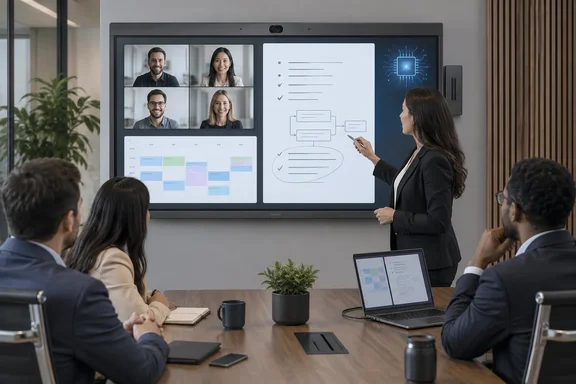
The product isn't brand new, though. BenQ's European announcement is dated earlier in the year: "EINDHOVEN, THE NETHERLANDS, 02 FEBRUARY 2026 – BenQ, a global leader in display solutions, today announced the launch of the BenQ Board CP05, its most advanced corporate interactive display to date." BenQ Asia Pacific published its own launch release from Taipei on March 6, 2026. The September coverage is a useful reminder that the board is in the channel, but it isn't the launch date.
For Windows and Microsoft 365 shops, the specs matter less than one question: will this thing fit into your identity, calendar and device-management setup, or will it become one more Android appliance nobody owns?
The hardware: two sizes, one Android 15 brain
The CP05 family comes in two models. BenQ's product pages list the 55-inch version as the CP5505 and the 75-inch version as the CP7505. The BenQ Board CP05 is available in 55-inch and 75-inch models. BenQ's own user manual covers the CP5505/CP7505 together with CM5505/CM7505 variants and confirms that both screen sizes use ADS panels at UHD 3840 × 2160 pixels.
BenQ's U.S. specification sheet for the 55-inch CP5505 fills in the details:
| Spec | CP5505 (55-inch), per BenQ U.S. spec page |
|---|---|
| Resolution / aspect | 3840 × 2160, 16:9 |
| Panel | ADS, 10-bit color depth |
| Brightness (typical) | 450 nits |
| OS | Android 15.0 (EDLA) |
| CPU / GPU | Arm Cortex-A78 × 2 + A55 × 6 / Arm Mali-G57 MC2 |
| NPU | 10 TOPS |
| Memory / storage | 16 GB / 256 GB |
| Touch | Capacitive, up to 50 points, under 5 ms response |
| Orientation | Landscape and portrait |
| Camera | 50 MP, 160° field of view |
| Microphones | 8-mic array, pickup up to 12 m (39 ft) |
| Wireless | Wi-Fi 6, Bluetooth 5.4 |
| Rated duty cycle | 18 hours / 7 days |
| Power | 95 W typical, under 0.5 W standby |
Some of these figures differ slightly from the invidis report. It rounds the microphone range to 40 ft, while BenQ's spec sheet says 39 ft (the marketing page says 39.4 ft). That's a small difference, but it matters if you're sizing a long boardroom and the back row sits at exactly 12 meters.
There are also real ports for real laptops. The CP5505 has HDMI 2.0 input, USB-A 3.0, two USB-C ports (one delivering 65 W of power), gigabit Ethernet, RS-232, an NFC sensor and 2 × 15 W speakers. Most important for Windows administrators, it has an OPS slot for a slot-in PC. If your organization wants a full Windows environment on the wall instead of Android, that slot is the way to get it.
Don't assume the 75-inch model matches the 55-inch spec for spec. Retailer listings for the CP7505 describe different figures. Irish retailer Elara lists "USB-C with 100W Power Delivery", and UK reseller Misco advertises 40 watts output and subwoofer. Those are reseller descriptions, not BenQ's spec sheet, so check them against BenQ's own CP7505 specifications before a purchase order depends on them.
Section summary: Two 4K sizes run Android 15 on a MediaTek-class Arm platform with a 10 TOPS NPU. The camera, mics and an OPS slot for a Windows PC are built in. Check the 75-inch figures separately.
On-device AI: the privacy pitch and its limits
The CP05's headline feature is the dedicated neural processing unit. According to BenQ's European release, the CP05 integrates a dedicated 10 TOPS Neural Processing Unit (NPU) to power on-device AI, delivering real-time performance, enhanced privacy, and seamless collaboration without reliance on cloud processing. BenQ's Asia Pacific release says the NPU is built on MediaTek's AI architecture. It lists meeting transcription, handwriting recognition, gesture control and image analysis as functions that run locally. It also claims up to 3.8 times the AI performance of "commonly used alternative platforms," based on public IoT benchmark results.
The AI features include:
- SummarAI. BenQ says it records meeting audio, transcribes it and generates summaries for review afterward. Users can also capture on-screen content and key moments to record decisions and action items.
- AI Gallery View, which frames participants automatically on video calls.
- Voice tracking and gesture control, which BenQ says highlight whoever is speaking without anyone touching the camera.
- Audio processing, including speech enhancement, auto gain control, AI reverb and noise cancellation, and a dynamic equalizer.
- Extras that BenQ markets as Ask AI, Lasso Search and Circle to Artify. The active pen can also control slides, activate Google Gemini, and launch SummarAI.
The Gemini detail undercuts the privacy pitch a little. BenQ says meeting content "stays within the room," which may be true for the NPU-driven features. But a board that also hosts Google Gemini, Google Play apps and cloud-storage sign-in obviously sends some things over the network. The honest reading is that the on-device features are designed to process locally. The whole device is not an air-gapped vault.
BenQ's materials don't say which languages SummarAI transcribes, where recordings and generated minutes are stored, how long they're kept, how participants are notified or asked for consent, or how accurate the minutes are. For any organization in a regulated industry, or anywhere with two-party consent recording laws, those are the first questions to ask a reseller.
Section summary: The local-AI design is a real architectural choice and a reasonable privacy position. It is not a guarantee that nothing leaves the device, so get the data-handling details in writing.
Where Microsoft 365 fits and where it doesn't
According to invidis, users can sign in with NFC, a QR code or single sign-on credentials, and integration with Microsoft 365 and Google Workspace supports room booking and access to shared resources. BenQ's product pages back that up in their own terms. Book rooms and check schedules with our MeetingRoom system, and for identity, BenQ says there's no manual account setup needed with directory sync. Import users from Google, Microsoft, and other identity providers and manage interactive displays with ease.
Once a user signs in, BenQ says the board becomes a personal workspace with access to that user's cloud storage, signed-in websites and app shortcuts. Signed-in state on a shared device raises the obvious question of what happens when someone walks out without signing off. Ask how session timeout and automatic sign-out are handled.
The limits matter just as much:
- This is not a Microsoft Teams Rooms appliance. Nothing in BenQ's CP05 materials presents it as a certified Teams Rooms on Android device. Calendar integration and directory sync are BenQ's own MeetingRoom and Account Management System features. If you want native Teams Rooms, look elsewhere or use the OPS slot and plan that deployment separately.
- Details aren't published. The materials don't specify which identity protocols are supported, what Microsoft Graph or Entra permissions the directory sync needs, or which Microsoft 365 licensing is required.
- Costs aren't clear. BenQ lists its Device Management Solution (DMS) and Account Management System (AMS) as the tools for remote oversight, directory sync and app management. Its pages don't say which features need a subscription.
For casting, BenQ supports its own InstaShare 2 plus app-free Miracast, AirPlay, Google Cast and browser-based webcasting. Windows laptops can cast without extra software, and the USB-C port handles video, touchback and charging over one cable. BenQ says the board works with Android, Windows, macOS and ChromeOS devices, and that you can cast a single app instead of the whole desktop. That's handy when your second monitor is full of Slack messages you'd rather not share with the whole room.
Section summary: It plugs into Microsoft 365 through calendar booking and directory sync, but through BenQ's own tools. It is not Teams Rooms, and the required permissions and licensing aren't published.
The color modes: aimed at design, AEC and medical training
BenQ is also pitching the CP05 at teams whose content needs more than bullet-point slides. The board is Pantone Validated and Pantone SkinTone Validated, with 95% DCI-P3 coverage. BenQ's Pantone mode claims to reproduce more than 2,000 Pantone colors and more than 110 calibrated skin tones. There are also dedicated modes:
- High-detail mode for schematics, code and blueprints
- M-book mode to match MacBook color
- ePaper mode, a lower-brightness grayscale mode for reading contracts and financial data
- DICOM mode for medical images
BenQ's own footnote on DICOM mode is important: it is intended for training purposes only and not for medical diagnostic use. A hospital can use it for teaching rounds. A radiologist should not read scans on it.
The same caution applies to the Pantone badge. For a 450-nit meeting display under office lighting, Pantone validation helps a design review look consistent across the room. It doesn't turn a conference-room board into a replacement for a calibrated reference monitor.
Security lifecycle: the detail most buyers miss
One fact isn't in the September coverage at all, and it may matter most to IT. BenQ's U.S. spec page states that the CP5505 and CP7505 have "Guaranteed Product security updates until 10/02/2029."
That's a published end date for an Android-based device that will hang on a corporate network for years. Two caveats:
- The date format is ambiguous. The U.S. page prints 10/02/2029, which would normally mean October 2, 2029, but BenQ is a Taiwanese company and publishes in many regions. Confirm with BenQ whether it means October 2 or February 10.
- The scope isn't defined. The page doesn't say how often updates ship, how fast vulnerabilities are fixed, or whether "security updates" covers only Android patches or also BenQ's own apps and firmware.
In practice, even the later reading gives you about three years of guaranteed patches from today, and meeting-room displays often stay on the wall for five to seven. Build that into the business case. Plan to isolate the board on a network segment once support ends, or budget for a replacement.
Buyer checklist for IT teams
Before signing a purchase order, ask BenQ or your reseller:
- Does any SummarAI audio, transcript or summary ever leave the device? If so, where does it go and who processes it?
- Where are recordings and minutes stored, how are they deleted, and can administrators enforce retention?
- What Entra or Google permissions does directory sync require, and which SSO protocols are supported?
- Which DMS and AMS features are included, and which need a subscription?
- What does the security-update guarantee cover, and what exactly is the end date?
- For the 75-inch CP7505, what are the confirmed port, power-delivery and audio specifications?
The bottom line
The CP05 is a well-equipped all-in-one meeting board, and running AI features on the device is a sensible design at a time when many organizations are nervous about cloud AI in the boardroom. The Microsoft 365 booking and directory sync make it deployable in Windows-centric offices, and the OPS slot gives you a way to run full Windows. Still, this is BenQ's ecosystem sitting next to Microsoft's, not inside it, and most of the privacy claims come from BenQ itself. Treat them as vendor claims, get the data-handling and support dates in writing, and pilot it in a meeting room before ordering a fleet.
References
- Collaboration Displays: BenQ Launches CP05 Interactive Display With On-device AI - Sixteen:Nine Sixteen:Nine · 2026-09-28T13:20:13+00:00
- BenQ Launches the BenQ Board CP05 with Industry-Leading Edge AIBenQ Business Europe benq.eu
- BenQ Launches CP05 Interactive Display with Powerful On-Device AI for Smarter Meetings|BenQ Asia Pacific benq.com