

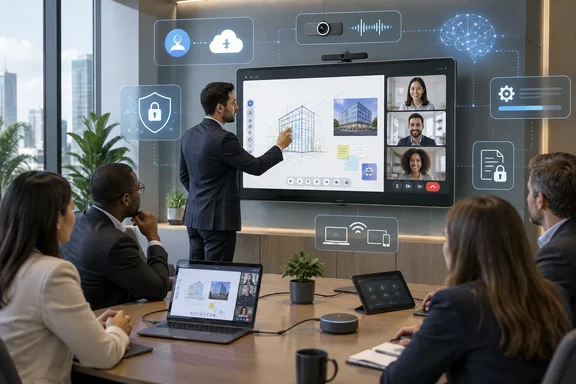
Notebookcheck’s September 17 report presents the CP05 family as an introduction, yet BenQ announced the corporate interactive-display line on April 1, 2026. BenQ’s U.S. product pages for the 75-inch CP7505 are already live, and BenQ published CP05 firmware release notes in June. The more accurate reading is that the boards are moving into wider availability and retail visibility, rather than arriving as an unannounced new category.
For Windows-heavy meeting rooms, the CP05 is a large Android collaboration endpoint that can connect to and control a Windows PC; it is not a replacement for a Windows-based room system. That distinction should shape how organizations evaluate it.
An Android meeting board with PC-class memory
The CP05 lineup pairs 4K interactive panels with an ARM system-on-chip built from two Cortex-A78 performance cores and six Cortex-A55 efficiency cores, plus a Mali-G57 MC2 GPU. BenQ specifies 16GB of RAM and 256GB of onboard storage across the family, a substantial configuration for an interactive display that must run whiteboarding, conferencing, casting, browser-based work, and AI tools in the same session.
The 55-inch CP5505 and 75-inch CP7505 both support up to 50 simultaneous touch points. BenQ also advertises 95% DCI-P3 coverage and Pantone validation, aimed less at ordinary slide decks than at rooms where diagrams, design reviews, technical drawings, video, and shared documents are part of the work.
Those specifications help explain the high memory allocation, but they should not be mistaken for conventional PC performance. The CP05 runs Android 15, with Google EDLA certification on BenQ’s U.S. product listing. That permits deployment of approved Android work applications from Google Play, but it does not give an organization the software compatibility, endpoint controls, driver model, or Windows application behavior of a mini PC running Windows 11.
Organizations that require full desktop Office apps, specialized line-of-business programs, local Power BI workflows, or a managed Teams Rooms on Windows deployment will still need a separate Windows endpoint—through USB-C, HDMI, an OPS slot-in PC where supported, or a dedicated room PC.
Windows support means casting, touchback, and USB-C
BenQ says the CP05 supports Windows, macOS, ChromeOS, and Android devices. For Windows users, the practical connection options are more important than the compatibility label: the board supports USB-C for video, charging, and touch control, as well as wireless sharing through BenQ’s InstaShare 2. BenQ also lists Miracast, browser-based webcasting, and the ability to share a full desktop, one application, or an extended display.
The extended-display option has a clear business benefit. A presenter can keep notes, chat, administrative controls, or confidential material on the laptop while sharing only the PowerPoint window or selected app on the CP05. BenQ’s two-way touchback feature can then let the user operate the connected Windows PC from the panel.
IT teams should test that workflow with their actual Windows image, docking stations, USB-C cables, display policies, and wireless network segmentation. “Supports Windows” can mean everything from basic HDMI output to a reliably managed touch, charging, casting, and authentication experience. Those are not interchangeable deployments.
The CP7505’s listed 50-megapixel camera, eight-microphone array with a claimed 12-meter pickup range, and 90W 2.1-channel audio system make it closer to an all-in-one conferencing appliance than a conventional conference-room display. That may reduce the number of peripherals in a room, but it also concentrates camera, microphone, wireless sharing, accounts, and screen-control functions into one networked Android device. It should be assessed and managed accordingly.
SummarAI’s local-processing claim needs a boundary
BenQ’s headline feature is SummarAI, which records meeting audio, creates transcripts, and produces summaries and meeting minutes. The company says its dedicated 10 TOPS NPU handles relevant AI workloads on the display, including transcription, handwriting recognition, gesture control, and image analysis. BenQ describes this as edge AI, meaning processing conducted on the device rather than sent to a cloud service.
That can be useful for organizations trying to limit exposure of meeting audio and whiteboard material. It may also improve responsiveness where a room has poor external connectivity. But “on-device” is not a blanket assurance that every piece of a meeting stays local.
A CP05 can still be used with Microsoft 365, Google Workspace, cloud storage, browser sessions, conferencing services, wireless casting, and other external applications. Each has its own data flow, retention policy, tenant controls, and identity model. A local summary engine does not make a Teams meeting recording local, nor does it override a company’s Microsoft Purview, retention, eDiscovery, or conditional-access requirements.
BenQ’s own firmware history also shows why enterprises should treat the AI features as software that requires maintenance rather than as a static appliance capability. Its June 2 CP05/CM05 firmware release fixed an issue that prevented SummarAI from launching with the active pen for users signed into the board through BenQ’s Account Management System. The same update addressed a screen-flickering problem involving SummarAI and Circle to Artify.
That is ordinary product maturation, but it makes the procurement question more concrete: who owns the board’s firmware lifecycle after installation, and how rapidly can the organization test and deploy updates across rooms?
The management promise is more consequential than the display specs
BenQ promotes directory synchronization with Microsoft, Google, and other identity providers, along with NFC and QR-code sign-in and centralized device management. For shared rooms, the ability to give employees a temporary personalized session—rather than leaving a common Android account signed in—is potentially more valuable than the faster CPU.
It is also the part that needs the closest validation before a fleet deployment. Administrators should establish whether Microsoft Entra ID integration fits their intended sign-in method, whether user sessions remove browser and cloud credentials at sign-out, what audit information is recorded, and how guest access works. The company should also determine whether a room board must reach BenQ cloud services, Google services, or both to enable each advertised function.
BenQ’s current support guidance says the June firmware release is installed manually through its Device Management Solution or on the display itself, and that the update automatically restarts the device. The company advises scheduling the process outside working hours. That is an operational limitation worth factoring into room availability planning, especially for organizations with many devices but no established maintenance window for Android meeting hardware.
The most useful predeployment checklist is short:
- Verify how the CP05 will authenticate users against Microsoft Entra ID and whether credentials, browser data, and cloud-session tokens are cleared at sign-out.
- Test Miracast, USB-C touchback, HDMI, wireless sharing, and network access on the corporate VLAN rather than relying on a showroom demonstration.
- Confirm which AI features remain local and which depend on external accounts, cloud applications, or network services.
- Assign an owner for BenQ firmware, app updates, security reviews, and scheduled reboots before installing the board in a bookable room.
Pricing and availability remain fragmented
BenQ’s April announcement confirmed 55-inch and 75-inch models but did not publish U.S. pricing. Geeknetic reported this week that the two sizes are available from $4,950 and $6,750, respectively, although BenQ’s U.S. CP7505 page currently directs prospective buyers to contact an expert rather than displaying a purchase price.
That gap matters because the final cost is not the panel alone. A real deployment may add wall mounting, room electrical work, cabling, network provisioning, installation, warranty coverage, management-service licensing, and either a Windows room PC or a standard laptop connection design. The CP05 may consolidate camera, microphones, speakers, casting, whiteboarding, and Android apps, but it can also create a more specialized support target than a display plus a simple Windows endpoint.
BenQ’s CP05 hardware is already a deployed product family, and the June firmware release confirms its software stack is actively changing. Buyers should evaluate it as a managed Android collaboration appliance attached to Windows workflows—not as a giant Windows monitor with AI bolted on.