

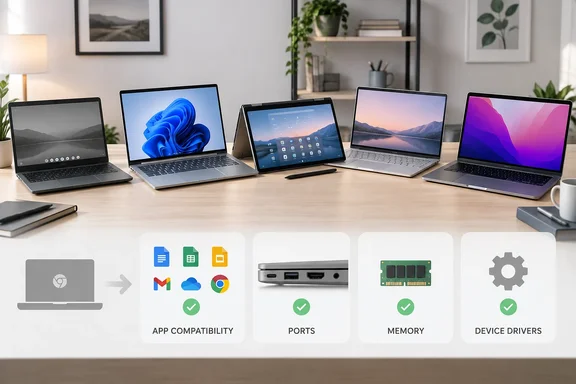
The five picks at a glance
TechRepublic lists these US prices, which vary by configuration and promotion:
| Model | Price per TechRepublic | OS | Guide's label |
|---|---|---|---|
| Dell XPS 13 | From $699.99 | Windows 11 | Best overall Windows alternative |
| MacBook Neo | From $699 | macOS | Best affordable Mac |
| HP OmniBook X Flip 14 | $929.99 (one configuration) | Windows 11 | Best 2-in-1 |
| ASUS Zenbook A14 | From $1,099.99 | Windows 11 | Best lightweight Windows |
| MacBook Air M5 | From $1,299 | macOS | Best premium Mac |
The guide says it weighed three things:
- software and peripheral compatibility
- value and performance
- portability and flexibility
It presents no benchmarks or lab testing. The "best" labels are editorial judgments, not measured results.
Windows options
Dell XPS 13
TechRepublic describes the base model as an Intel Core 5 320 with 8GB of memory, a 256GB SSD and a 13.4-inch touchscreen. It puts the weight at 2.2 pounds. Dell's own product page also advertises 2.2 lbs, a touchscreen and a backlit keyboard. It claims up to 17 hours of battery life, which is a manufacturer figure.
One price caveat: the Dell page captured during our research showed $748.99, not the $699.99 in TechRepublic's table. That may reflect a different configuration or a changed promotion. Check the live price and exact configuration before ordering.
The guide's main caution is that 8GB of RAM and 256GB of storage suit everyday use but leave little room for heavy multitasking. That is a capacity observation, not a performance test.
HP OmniBook X Flip 14
The guide calls this the closest match for someone replacing a convertible Chromebook. The configuration it cites has:
- an Intel Core Ultra 5 325
- 16GB of memory
- a 512GB SSD
- a 14-inch 2K multitouch display
- four modes: laptop, tablet, stand and tent
We could not retrieve HP's own pages during this research, so these specs rest on TechRepublic's reporting. The $929.99 price applies to one configuration only. Don't compare it directly with the "from" prices of the others without noting that.
The comparison with the base XPS 13 and MacBook Neo is about capacity: 16GB and 512GB versus 8GB and 256GB. The tradeoff is size, since a 14-inch convertible is less convenient to carry or hold as a tablet.
ASUS Zenbook A14
This is the lightweight pick. TechRepublic says the lineup starts below 2.18 pounds and offers OLED displays and Snapdragon processors. It also says some 2026 configurations use the 18-core Snapdragon X2 Elite. ASUS's page backs up several points:
- It markets a sub-2.18 lb Copilot+ PC.
- It lists an 18-core Snapdragon X2 Elite with an 80 TOPS NPU.
- It gives a weight of 990 grams.
- It claims over 33 hours of continuous video playback. That is an ASUS test-condition figure, not a typical-use runtime.
The guide's "up to 32GB of memory and up to 1TB of storage" figures were not confirmed on the ASUS page we retrieved. Treat them as TechRepublic's claim, and confirm the exact configuration at checkout.
Mac options
MacBook Neo
Apple's specs page confirms the core details TechRepublic reports:
- an A18 Pro chip
- 8GB of unified memory
- a 256GB base SSD (a 512GB model is also listed)
- a 13-inch Liquid Retina display
- up to 16 hours of video streaming
- a weight of 2.7 pounds
The port list explains the guide's "more limited USB-C" remark. The Neo has one USB 3 USB-C port and one USB 2 USB-C port, plus a headphone jack. It supports one external display, up to 4K at 60Hz. The guide notes there is no touchscreen.
MacBook Air M5
Apple's page confirms 16GB of unified memory and 512GB of storage, and up to 18 hours of battery life. It also confirms two Thunderbolt 4 ports, which appear in Apple's ports section. We could not see the external-display limit in the page excerpt we retrieved, so the "up to two external displays" claim rests on TechRepublic.
Apple's performance claims compare the M5 with earlier MacBook Air chips and with a PC laptop using an Intel Core Ultra X7. Those are vendor-selected benchmarks. TechRepublic's case for the Air is more memory, storage and connectivity at a higher price. That is the safer way to frame it, because the guide itself does not measure speed.
Windows on Arm: check before you switch
TechRepublic flags Windows on Arm as the main caveat for the Zenbook A14. Microsoft's documentation supports the warning and sharpens it.
- Apps: Windows 11 on Arm runs x86 and x64 apps through emulation, and Arm-native apps run natively. Microsoft says Prism is optimized for Qualcomm Snapdragon processors, and is available on all supported Windows 11 on Arm devices with 24H2.
- Drivers: Emulation covers only user-mode code and not drivers, so any kernel-mode components must be compiled for Arm64. Microsoft's FAQ adds that user-mode print drivers must also be native Arm64.
- What that means in practice: an app can launch under emulation while a printer, VPN client, security tool or specialist peripheral that depends on a driver fails. Independent write-ups name kernel drivers, VPN clients, antivirus engines and copy-protection drivers as common blockers.
- Gaming: one guide lists kernel-level anti-cheat as another blocker.
- Per-app fixes: Microsoft documents optional emulation settings that can improve compatibility, usually at a cost to performance. Its warning is that changing them might cause an app to crash or fail to launch. Treat them as troubleshooting, not a reason to skip checking before you buy.
How to check before buying
- List every app, printer, scanner, dock and monitor you depend on.
- Ask each software vendor whether there is a native Arm64 build or supported emulation.
- Ask each hardware maker whether an Arm64 driver exists.
- For a work laptop, ask your IT team whether device management, VPN and security agents support Arm.
- If anything critical lacks support, look at the x86 Windows options (XPS 13 or OmniBook) instead.
Which one fits whom
- Straightforward Windows move with touch: Dell XPS 13. Watch the 8GB/256GB base.
- Cheapest Mac: MacBook Neo, with no touchscreen and a thin port selection.
- Tablet and tent modes: HP OmniBook X Flip 14, which is heavier to carry.
- Lowest weight on Windows: ASUS Zenbook A14, but only after the Arm compatibility checks above.
- More headroom on macOS: MacBook Air M5, at a higher price and also without touch.
Neither Mac has a touchscreen, which matters if you are used to touch on a Chromebook.
Bottom line
The guide's most useful advice is its last line. Confirm that your essential apps, printers, docks and external monitors work with the exact model, and ask IT first if the laptop is for work. Prices and specs here are snapshots from around October 5, 2026, and the Dell discrepancy shows how quickly they can shift. Judge the "best" labels as editorial opinion, not test results.
References
- 5 Best Chromebook Alternatives for 2026 - TechRepublic TechRepublic · 2026-10-05T11:48:36+00:00
- MacBook Neo - Tech Specs - Apple apple.com
- Dell XPS 13 Inch – Lightweight Touchscreen Laptop | Dell USA dell.com