

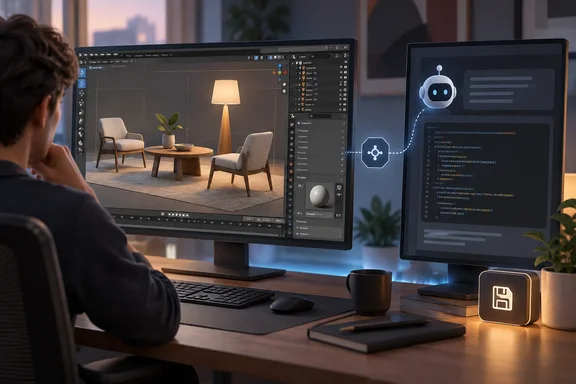
BlenderMCP gives Claude Code a socket into Blender's Python API
Blender can't talk to Claude Code out of the box. The link is BlenderMCP, an add-on built on the Model Context Protocol. Anthropic describes MCP as an open-source standard for connecting AI applications to external systems. MCP only defines how the connection works. It doesn't mean Anthropic builds or stands behind any particular integration, and in this case it doesn't. BlenderMCP is the first Blender MCP, created by Siddharth Ahuja — free and open source on GitHub.
The setup has two parts. The project's documentation lays it out as the LLM client talking MCP to a local MCP server, which then talks over TCP port 9876 to the Blender add-on (addon.py). Commands and replies are simple: Commands are sent as JSON objects with a type and optional params · Responses are JSON objects with a status and result or message. The host and port can be changed with environment variables BLENDER_HOST (default localhost) and BLENDER_PORT (default 9876).
What the agent can actually do is the important part. The feature list includes object manipulation, material control, full scene inspection, and a viewport screenshot tool that lets the AI see the Blender viewport. It also includes code execution. Wolfe calls Python access "probably the biggest deal here," because Blender's API exposes meshes, shader nodes, cameras and nearly everything else. Once Claude can run code against all that, it goes from describing a scene to building one.
The add-on also ties into outside asset libraries. The tool list includes Poly Haven search and download for HDRIs, textures, and models, along with Sketchfab imports and AI model generation through Hyper3D Rodin and Hunyuan3D.
Setting up BlenderMCP with Claude Code takes about 15 minutes
Wolfe says setup took him around 15 minutes. He installed the add-on, started the socket server from Blender's sidebar, added the MCP server to Claude's config file, and restarted everything. The project's own quick-start lists the same pieces. You install prerequisites (Blender 3.0+, Python 3.10+, uv), download the addon.py file and install it in Blender (Edit > Preferences > Add-ons), then configure the MCP server in your client's config file.
In practice, the steps are:
- Install Blender 3.0 or newer, Python 3.10 or newer, and the
uvpackage manager. - Register the MCP server with Claude Code. The repository gives
claude mcp add blender uvx blender-mcpfor Claude Code. Desktop clients such as Claude Desktop, Cursor and VS Code use a JSON config entry instead. - In Blender, install
addon.pyfrom Edit > Preferences > Add-ons, then enable it. - In Blender, open the 3D View sidebar, find the BlenderMCP tab, optionally enable Poly Haven, and click "Connect to Claude". Press N if the sidebar is hidden.
- Check that it worked. The documentation says that once the config file has been set on Claude, and the addon is running on Blender, you will see a hammer icon with tools for MCP for Blender. In Claude Code, the Blender tools should show up in the MCP server list.
On Windows, the main snag is usually uv. Registry listings include a PowerShell snippet that adds %USERPROFILE%\.local\bin to the user PATH so the client can find uvx. The project's troubleshooting notes also say to use that full path as "command" in your config if the executable still can't be found. And one easy mistake to avoid: Do not run the uvx command manually in the terminal while the client is active.
Wolfe had one failure. Blender crashed partway through a test, and the connection didn't come back on its own. He had to fully close both programs before Claude could see the scene again. The project's troubleshooting guidance points the same way: If you're still having connection errors, try restarting both Claude and the Blender server. If the server package itself is out of date, the documentation says to delete the MCP server from Claude and add it back again.
Claude Code guesses and checks screenshots in Blender, but asks first in CAD
The heart of Wolfe's piece is a comparison. In CAD, he asked Claude Code to move a hole two millimetres on a test bracket. It stopped and asked whether the move would break a mounting pattern elsewhere on the part. When he thinned a wall on the same bracket, it flagged whether the new thickness could still be printed, before he had said anything about manufacturing. He also says it checks the constraint tree before adding a fillet.
Blender got very different behaviour. He asked for a simple scene with a low table, a couple of chairs and a lamp. Claude didn't ask for any dimensions. It picked sizes that looked about right, built the objects from primitive shapes, and took a viewport screenshot to check the result. Five minutes in, it had guessed the height of a table leg by itself.
Vague aesthetic requests went the same way. When he asked for a lampshade that tapered instead of looking like a cylinder, Claude didn't ask for an angle. It adjusted the mesh, grabbed a screenshot, judged the silhouette, and repeated until the shape looked tapered. For a "worn brass, not too shiny" material, it wrote shader node setups with roughness maps and colour variation, rendered a test frame, saw that the first result was too glossy, and fixed the roughness without being given a number.
Wolfe's explanation is about the medium. In CAD, dimensions and constraints have to check out before anything moves, and a wrong value produces a part that won't bolt together. In Blender, a mesh doesn't care if two objects overlap or if a chair leg floats half an inch off the floor. And nobody fabricates a bracket based on how warm the render looks, so finish barely matters in CAD.
This is one writer's observation, and the limits should be clear. No versions of Claude Code, Blender, the CAD program or BlenderMCP are given, the prompts aren't published, and the comparison wasn't controlled. It's a well-described set of experiences, not a benchmark.
Where Claude still stops to ask inside Blender
Claude wasn't carefree in Blender all the time, and the exceptions are the most revealing part of the test. When it wrote Python that could crash Blender, such as heavy modifier stacks or Geometry Nodes setups with self-referential loops, Wolfe says it added extra error handling without being asked.
The clearest case was a Poly Haven import. Wolfe asked Claude to scale the scene so a doorway would read as a standard 80-inch door. Claude didn't eyeball it. It stopped and asked for the real measurement before continuing. Wolfe's reading is that the agent weighs how costly a mistake would be. A render that comes out too shiny costs a few minutes to redo. A hole drilled in the wrong place on a part headed for a 3D printer costs an afternoon and a spool of filament.
He says Claude "figured that out on its own." That's his interpretation. A more cautious reading: the agent adapted to the feedback each tool gave it. Blender offers screenshots and renders that make guess-and-check cheap. CAD offers exact constraints that make guessing unnecessary and a wrong guess expensive. Wolfe lands close to that himself. He says what changed was which tool Claude had in hand and what feedback it got, not that one program is better suited to AI work. Either way, this is one person's experience, not a documented rule about how Claude Code behaves.
Geometry Nodes and slow render loops limit Claude Code in Blender
The weak spots Wolfe reports are specific. Claude Code could write a complex Geometry Nodes setup from scratch, but struggled when something broke inside a node tree it had already built. A scattering effect wouldn't behave, and working out why took much longer than it would have for someone who knows Blender well and could spot the problem at a glance.
The screenshot loop is the second problem. Render, look, describe what's wrong, decide on a change, repeat. Doing that six times in a row for one material tweak adds up. CAD never forced this, because it reports broken constraints directly. In Blender, Claude has to look at the output every time.
The project's documentation says something similar about complexity. It notes that complex operations might need to be broken down into smaller steps, and for timeouts it suggests simplifying requests or breaking them into smaller steps.
Arbitrary Python execution is the risk behind BlenderMCP's power
The feature that makes the integration capable is also the one to be careful with. The maintainer's warning is blunt: The execute_blender_code tool allows running arbitrary Python code in Blender, which can be powerful but potentially dangerous. The README continues: Use with caution in production environments. ALWAYS save your work before using it. An agent that can rewrite mesh data and node trees can also wreck a scene file. Wolfe's crash shows the add-on can fail partway through a session.
Poly Haven is also something to think about. The documentation notes that Poly Haven requires downloading models, textures, and HDRI images. If you do not want to use it, please turn it off in the checkbox in Blender. The Sketchfab, Hyper3D and Hunyuan3D integrations need credentials, which can be stored in Blender's add-on preferences or, for headless setups, in environment variables.
Telemetry matters for anyone managing workstations. The project says telemetry is opt-in. Collection of your content is off by default and stays off until you explicitly turn it on. Even so, what is collected by default (no opt-in) includes a minimal anonymous usage record tied to a randomly generated install ID. That's modest, but it's more than zero, and some organisations will want to know about it.
Wolfe's verdict on reliability fits the rest: BlenderMCP isn't built or maintained by Anthropic. It's fine for experimenting on a Saturday afternoon, and he wouldn't trust it with anything that has to run unattended overnight in its current form.
What this means for you
Use BlenderMCP for visual, reversible work. Don't use it for anything with real physical dimensions unless you supply the numbers yourself. Blender hobbyists and concept artists who want fast blockouts, material experiments or asset-library scenes will get the most out of it. Anyone whose Blender output feeds manufacturing, architecture or 3D printing should treat Claude's guessed proportions as placeholders and check them.
- Save or duplicate your .blend file before each session, because
execute_blender_codecan run any Python against the open scene. - Give exact measurements up front for anything that has to match a real object. In Wolfe's test, Claude only asked for a real dimension once, for the 80-inch doorway.
- If the link drops after a crash, fully restart both Claude and the Blender add-on server instead of waiting for it to reconnect.
- Break Geometry Nodes and other complex jobs into smaller prompts, and expect to debug broken node trees yourself.
- Turn off Poly Haven and leave optional telemetry off if you manage machines where outbound downloads or usage reporting need approval.
- Don't schedule unattended or overnight runs through this community integration yet.
In Wolfe's test, the same agent asked for measurements in CAD and guessed and checked in Blender, and the difference tracked what each tool let it see and how much a mistake would cost. For Blender users, that makes BlenderMCP a useful blockout and look-development partner, as long as you keep version-safe copies of your files. Anything that has to meet a real-world dimension still needs a human-supplied number and a human check before it leaves the viewport.
References
- I let Claude Code loose in Blender, and it's a completely different assistant than it is in a CAD program MakeUseOf · 2026-09-24T10:30:14+00:00
- GitHub - ahujasid/blender-mcp: 🎨 Control Blender 3D with Claude AI — prompt-driven 3D modeling, materials & scene generation via MCP github.com
- What is the Model Context Protocol (MCP)? - Model Context Protocol docs.anthropic.com