

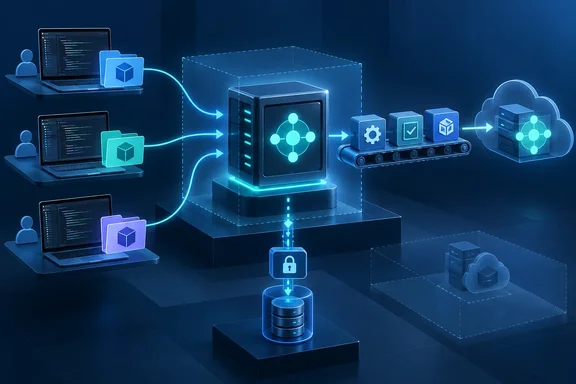
It's a small change, but it matters to the growing number of Business Central partners who run coding agents alongside their AL developers, and to teams running build pipelines with no one watching them.
What Microsoft announced
Microsoft's own wording lists three capabilities:
- Start the AL MCP server without a predefined project. You no longer need a workspace in place at startup.
- Add AL projects at runtime. Projects can be loaded once work actually begins.
- Use configured connection details in headless scenarios without authentication prompts. This is aimed at unattended automation.
In the roadmap's business-value statement, Microsoft says AI-agent hosts can start a reusable AL MCP server before they know which project they'll need, then load projects as work begins. The stated benefits are flexible agent sessions, shared tooling configurations and headless automation, without a separate server process for every preconfigured workspace. These are Microsoft's claims. No independent performance figures or operational measurements have been published.
The same feature appears in the Development section of Microsoft Learn's feature list for Business Central 2026 release wave 2 (update 29.0). That listing describes it in nearly identical terms to the roadmap entry, so two Microsoft sources agree.
Preview, GA, or somewhere in between?
The roadmap entry says Launched, lists the General Availability ring and the Worldwide (Standard Multi-Tenant) cloud instance, and gives October 2026 as the GA date. That date covers a whole month, and on October 1 it doesn't prove the feature has reached everyone.
The Microsoft Learn page that lists the feature covers the update 29.0 public preview. Microsoft says that preview applies only to Business Central online sandbox environments, not to production or on-premises deployments. It also says preview features aren't meant for production use and may have restricted functionality. The same page says the preview runs from the first week of September until 29.0 reaches general availability in the first week of October.
A sensible approach:
- Treat it as preview until your environment says otherwise. Check your Business Central server version and AL tooling before building production workflows on it.
- Test in a sandbox. Microsoft's preview guidance lets you create a new sandbox on "29.0 preview" or update an existing one to that version.
- Plan around preview cleanup. Microsoft says it automatically deletes preview sandbox environments 30 days after 29.0 reaches GA, roughly early November 2026, and a preview environment can't be updated to a different version.
WindowsForum reported the same mismatch when covering a related Business Central MCP feature. The roadmap entry says Launched, with GA in October 2026, while the Microsoft Learn page notes the feature is available in preview with a prerelease of runtime 18 and Business Central Server version 29.
Summary: The roadmap says October GA. The documentation that describes the feature is preview material for sandboxes only. Until your tenant shows otherwise, treat it as preview.
Why "headless without prompts" matters
The authentication part is easier to understand once you know how the server connects today. Microsoft's AI agent tools documentation says that when the AL MCP Server needs to connect to a Business Central cloud environment, it uses browser-based interactive authentication via Microsoft Authentication Library (MSAL).
That works fine when a developer is at the keyboard with a browser open. It's a dead end for a CI runner, a container, or an agent host on a server where nobody will ever click through a sign-in window. Microsoft already promotes the same tooling through the AL MCP Server for headless environments and CI/CD pipelines, so an interactive sign-in step always fit awkwardly with that goal.
Be careful about what the new feature does and doesn't claim:
- It says configured connection details can be used without authentication prompts. It does not say authentication goes away.
- Microsoft hasn't said which connection fields are involved, how they're stored or protected, which identity is used, or how credential rotation and permissions work.
- It doesn't say every authentication method or environment type is supported.
Calling this an "authentication bypass" would be wrong. Microsoft is describing non-interactive use of credentials you have already configured. Security teams will want answers to the open questions above before anyone puts long-lived credentials on a shared agent host.
Where this fits in the AL MCP toolchain
The AL MCP server has a short history. In Business Central 2026 release wave 1, Microsoft said ALTool now includes a command for launching the AL MCP server for command-line coding agents. The current ALTool reference lists the command as launchmcpserver, which launches an AL Model Context Protocol (MCP) server. ALTool also has workspace commands for creating, compiling, and mapping multi-project AL workspaces.
Microsoft recommends installing the tool through the Business Central Development Tools NuGet package. That package is a .NET tool that provides the al command:
dotnet tool install --global Microsoft.Dynamics.BusinessCentral.Development.Tools
Microsoft's agent tools documentation applies to AL Language extension 17.0 and later. It describes tools that let GitHub Copilot and other MCP-compatible agents perform core Business Central development tasks on your behalf—building, publishing, searching symbols, running diagnostics, and debugging AL extensions.
Dynamic workspaces change the order of things. Before, you picked a project and then started the server. Now you can start the server and pick a project later. One long-running server can wait for whichever repository or app the next task needs, instead of a separate process being started for each workspace.
What Microsoft hasn't documented yet
Microsoft's published summary leaves a lot out. It does not say:
- which AL MCP server, ALTool, or AL extension version is required
- which command, setting, API or file format adds a project at runtime
- whether projects can be removed, swapped, or loaded at the same time
- how many projects one server can hold, or which agent hosts are supported
- whether projects added at runtime share server state or are kept separate
- which identity, authentication scheme, or connection details the headless mode uses
- a rollout schedule for this specific feature, or availability per tenant
So there's no step-by-step guide here. Making one up would mean inventing command flags or settings that Microsoft hasn't published. Don't assume every MCP client can attach AL projects on the fly just because the server now can.
Related 29.0 features (separate items)
The same 29.0 preview list includes several other AL and agent features. Microsoft lists them separately. None is documented as required for dynamic workspaces:
| Feature | What Microsoft says it does |
|---|---|
| Diagnose AL MCP server activity with file logging | Writes server diagnostics to a configurable file, with selectable detail levels, or turns logging off |
| Discover objects in connected environments | Searches installed objects, including owning-app metadata for dependencies and symbols |
| Use AL language intelligence from AI agents and other editors | Runs the standalone AL language server for completion, navigation, rename and formatting outside VS Code |
| Run AL tests from command-line and CI/CD | ALTool compiles, deploys and runs test projects, returning structured JSON results |
| Track AL compiler diagnostics in automated builds | ALTool workspace builds write structured, per-project compiler error logs |
| Let agents allocate free AL object IDs | Coding agents find available object IDs within project ranges |
Together they suggest where Microsoft is heading: AL development that runs without the VS Code UI, can be scripted, and is easier for agents to use. That's our reading of the feature list, not something Microsoft has said.
Our take
This is plumbing, not headline material, but plumbing decides whether agent workflows actually work day to day. A server that needs a project before it starts suits one developer with one repo. It suits poorly a partner with dozens of customer extensions and an agent host that only learns which one it needs after a ticket arrives. Prompt-free connections fill an obvious gap in a toolchain that already advertised headless and CI/CD use while still relying on browser sign-in for cloud connections.
The other side: unattended credentials on a shared, long-running server need careful handling, and Microsoft hasn't yet explained how they're stored, scoped or kept separate between projects. Try it in a 29.0 sandbox, watch for detailed documentation, and keep production pipelines on known-good tooling until GA is confirmed for your tenant.
Summary: The feature looks useful for teams building reusable AL agent tooling. For now, use it for experiments in a sandbox, and wait for Microsoft to document the security details before relying on it in production.
References
- Dynamics 365 Business Central: Development - Configure AL MCP workspaces dynamically Microsoft 365 Roadmap · 2026-09-30T23:31:03.389585Z
- What's New or Changed in Business Central 2026 release wave 2 - Update 29.0 preview - Business Central | Microsoft Learn learn.microsoft.com
- ALTool - Business Central learn.microsoft.com