

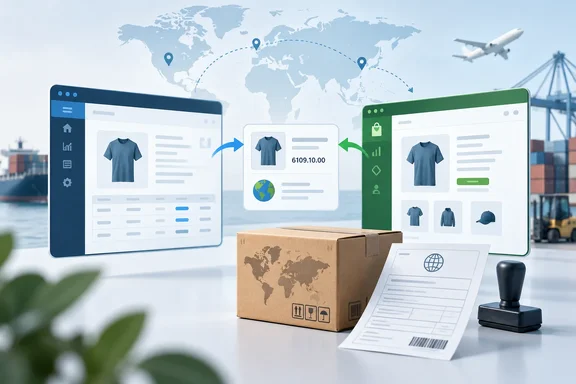
If you've ever typed the same Harmonized System (HS) code into two systems and then wondered which one was right, this update is for you.
What Microsoft is shipping
The roadmap entry is marked Launched, ring General Availability, on the Worldwide (Standard Multi-Tenant) cloud, platform Web. The listed general-availability date is October 2026, with no specific day.
Microsoft's own documentation backs this up. The "What's new" page for Business Central 2026 release wave 2 (update 29.0) lists the feature under Ecommerce, saying you can "Turn on Sync HS Code and Country of Origin on the Shopify Shop Card page to include tariff numbers and countries or regions of origin into the product synchronization tasks."
Notice the naming. The roadmap calls the toggle Sync HS Code and Country/Region of Origin, while the Learn page calls it Sync HS Code and Country of Origin. Your tenant's label may match either one, so look for "HS Code" on the Shop Card.
Keep the timing in perspective:
- That Learn page is prerelease documentation. It says the 29.0 public preview applies only to Business Central online sandbox environments, not production or on-premises.
- Microsoft says the preview runs from the first week of September until 29.0 reaches general availability in the first week of October.
- A "Launched" label and a month-only date don't mean every tenant has it on October 1. Production environments get it when their 29.0 update lands.
Section summary: The feature is part of Business Central 29.0, the release-wave-2 update due in early October 2026. It's in preview sandboxes now, with production availability tied to your 29.0 update.
How the tariff and origin sync works
The core change is an opt-in setting on the Shopify Shop Card. Once it's on, product synchronization carries two trade-data values in addition to the usual names, prices and SKUs:
- the tariff number (Business Central's term for the HS-based customs classification)
- the country/region of origin
Microsoft's stated goal is to support international shipping and customs reporting, cut duplicate data entry, and keep product trade data consistent across both systems. That's the intended benefit, not a measured result.
The import rule that matters most
The roadmap description has one important limit. On import, the connector updates these values only when the Shopify value resolves to an existing Tariff Number or Country/Region record in Business Central.
In plain terms, the connector won't create master data for you. If Shopify holds a code that has no matching record in Business Central, don't expect a new record to appear. The value only lands when the match already exists. Public Learn documentation doesn't yet confirm this detail, so treat it as Microsoft's roadmap wording.
Why the import rule may trip you up (analysis)
Here's a problem worth checking before go-live. Shopify's Help Center says merchants can add region-specific HS codes, which are "Typically, this is the standard six-digit code with additional digits or letters added to the end." Many Business Central companies keep tariff numbers at the longer national level their customs reporting needs.
So a six-digit code in Shopify may not match a longer code in your Tariff Numbers list. Under the roadmap's import rule, that mismatch would simply skip the update.
Microsoft's documentation doesn't say which Shopify HS field the connector reads, whether it handles Shopify's country-specific codes, or how it compares code lengths. Test this in a sandbox rather than assuming.
Country values may be less risky. For customer sync, Microsoft's connector documentation says country mapping "is done by ISO code". That's an existing, related behavior. Microsoft hasn't said the new product-level origin sync works the same way.
Where the setting fits in your existing sync
The connector already separates syncing to Shopify from syncing from Shopify. Microsoft's item-sync guidance says to choose a source of record early: "Before you configure item synchronization, decide which system is the system of record for product data."
The Shop Card's Can Update Shopify Products setting also controls whether Business Central can only create products or can update them too. Microsoft doesn't say whether the new trade fields follow every sync direction and mode, so don't assume they do.
Section summary: Turn the toggle on and HS codes and origin values join product sync. On import, a value is only accepted if it matches a record that already exists in Business Central, and code-length differences could cause silent skips.
A practical rollout checklist
This sequence follows from the documented settings and the roadmap's matching rule. The sandbox step is general good practice, not a step Microsoft requires.
- Pick the source of record. Decide whether trade data lives in Business Central or in Shopify. Having two places where people edit HS codes is how mismatches start.
- Prepare master data. Make sure every tariff number and country/region you expect to use already exists in Business Central. Under the import rule, missing records mean skipped updates.
- Compare code formats. Pull a sample of HS codes from Shopify and check them against your Tariff Numbers list. Look for six-digit versus longer national codes.
- Check sync settings. On the Shopify Shop Card, confirm the item sync direction and the Can Update Shopify Products setting.
- Turn on the HS Code and origin toggle on the Shop Card for the right shop. If you run several shops, set up each one on purpose.
- Test a small set of products in a sandbox (29.0 preview sandboxes exist for this), then check both systems before scaling up.
Keep expectations realistic. This feature moves data between systems; it doesn't check whether that data is correct. Nothing Microsoft has published says the connector validates whether an HS classification is legally right or decides where a product actually originated. A wrong code synced perfectly is still a wrong code, now in two places.
The other connector improvements in this entry
The roadmap entry groups several product-management changes with the trade-data feature. These details come from Microsoft's roadmap description, and current Learn pages only partly confirm them.
| Change | What it does | Notes |
|---|---|---|
| Find Mapping by Barcode | Controls whether the connector tries barcode matching when the selected SKU mapping strategy fails | On by default for compatibility; turn it off if your barcodes aren't unique |
| Unlisted status | Adds Unlisted to Status for Created Products | Applies when the connector creates a product in Shopify |
| Compare-at Price on Shopify Variants | Shows a variant's comparison price | Add the field through personalization |
| Show Product in Shopify | Now enabled from Item Card or Item List for items exported as variants | Previously didn't cover items exported as variants |
Some context for each:
- Barcode fallback. Matching can already rely on barcodes. Microsoft's docs say a barcode search runs through item references of the barcode type. Leaving the fallback on is the compatible default. But if your barcodes are reused or messy, a fallback match can link the wrong product, so the off switch is a welcome guardrail.
- Compare-at price. In the connector's field mapping, compare-at price is calculated as the price without a discount. Microsoft adds that "If the value is less than or equal to Price, the connector sends 0 (null) instead of the actual value." Having the field visible on the variants page should make it easier to work out why a "was" price isn't showing in your storefront.
- Unlisted. This gives merchants another option besides choosing between a hidden draft and a fully public product. Check how Shopify handles Unlisted products on your plan and channels before using it as your default.
Section summary: The rest of the package is about control and visibility: safer matching, another status option, an easier-to-find comparison price, and fewer dead ends for items exported as variants.
The bigger picture
This update fits Microsoft's steady work on the Shopify connector in the 29.0 cycle. The same Ecommerce section of the release notes covers B2B catalogs, order edits and exchanges, and Shopify's July 2026 API.
There's also a process change. Microsoft says it stops publishing Release Plans starting September 2026, and new Business Central capabilities will go to the AI at Work roadmap instead. That's why this item showed up as a roadmap entry rather than a release-plan page. Partners who track Business Central releases should watch the roadmap from now on.
It's a small toggle, but it addresses a common cause of customs-paperwork mistakes: copying data by hand. Prepare your master data, check your code formats, test in a sandbox, and it should cut down a lot of duplicate typing.
References
- Dynamics 365 Business Central: Ecommerce - Synchronize tariff numbers and origin values with Shopify Microsoft 365 Roadmap · 2026-09-30T23:31:03.389585Z
- Shopify Help Center help.shopify.com
- Synchronize items with Shopify - Business Central | Microsoft Learn learn.microsoft.com