

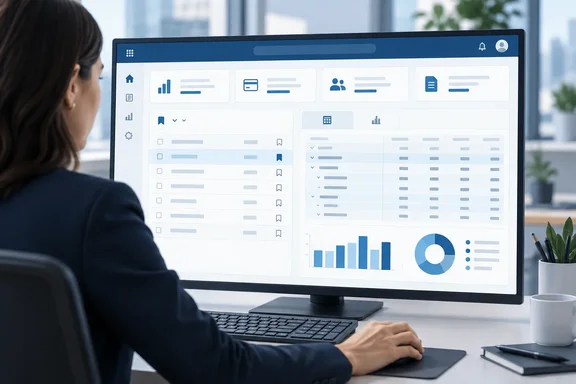
That sounds small, and it is. It also fixes a real annoyance. Until now, a carefully built view or analysis tab could be hard to reach again. Below is what the roadmap record actually says, how the feature fits with the bookmark and analysis features Business Central already has, and what admins should check before telling a finance team it's live.
What Microsoft's roadmap record says
The roadmap entry lists these fields:
- Roadmap ID: 573319
- Product: Dynamics 365 Business Central
- Status: Launched
- Platform: Web
- Release ring: General Availability
- Cloud instance: Worldwide (Standard Multi-Tenant)
- General availability date: October 2026
One caveat about dates. The item is marked "Launched," but its GA date is only given as October 2026, and that month has just started. The record gives no exact day and doesn't say the rollout has reached every tenant. It also names only the web client and the worldwide standard multi-tenant cloud. Nothing in it covers on-premises deployments or other cloud instances.
The record also leaves out a minimum version number, license requirements, permission prerequisites and step-by-step instructions. Until Microsoft documents the exact clicks, assume the details may differ from the walkthroughs you already know.
Section summary: The feature is announced as generally available for web, multi-tenant Business Central in October 2026. Version, permission and UI details have not been published yet.
The two features being connected
The update joins two features that Business Central users already know separately.
Bookmarks: shortcuts on your Role Center
Microsoft's Learn documentation describes the current bookmark feature this way: using the bookmark icon, you can add an action that opens a page or report from the navigation menu of your Role Center. Bookmarks allow you to quickly reach your favorite content or business tasks. The icon sits in the top-right corner of a page and also appears in the Tell Me search window. A new bookmark is added at the end of the role center's top navigation, so if you already have many actions, you may need to open More to find it.
The Role Center is the home page, or as Microsoft's developer guidance puts it, the user's entry point and home page for Business Central. Until now, bookmarks applied to pages and reports. The new item extends that to list views and analysis tabs, so a user can land on a specific saved perspective rather than a generic page.
Analysis tabs: the built-in pivot tool
Analysis mode lets users analyze data from a list page or query without running a report or exporting to Excel. They can pick columns, apply analysis filters, group, subtotal and pivot. Microsoft's analysis-mode documentation stresses that it doesn't change the underlying data or the page's normal layout.
Each configuration is saved as an analysis view (a tab). A default tab called Analysis 1 always exists, and users can add, rename, duplicate, move and delete others. According to Microsoft's documentation, the analysis views a user sets up are visible only to that user. That limit is the main reason the profile part of this announcement matters.
Why the profile half matters more
Bookmarks help individuals. Profiles are where the bigger change could happen for organizations.
Microsoft's developer documentation defines a profile as the mechanism that makes a Role Center page and its associated pages and reports available to users in the client. It enables you to build an individual experience for users based on their role in the company. In the client, profiles are referred to as Roles.
So far, a well-designed analysis tab has mostly stayed with the person who built it. Others could get a copy through link sharing, or through extension-packaged definitions (more on those below). The roadmap says list views and analysis tabs can now be incorporated into profiles, which suggests a controller could set up "Aged Accounts by Month" once and every user on the accounting profile would see it. Treat that as a reading of the roadmap description. Microsoft hasn't yet published the configuration steps.
Section summary: Bookmarks give individual users shortcuts. Adding views and tabs to profiles points toward role-wide standardization, which is the bigger win for admins and partners.
How it builds on 2026 release wave 1
This item continues earlier work. Microsoft's 2026 release wave 1 plan entry, "Allow developers to define data analysis definitions in their apps," let AL developers export analysis configurations as JSON and package them inside extensions. Admins could show or hide those extension-provided views across environments, users and profiles using Designer, Personalization and Profile Configuration modes.
The same entry says a minor update to version 28 added read-only analysis tabs to list and worksheet pages in Sales, Finance, Inventory, Purchasing and Auditing. Examples include:
- Sales Orders, Expected Sales Volume, and Customer Sales by Volume
- Aged Accounts by Month
- Change Log Entries by user activity
- Users by status and license type
- G/L Entries by source
- Fixed asset value tracking and depreciation over time
- Inventory movements and throughput
- Vendor Ledger Entries and Goods Received Not Invoiced
Those tabs can be duplicated from their read-only state for further analysis. The progression makes sense: Microsoft first shipped prebuilt analysis tabs, and now it's making views and tabs easier to reach and distribute. Even so, the earlier entry doesn't prove that item 573319 uses the same configuration mechanics.
This item also appears alongside a related one. WindowsForum covered roadmap item 573322, which says users can work with system audit fields in analysis tabs and add those fields directly to pages in profiles. Both items carry the "Reporting and data analysis" label and both emphasize profiles. Microsoft clearly wants analysis to be something admins configure per role, not only something individual users build for themselves.
Things to check before you rely on it
Today's documentation, not the roadmap record, describes several limits that are likely to matter. Check each one against your own tenant.
- Personalization switches. If the profile has personalization disabled, users can't bookmark. Dino Dynamics notes that with Disable Personalization turned on, they cannot bookmark pages, reports, or create saved views on lists. Developer Yun Zhu has made the same point: if you disable personalization, it will also affect the Save As View feature and Bookmark feature. If the bookmark icon is missing, check this setting first.
- Analysis mode vs. personalization mode. Microsoft's personalization guide notes that you can't personalize a page that's in analysis mode. Opening personalization mode switches analysis mode off. Watch out for this when you configure profiles.
- Analysis permissions. For version 23 and later, Microsoft says users need the DATA ANALYSIS – EXEC permission set or execute permission on system object 9640. A bookmark that opens an analysis tab won't help someone who can't use analysis mode.
- Pages without analysis mode. List pages with indentation, such as the Chart of Accounts, don't support analysis mode. Developers can also turn it off on specific pages.
- Bookmarks aren't access rights. A bookmark is a navigation shortcut, not a permission. Microsoft's guidance on sharing analysis views by link says recipients still need permission to the company and the data. Nothing in the roadmap suggests bookmarks or profiles bypass that.
- Resetting personalization. Clearing personalization on the role center permanently removes bookmarks the user added. Users who reset their workspace will lose them.
Section summary: Personalization settings, analysis-mode permissions and unsupported pages are the likely reasons this feature won't work for a given user. Check them before you open a support ticket.
Analysis: small change, useful for operations
This won't headline any keynote. Bookmarking analysis tabs is a convenience, not a new analytics engine, and it doesn't change the data underneath.
In practice, though, analysis mode's biggest problem has been discoverability, not capability. A pivot nobody can find doesn't help anyone. If profile-level distribution works the way the roadmap suggests, partners and admins could build role-specific analysis setups without writing AL extensions. Smaller Business Central customers without development budgets could benefit most.
Some skepticism is warranted. Roadmap entries are short, and this one doesn't explain how profile-level tabs interact with user-created ones, how conflicts are resolved, or whether removing a tab from a profile removes it for everyone. Admins should test in a sandbox before changing production profiles.
For admins this month: watch for the feature in your web, multi-tenant environments. Check which profiles have personalization disabled. List the five or six analysis setups each role actually uses so you're ready to deploy them once the profile option shows up.
References
- Dynamics 365 Business Central: Reporting and data analysis - Bookmark list views and analysis tabs Microsoft 365 Roadmap · 2026-09-30T23:31:03.389585Z
- Bookmark link to page or report on role center - Business Central | Microsoft Learn learn.microsoft.com
- Analyze list page and query data using data analysis - Business Central | Microsoft Learn learn.microsoft.com