

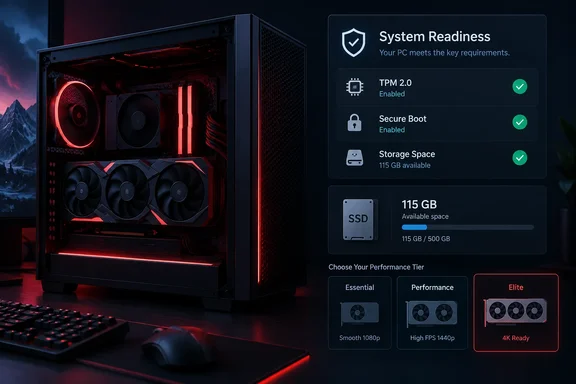
The three official PC tiers
Activision's support page lists three tiers. All specifications require a broadband internet connection and DirectX 12 compatibility. The minimum tier asks for Windows 10 64-bit (latest update), a Ryzen 5 1400 or Core i5-6600, 8 GB of RAM, a Radeon RX 470, GeForce GTX 970/1060 or Intel Arc A580, 3 GB of video memory, and an SSD with 115 GB free at launch.
| Spec | Minimum | Recommended | Ray tracing |
|---|---|---|---|
| OS | Windows 10 64-bit | Windows 11 64-bit | Windows 11 64-bit |
| CPU | Ryzen 5 1400 / Core i5-6600 | Ryzen 5 3600 / Core i7-8700 (see note) | Ryzen 7 3700X / Core i7-10700K |
| RAM | 8 GB | 16 GB | 32 GB |
| GPU | RX 470 / GTX 970 or 1060 / Arc A580 | RX 6600 XT / RTX 3060 Ti / Arc B580 | RX 9070 XT / RTX 5070 Ti |
| VRAM | 3 GB | 8 GB | 16 GB |
| Storage | SSD, 115 GB | SSD, 115 GB | SSD, 115 GB |
All tiers specify "latest update" for the operating system.
A small discrepancy on the recommended CPU. Activision's support page names the Core i7-8700 for the recommended tier. Dot Esports lists the Core i7-8700K instead. The two chips are close in capability, but check Activision's own listing if you are buying or budgeting around that exact CPU.
What each tier means in practice
Minimum. Dot Esports describes this tier as playable at lower settings, with compromises in visuals and frame rates. It is a "will it launch" spec, not a "will it look good" spec.
Recommended. Dot Esports reports that this tier targets 90 FPS in multiplayer on High settings. That qualifier matters. It is not a promise for campaign, DMZ, higher resolutions or heavy ray tracing.
Ray tracing. Dot Esports says this tier is aimed at high-quality ray tracing at 4K upscaled. Upscaled is not native 4K. The jump over the recommended tier is steepest in RAM (16 GB to 32 GB) and GPU (8 GB to 16 GB of VRAM).
Storage: the SSD is non-negotiable
The minimum tier requires an SSD, so a mechanical hard drive does not meet the requirement, however good the rest of the system is. Activision also warns that additional storage space may be required for mandatory game updates. The 115 GB figure is the launch footprint, not a ceiling. Leave headroom for seasonal content. Activision gives no exact extra-space number.
Third-party sites differ on the size. One outlet reports 120 GB, and some speculative pre-release pages guessed 166 GB or NVMe-only. Treat those as unofficial. Activision's own page says 115 GB and asks only for an SSD.
Drivers and compatibility notes
Activision lists these recommended drivers:
- AMD: 26.7.1
- NVIDIA: 616.56. An ASD-compatible NVIDIA driver is due on October 21, before launch. Expect 616.56 to be superseded.
- Intel: 32.0.101.8974
Other notes:
- Intel Arc GPUs require Resizable BAR.
- Only Intel and AMD processors with the AVX instruction set are supported at this time.
For comparison, the beta's published recommended drivers were older. They included NVIDIA 610.47 and Intel 32.0.101.8861, according to GameSpot's beta listing. The beta minimum was also higher on some points than the final minimum, with 12 GB of RAM and a Ryzen 5 1600 or Core i5-8400. If you cleared the beta, you should have little trouble with the launch minimums.
The real gatekeeper: TPM 2.0 and Secure Boot
Activision states that TPM 2.0 and Secure Boot are required to play MW4, and that other security measures may also be enforced. Activision's TPM support page explains the OS side. It requires Windows 10 version 22H2 or later, or any version of Windows 11. That page is written around the MW4 beta, Black Ops 7 and Warzone. Its beta-specific penalty is that non-compliant players cannot play any online mode. Activision has not published separate enforcement wording for the full release on that page. The launch requirements sheet, however, lists both features as required.
On hardware, the support page names Intel 8th Gen or newer (Intel PTT) and AMD Ryzen 2000 series or newer (fTPM), or a discrete TPM chip. That is stricter than the headline CPU minimums. A Ryzen 5 1400 is listed as the minimum CPU, but it is a first-generation Ryzen and falls below the Ryzen 2000 line cited for TPM. An i5-6600 is likewise pre-8th Gen. Owners of those chips should verify TPM support, probably through a discrete TPM module or a firmware option, before assuming they qualify. That is my reading of the two published lists, not a statement from Activision.
How to check your system
Activision's procedure:
- Press Windows key + R, type
tpm.mscand press Enter. - Look for "The TPM is ready for use" under Status. "Compatible TPM cannot be found" means TPM is disabled in firmware or unsupported.
- For Secure Boot, run
msinfo32. BIOS Mode should read UEFI. Secure Boot State should read On. "Off" means supported but disabled. "Unsupported" means check your motherboard documentation. - If BIOS Mode says Legacy, you will have to switch to UEFI. You may also need to convert the system disk from MBR to GPT, because Secure Boot needs both.
Activision's MBR-to-GPT notes say the disk must have at most three partitions, the OS must be 64-bit, BitLocker or encryption must be off, and Secure Boot must be disabled before conversion. It points to Microsoft's MBR2GPT tool. Back up first. Activision also warns that changing firmware settings improperly can cause system problems, including boot failures.
Common failure points
- TPM still prompts after enabling: Activision says a BIOS update may be needed. It flags AMD TPM firmware versions 3..0. as incompatible and Intel versions INTC 302.12.. or 303.12.. as possible update candidates. You can see your version in
tpm.msc. - UAC prompts: the first launch may show a User Account Control prompt for
CODBrokerInstaller.exeorenrollaik.exe. Activision says you must approve it. Declining blocks play. - TCG Event Log failure: restart and install the latest Windows update.
- Secure Attestation Wizard: Activision offers a scanner, version 1.2.0 (updated September 16, 2026). It reports which settings fail and what to change.
Steam Deck and handhelds
Dot Esports says MW4 is not playable on a Steam Deck under SteamOS because of anti-cheat limits, and that you would have to install Windows. I could not confirm that against Activision's published requirements or support pages. Treat it as reported, not verified, until Activision or Valve says so.
Bottom line
- For most gamers with a 2019-era or newer PC, the 115 GB SSD and the TPM/Secure Boot checks are the real hurdles, not the GPU.
- Windows 10 users need 22H2 or later. Windows 11 systems are the smoother path. Activision notes that Windows 11 PCs likely already have both security features enabled.
- Aim for the recommended tier if you want High settings at 90 FPS in multiplayer. Reserve the ray-tracing tier for 4K-upscaled setups with 32 GB of RAM.
- Do the BIOS checks now, not on launch night. Update GPU drivers on or after October 21 if you use NVIDIA.
Activision says the published specs are valid for launch and may change.
References
- Full MW4 PC requirements: Minimum & recommended specs Dot Esports · 2026-10-05T06:37:30+00:00
- Trusted Platform Module (TPM) 2.0 and Secure Boot for Call of Duty support.activision.com
- PC System Requirements for Call of Duty: Modern Warfare 4 support.activision.com