

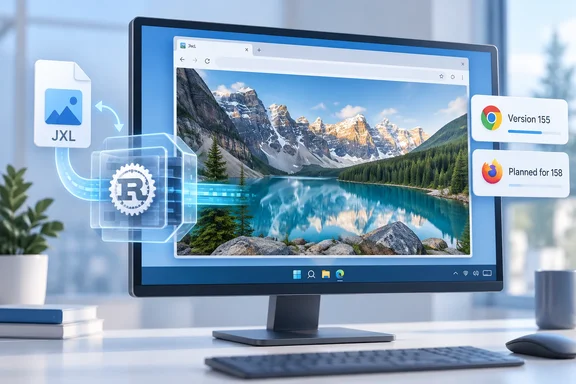
image/jxl) by default. That is the practical change for Windows users and web developers. Neowin's headline says Firefox 157 did the same, and that part is wrong, as explained below.
What shipped in Chrome 155
Neowin reported that Chrome 155 arrived the day before its story. Chrome Platform Status lists the feature in the 155 release notes as JPEG XL decoding support (image/jxl) in Blink. The notes say it uses jxl-rs, a memory-safe decoder written in pure Rust. They describe JPEG XL as an ISO/IEC 18181 standard with progressive decoding, wide color gamut, HDR, high bit depth and animation.
Chrome 155 changes what the browser can display. It does not convert your existing image files. It also doesn't mean every website, CMS, image editor or CDN can create or serve JXL files.
Compatibility tracker Can I Use shows Chrome disabled by default through version 154 and supported from 155. A GitHub discussion in the Apache Traffic Server project says Chrome plans to enable it in 155 on desktop, Android and WebView.
The Firefox 157 claim doesn't hold up
Neowin says Firefox 157 shipped native support. Other sources contradict that. Mozilla had originally targeted 157, and Slashdot's August report said Firefox 157 would enable JPEG XL by default.
The plan then slipped. A Can I Use pull request notes that Firefox has delayed its effort to 158 instead of 157. The Can I Use table lists Firefox 157 as disabled by default and 158 onward as supported. The JPEG XL project's software-support page says Firefox enables it by default from version 158, due October 13, 2026.
So as of today, Chrome is the browser that has made the change. Firefox is expected to follow next week. I couldn't find evidence that Firefox 157 shipped it by default.
Chromium-based browsers are not automatically covered
Can I Use lists Edge as not supported through 154. Chrome's release notes confirm the feature in Blink only. Don't assume Edge, Brave, Opera or any other Chromium browser enables it on the same schedule. Check the specific browser and version.
Why the Rust decoder matters
Image decoders parse untrusted data from any website, so memory-safety bugs in them are a long-standing security concern. The jxl-rs project describes itself as a decoder built in Rust for memory safety, in line with Neowin's account of Google's reasoning. The project README says most of the code uses safe Rust. Where unsafe code is used for performance, including SIMD, it must carry extensive safety comments and be reviewed by a non-author expert.
The README also says jxl-rs performance closely matches the C++ reference implementation and sometimes exceeds it. Those are project claims, not independent benchmarks of Chrome 155.
Neowin also relays Google's statements that AI-assisted review and fuzzing found no memory-safety issues. I couldn't independently verify those statements, so treat them as Google's own assurances. "Memory-safe" does not mean "bug-free". Logic errors, resource exhaustion and unsafe blocks remain possible.
The history is visible in the Chromium source. A commit dated December 10, 2025 vendored jxl-rs into Chromium's third-party Rust code. Shipping to users took until Chrome 155.
Advice for web developers
JPEG XL is worth testing now, but don't remove your fallbacks.
- Keep fallbacks. Serve JXL only to clients that accept it, and keep JPEG, WebP or AVIF for the rest. Browsers that decode JXL advertise
image/jxlin their imageAcceptheader, which the Traffic Server discussion also notes. You can also use<picture>with atype="image/jxl"source. - Check your pipeline. Confirm your CDN, cache rules and
Vary: Accepthandling work with a new MIME type before publishing JXL assets. - Test on your own images. Compression gains depend on content and encoder settings. Neowin repeats Google's 30–50% figure, but the Chrome release notes list capabilities and don't promise a fixed saving.
- Consider lossless JPEG recompression. The Traffic Server discussion says recompressing existing JPEGs with libjxl gives files about 20% smaller. It also says the original JPEG can be rebuilt bit for bit. That is one contributor's estimate, not a guarantee.
- Be careful with HDR. Chrome lists HDR as a capability. One analysis notes Firefox doesn't display HDR for any image format, so results will differ between browsers.
JPEG XL versus AVIF
Google reportedly recommends both formats and favors JPEG XL for photographs. I couldn't confirm that from primary sources. Mozilla's comparison, as summarized by Daily.dev, says JPEG XL does well with lossless imagery and progressive rendering. It says AVIF tends to produce smaller files at typical web quality. In short, neither format wins everywhere.
What Windows users will notice
If you use Chrome 155 on Windows, .jxl images embedded in web pages should now render without extensions or flags. Opening a .jxl file from your disk in other Windows apps depends on the app. Chrome's change doesn't affect them.
If a site still doesn't show JXL images, check Chrome's version first (the About Chrome page will trigger an update). Then check whether the site serves the format at all.
Bottom line
Chrome 155 makes JPEG XL a practical option for web developers. It does so with a memory-safe Rust decoder. Firefox looks set to follow in version 158, and Safari has decoded still JXL images since version 17. Edge is unconfirmed. Treat JXL as a progressive enhancement for now.
References
- Google Chrome 155 brings support for JPEG XL (.jxl) Neowin · 2026-10-07T17:48:02+00:00
- JPEG-XL is be enabled in Firefox 157 and Chrome 155 by tunetheweb · Pull Request #7565 · Fyrd/caniuse github.com
- webp_transform: serve JPEG XL (`image/jxl`) to clients that support it · Issue #13771 · apache/trafficserver github.com