

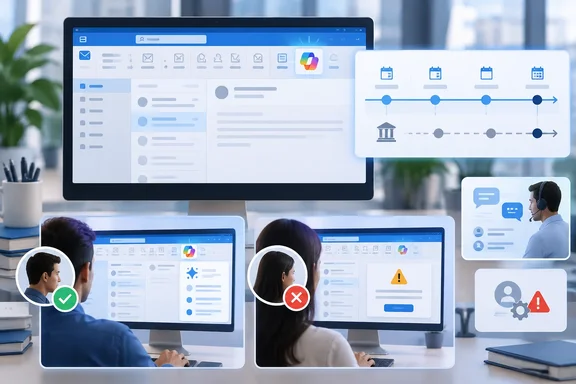
Neowin first highlighted the change on September 2. Microsoft’s updated advisory adds an important detail for administrators: the new Copilot entry point will be visible not only to people with Microsoft 365 Copilot licenses, but also to enterprise-licensed users without a Copilot license. The actual AI features remain available by default only to eligible users with the required license.
That makes this more than a button relocation. Microsoft is expanding Copilot’s visual presence in the classic desktop client across enterprise tenants while leaving licensing and admin controls unchanged. For organizations that have deliberately limited Copilot access, help desks should expect questions from users who see a new AI control but cannot necessarily use every capability it advertises.
The September rollout is now a late-September rollout
Microsoft originally published MC1441784 on July 28, 2026. Its current version says the worldwide rollout begins in late September and is expected to complete by late October. GCC, GCC High, and Department of Defense tenants have moved later as well: their deployments are now scheduled to begin in late October and finish in late November.
The distinction is worth making because “rolling out this month” can sound like a firm arrival date. It is not one. On September 16, the revised timeline leaves as much as several weeks before the first worldwide users receive the change, followed by another month before the deployment is expected to be complete. Government customers are on a separate schedule that extends into November.
Microsoft describes the new control as being located next to the Outlook ribbon. It will open Copilot and surface task-aware recommendations based on what the user is doing: reading mail, writing a message, or working in the calendar. The existing Copilot side pane is not being removed.
The company has framed the redesign as a consistency update with other Microsoft 365 applications and New Outlook. In practical terms, it changes discovery. A feature that was comparatively easy to ignore becomes a visible part of the desktop client’s primary command area.
More people will see Copilot than can use it
The revised Message Center text is unusually explicit: all users with a Copilot license and enterprise-license users “with or without” a Copilot license will see the refreshed entry point. Yet the same notice says the feature is enabled by default only for users who are eligible and have the required Microsoft 365 Copilot license.
Microsoft has not explained in the advisory what an unlicensed enterprise user will encounter after selecting the entry point, whether that is a sign-in prompt, a license message, limited Copilot Chat access, or a feature-specific availability notice. That omission matters more than it may appear. A new button placed beside the ribbon signals that an action is available; an organization may then receive support tickets that are fundamentally licensing questions rather than Outlook problems.
Admins should resist treating the visible button as evidence that a user’s license has changed. MC1441784 says no Copilot licensing requirements are changing and no new administrator setting accompanies the rollout. Microsoft’s recommendation is limited to notifying users, revising internal guidance that mentions the prior button location, and briefing support teams.
For environments that do license Microsoft 365 Copilot, the positioning could make existing features easier to reach. Microsoft’s Outlook documentation lists thread summaries, drafting help, coaching for drafted messages, inbox prioritization, rule creation, and Copilot chat among the available capabilities. But the visibility change does not expand those capabilities by itself, and it does not relax their service prerequisites.
Microsoft also documents material boundaries that can complicate real-world support. Copilot scenarios in Outlook are limited to a user’s primary mailbox; archive, group, shared, and delegate mailboxes are excluded. They also do not work for mailboxes that are not hosted on Exchange Online, and Copilot cannot access S/MIME or Double Key Encryption-protected messages. A prominent entry point will not override those restrictions.
“Explain this” was delayed into October
A second Outlook Classic Copilot change is following on a separate, delayed timetable. Message Center advisory MC1311978 covers User-Initiated Insights: users will be able to select text inside an email and choose Explain this to ask Copilot for contextual insight.
This feature is built into Outlook rather than delivered through a separate add-in, and Microsoft says it will be on by default for eligible users. The interaction is narrower than the new general Copilot entry point: the user chooses the text that gets sent into the Copilot workflow. That provides a degree of control over the immediate prompt context, although it should not be mistaken for a new data-governance boundary. Microsoft says existing security, compliance, and data-protection policies continue to apply.
Here, too, the original date no longer holds. Microsoft’s September 1 revision says general availability will begin in early October 2026 and complete by the end of October. The advisory had previously described a September general-availability schedule. Its public preview began in May.
The update is potentially useful for people facing unfamiliar technical, contractual, or organizational language in long mail threads. But users should still validate any generated explanation, particularly where the selected text omits the qualifying language elsewhere in the message. Copilot can explain the passage it is given; it cannot guarantee that the selected excerpt captures the author’s full intent.
For admins, Microsoft’s preparation guidance is more consequential than its “no action required” language in the ribbon advisory. Organizations that do not want users to access this capability must remove or restrict Copilot access, rather than rely on a dedicated Outlook Classic toggle. Support teams also need to understand that “Explain this” is specific to classic Outlook for Windows in this rollout, not a universal Outlook command.
A current Outlook defect could muddy the rollout
There is a second reason not to equate a missing Copilot button with a policy decision. Microsoft’s Outlook support team is still investigating a known issue in classic Outlook for Windows in which Copilot Chat and Copilot entry points can disappear after Outlook updates to build 20026.20182 or later.
Microsoft’s support article, updated September 14, says the issue can affect both Copilot Chat Basic and paid Microsoft 365 Copilot accounts. Symptoms include a missing button above the ribbon, a missing icon in the left app bar or More Apps area, a Copilot app that fails to open, and a grayed-out command in Outlook’s ribbon customization interface.
The company attributes the failure to Outlook being unable to locate the MAPI property PR_PROFILE_USER_SMTP_EMAIL_ADDRESS_W in the null profile section. According to Microsoft, that can prevent the Copilot component from persisting its related settings and stop the navigation-pane entry point from appearing. Its currently published workarounds are to use New Outlook or Outlook on the web, or to create a new Outlook profile.
That creates an awkward operational overlap. Microsoft is preparing to make Copilot harder to miss in classic Outlook while a known profile-related defect can make the existing Copilot controls disappear entirely. The September ribbon deployment may therefore generate two superficially similar ticket types: users asking why they can see a new control but lack access, and licensed users asking why they cannot see any Copilot control at all.
The immediate administrative task is straightforward: update Outlook guidance and service-desk scripts before the late-September rollout, verify affected clients are current, and check license assignment and Outlook-profile health before escalating a missing button as a product regression. The bigger consequence arrives in October, when the new selection-based Explain this command adds another default-on Copilot interaction to the classic Outlook client.