

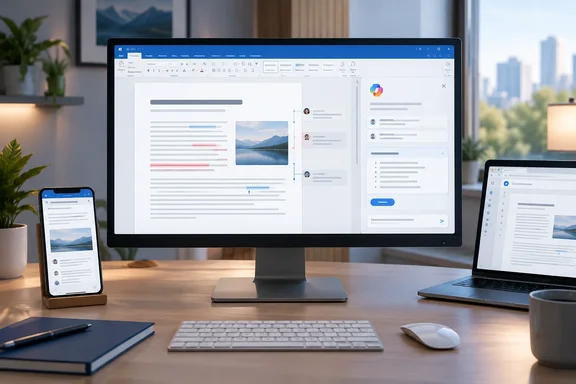
The current listing describes it plainly: use Copilot to summarize the latest comments and changes in your Word files through the chat pane. It covers Word and Microsoft Copilot (Microsoft 365) on desktop, Mac and web, in the Current Channel and General Availability release rings, on the Worldwide (Standard Multi-Tenant) cloud. General availability is listed as September 2026.
That sounds like a small update. The roadmap history behind it is the more useful part for Windows admins and Microsoft 365 users.
The roadmap item has changed a lot
The 489825 listing has not always looked like this. An archive of the roadmap entry by the M365 Admin site at handsontek recorded it with a wider title: "Microsoft Copilot (Microsoft 365): Overview of recent comments and changes in Word, Excel, PowerPoint." That earlier version listed a June CY2025 release date, the web platform only, Worldwide (Standard Multi-Tenant) and DoD cloud instances, and a creation date of 2025-05-13.
Compared with the current record:
| Attribute | Earlier archived listing | Current listing |
|---|---|---|
| Apps named | Word, Excel, PowerPoint | Word |
| Platforms | Web | Desktop, Mac, Web |
| Cloud instances | Worldwide (Standard Multi-Tenant), DoD | Worldwide (Standard Multi-Tenant) |
| Target date | June CY2025 | September 2026 (GA) |
| Status | General Availability phase | Launched |
The item has narrowed to Word, gained desktop and Mac support, and slipped by more than a year. The DoD cloud is no longer listed, so government tenants shouldn't assume they're covered. A community roadmap digest hosted under Microsoft's Analytics Hub GitHub pages has also shown the ID with the three-app title and an "In development" status, so third-party trackers don't agree. The only status we can report is what the current Microsoft listing says.
In short: 489825 is now a Word-only, cross-platform item marked Launched for September 2026. Earlier versions of the listing were wider in scope and set much earlier dates.
How this relates to Word's earlier Activity tab
You may have seen something like this before. In 2025, Microsoft added a Copilot summary banner at the top of Word documents with several tabs. Super Simple 365 reported in August 2025 that around April 2025, Microsoft started adding new tabs to the Copilot summary at the top of Word documents. The latest addition was the Activity tab: a summary of recent changes and comments that could be filtered by time. The filters were "since last visit," past three days, past week and past two weeks.
That top-of-document summary is going away. According to a Microsoft message center notice archived by handsontek, beginning in late August 2026, the current Top of Doc summarization experience will transition to other Copilot in Word surfaces. Microsoft also says the document summarization capability is not being removed and will continue to be available through Copilot in Word.
The two events line up. The top-of-document panel, which held the old Activity tab, starts retiring in late August 2026. A month later, the roadmap marks a chat-pane summary of recent comments and changes as generally available. Microsoft hasn't said the new feature replaces the Activity tab, and we haven't confirmed that it keeps the same time filters. Still, the timing points to a move away from a fixed banner and toward asking Copilot in chat.
A related roadmap item, 489826, covers a different entry point. As tracked by Merill Fernando's message center archive, it lets users use Copilot in the backstage view, accessible from the tile tab or start menu, to see a summary of the latest changes and comments made to Word, Excel, and PowerPoint files before opening them, with a GA date of June CY2026. That item is separate from this one, but it shows Microsoft is building "what changed?" summaries into more than one place in Office.
In short: this looks like part of moving document summaries out of the retiring top-of-document banner and into the Copilot chat pane. If you got used to the Activity tab, this is probably where that habit goes next.
What "comments and changes" means in Word
Word has two review tools, and the summary may draw on either:
- Comments sit beside a specific spot in the document. They can be replied to, @mentioned, resolved or deleted. Microsoft's support documentation notes that resolved threads stay in the file until someone deletes them, and appear only in the Comments pane's list view.
- Tracked changes record edits to the text itself. You resolve them by accepting or rejecting them.
The roadmap just says "comments and changes." It doesn't say whether "changes" means tracked revisions, any co-authoring edits, or both. It also doesn't say how Copilot decides what counts as "latest." Don't treat the summary as a complete audit log.
Copilot itself has been getting more involved in review work. In April 2026, The Decoder reported that Copilot can now track changes at the word level, so edits stay transparent and easy to review, and that users can also manage comments directly in the text. As Copilot makes more of the edits, a summary of who changed what becomes more useful, especially when some of those edits came from Copilot.
How to try it
Microsoft hasn't published an official prompt or button for this feature, so the steps below are general:
- Check your license. Microsoft's support documentation says Copilot in Word needs an M365 Copilot (Basic) or M365 Copilot (Premium) label. You must be signed in with a work or school account to use Copilot Chat in the apps.
- Update Word. The item lists Current Channel. On Windows, go to File > Account > Update Options > Update Now.
- Open a document with review activity. A shared file stored in OneDrive or SharePoint with active comment threads gives Copilot the most to summarize.
- Open the Copilot chat pane and ask in plain language, for example for a summary of the latest comments and changes in the document. The exact wording and any suggested prompts may vary while the rollout continues.
- Check the summary against the source. Open the Comments pane in list view to see active and resolved threads, and use the Review tab to step through tracked changes.
If you don't see it yet:
- Rollout timing. Microsoft's Copilot release notes say features use a safe deployment model, reaching a subset of users in a tenant before the whole organization. A "Launched" label doesn't mean everyone has it.
- Update channel. Monthly Enterprise and Semi-Annual channels usually get features after Current Channel.
- Cloud. Only Worldwide (Standard Multi-Tenant) is listed now. GCC, GCC High and DoD tenants shouldn't expect it based on this listing.
- Licensing. Without a qualifying Copilot license, the Word chat pane may be missing or limited.
Benefits and limits
Benefits:
- Catching up faster. On a 40-page contract with three reviewers and two dozen comment threads, a short summary is a much better starting point than scrolling through comment cards.
- One place to ask. Asking the chat pane fits how Microsoft now wants people to use Copilot in Word.
- Cross-platform. Desktop, Mac and web are all listed, which the earlier web-only listing didn't offer.
Limits:
- AI can be wrong. Microsoft's own Copilot in Word FAQ warns that its suggestions can misinterpret facts or produce inaccurate results, and recommends reviewing them. A summary can soften a reviewer's strong objection or miss one comment in a long thread. That matters most for legal, financial or compliance documents.
- Unclear scope. There's no documented time window or definition of "recent." The old Activity tab let you pick a time range; whether the chat version does is unconfirmed.
- A shaky roadmap record. This item has changed apps, platforms, clouds and dates over more than a year. Admins should check the message center in their own tenant before announcing it to users.
What admins should do
There's nothing to configure based on what Microsoft has published. If your users relied on the Activity tab in the top-of-document summary, the most useful step is to tell them about the move. Explain that document and activity summaries are now in the Copilot chat pane, give them a sample prompt, and remind them to check the Comments pane and tracked changes before approving anything important. That last step matters most in regulated workflows.
The feature itself is modest: Copilot tells you what changed while you were away. Just keep reading the actual comments, because a summary can miss things.
References
- Microsoft Copilot (Microsoft 365): Overview of recent comments and changes in Word Microsoft 365 Roadmap · 2026-10-07T23:01:35.319621Z
- Microsoft Copilot (Microsoft 365): Overview of recent comments and changes in Word, Excel, PowerPoint - M365 Admin m365admin.handsontek.net
- Copilot in Word provides a snapshot of recent comments and edits with the new Activity tab - Super Simple 365 supersimple365.com