

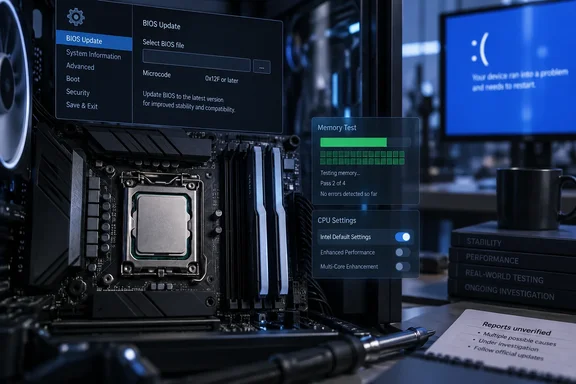
The account deserves attention, but it needs reading carefully. Here is what was reported, what has been verified, and what an affected owner can do about it.
What the user reported
eTeknix and Wccftech both covered a post on Reddit's buildapc community from a user called u/unvac. According to Wccftech, he says he has replaced his Core i9-14900K three times since launch. He updated his motherboard BIOS to protect the newest chip from degradation. Even so, Windows began crashing again with the familiar blue screen error 0xC0000005.
The machine is a high-end build:
- CPU: Core i9-14900K (the fourth unit, by his count)
- GPU: NVIDIA RTX 5090
- Memory: 64 GB DDR5-6000 CL28, according to Wccftech
- BIOS: updated, but neither the version nor the microcode revision was given
Wccftech says the user made only basic changes. He disabled the "Enforce All Limits" option and loaded Intel's default settings instead of the board's "optimized" profile. A second Reddit user replied that newer BIOS releases had actually raised voltages and that crashes like these often came from low AC load-line (ACLL) values that needed adjusting. That reply is a forum comment, not a finding from Intel or the board maker.
The user is now leaning toward leaving the platform. Wccftech says he is considering a Core Ultra 7 270K Plus on an ASUS ROG Maximus Z890 Apex with 48 GB of Corsair CUDIMM memory at 8,400 MT/s.
Section summary: This is one user's report of a fourth failing 14900K. It is unverified, and it leaves out the BIOS version and microcode revision, which are exactly the details needed to judge it.
What hasn't been proven
The headlines say "fourth CPU failure," but the evidence is thinner than that:
- The 0xC0000005 code alone doesn't prove anything about the CPU. It is Windows' access-violation code. Unstable silicon can trigger it, but so can unstable memory settings, faulty drivers and broken software. A 64 GB DDR5-6000 CL28 kit is fast memory, and on any platform that kind of kit needs its own stability check before the CPU gets blamed.
- The microcode revision is unknown. "I updated the BIOS" covers a lot of ground. A BIOS with Intel's 0x125 microcode and one with 0x12F behave differently, and none of the coverage says which one this system runs.
- No diagnostics were published. There are no test results, no comparison of swapped parts and no word on what Intel concluded about the earlier returned chips.
- There is a possible settings question. Wccftech says "Enforce All Limits" was disabled. Whether that changes how closely the board follows Intel's limits depends on the vendor's firmware, and the coverage doesn't say.
None of this means the user is wrong. A fourth bad 14900K is entirely plausible given this chip's history. But plausible isn't proven, and a social media post isn't a failure analysis.
Section summary: Read this as a real warning sign, not as evidence that Intel's fixes have failed across the board.
What Intel has confirmed
Intel's September 2024 root-cause update traced the "Vmin Shift Instability" to a clock tree circuit inside the CPU core. Intel said that circuit is especially vulnerable to aging at high voltage and temperature, and that the aging shifts the clock duty cycle until the system becomes unstable. Intel listed four contributing conditions and a fix for each:
| Contributing condition | Intel's mitigation |
|---|---|
| Motherboard power settings exceeding Intel guidance | Intel Default Settings |
| eTVB boost algorithm letting i9 chips run at high performance states while hot | Microcode 0x125 (June 2024) |
| SVID algorithm requesting high voltage too often and for too long | Microcode 0x129 (August 2024) |
| Elevated voltage requests during idle or light use | Microcode 0x12B (September 2024) |
That wasn't the end of it. Intel later released another update, 0x12F, which it described as supplementing the 0x12B microcode update released in September 2024 and as something that further improves system conditions that can potentially contribute to Vmin Shift Instability. Intel said it based the release on a limited number of reports regarding systems continuously running for multiple days with low-activity and lightly-threaded workloads.
On performance, Intel has said the release of the 0x12F microcode does not alter the root cause determination and that it found no measurable performance impact. Tom's Hardware noted that 0x12F does not apply to Intel's latest-generation Core Ultra 200S series processors, which have no (known) instability issues. Those are Intel's own benchmarks, not independent tests of every motherboard's firmware.
Intel's current support article, last reviewed in July 2026, tells owners to use the relevant Intel Default Settings in BIOS and run the latest BIOS containing microcode 0x12F or later. That is the standard to measure this case against. A BIOS update only helps if it actually carries the current microcode.
Section summary: Intel's guidance now calls for 0x12F or newer plus Intel Default Settings. "A BIOS update" doesn't tell you whether a system meets that bar.
Microcode can't repair a chip that's already damaged
eTeknix and Intel agree on a key point. Microcode is preventive. It changes how the processor requests voltage and boost so a healthy chip is less exposed to the conditions that age it. It can't reverse aging that has already happened.
That has a practical consequence. If a chip spent months on old firmware or aggressive board defaults before getting a fixed BIOS, it may already be degraded, and a later update won't change that. For this user, the timing matters. If the fourth CPU ran on current microcode from its first boot, his report is more significant. If it ran for a while on older firmware first, it fits the known pattern. The coverage doesn't say which.
Undervolting: a judgment call, not Intel's advice
Wccftech recommended undervolting and lowering performance-core clocks, based on its own experience with a Core i9-14900HX gaming laptop. eTeknix suggested similar manual changes. These tweaks can work and many enthusiasts use them. But they are not part of Intel's official guidance, and a laptop chip is not a desktop 14900K. An undervolt that's too aggressive can cause its own crashes and confuse your troubleshooting. If you try it, change one setting at a time and test it properly.
What 13th- and 14th-gen owners should do
- Look up your board's latest BIOS on the motherboard or PC maker's support page. Intel also points to its Product Compatibility Tool.
- Check the release notes for microcode 0x12F or later. If the notes don't list a microcode version, assume nothing and ask the vendor.
- Load Intel Default Settings after flashing, not the board's "optimized" or unlimited profile. Write down any manual changes you make on top of that.
- Rule out memory first when you see 0xC0000005 crashes. Test at JEDEC speeds without XMP or EXPO before blaming the CPU.
- Use the warranty. Intel has added two years of warranty for eligible chips, covering up to five years from purchase. Boxed CPUs go through Intel Customer Support, tray CPUs through the seller, and prebuilt systems through the system maker. Intel has asked owners whose earlier RMAs didn't fix their instability to contact support again. Eligibility rules still apply, so a replacement isn't automatic.
Bottom line
A fourth failing 14900K from a single unverified post doesn't show that Intel's fix has failed. It does show how much is riding on the details: which microcode is loaded, whether the board really applies Intel's limits, and how long a chip ran before the fix arrived. For readers still on Raptor Lake, the advice is the same as before. Confirm you have 0x12F or newer, use Intel Default Settings, check your memory, and keep your warranty paperwork. For this particular user, swapping out the whole platform may simply be the less stressful choice.
References
- Intel Core i9-14900K User Reports Fourth CPU Failure Despite BIOS Update - eTeknix eTeknix · 2026-10-04T08:49:58+00:00
- Intel Core 13th and 14th Gen Vmin Shift Instabilty Update - New Microcode Update (0x12F) - Intel Community community.intel.com
- An Intel Customer’s 4th Core i9-14900K Has Begun To Degrade, With Even A Motherboard BIOS Update Unable To Remedy The Imminent Hardware Failure wccftech.com