

Audio trimming gets more attention
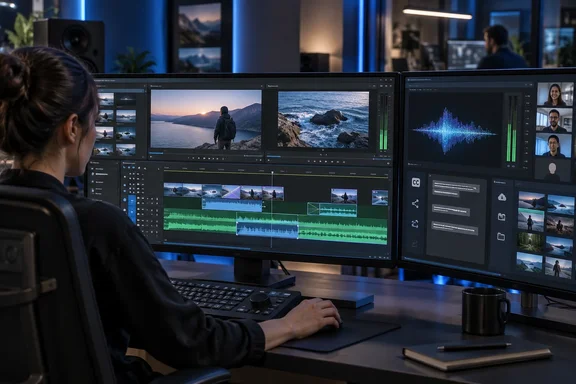
The trim viewer now handles audio-only clips, previews audio during mouse-driven edits and applies viewer actions across every selected edit point. Dynamic-trim playback loops also receive a fix.
There is useful version context here: Blackmagic Design’s September 8 announcement for Resolve 21.1 introduced direct dragging in the trim viewer for frame-level adjustments. Version 21.1.1 extends that workflow rather than introducing the viewer-based approach from scratch.
For dialogue-heavy editing, the practical attraction is straightforward: hearing an adjustment while making it should make timing decisions less dependent on repeated playback checks. That is a workflow implication, not a measured productivity claim.
Multiple-edit-point control also deserves deliberate selection. Before making a group adjustment, confirm that the selected boundaries are the ones you intend to move; a broader action is useful only when its scope matches your intention.
What changes for Windows users?
USAC decoding is explicitly scoped to Windows 11. The reported notes do not identify a required Windows build or extend that addition to Windows 10. The AI-assistant launch fix is described more broadly as affecting Windows, without naming an assistant.
Blackmagic’s earlier 21.1 announcement described AI-assistant integration for project analysis, media organization, settings changes and batch rendering. Its company account identifies that integration with Resolve Studio, an important distinction from assuming every capability is available in the free edition.
For troubleshooting, keep the two changes separate: test troublesome audio imports independently from assistant-triggered application launches.
The remaining update, grouped by workflow
Newsshooter’s release coverage also lists these changes:
- Media and monitoring: EOS R8 Mark II CR3 decoding; source feet-and-frames burn-ins; record timecode/frame display in Sync Bin; single-viewer multicam actions.
- Automation: asynchronous export, transcription, scene detection, Smart Reframe and subtitle APIs; an
ApplyGradeFromDRXoption covering all node layers. - Graphics: Fusion inspector, foreground-composite transitions, Magic Mask and Film Look Creator Halation fixes; OGraf duration/outro, caching and relinking improvements.
- Text and framing: fixes for cropped vertical captions, orientation-aware source aspect ratios and Text+/MultiText subtitle-track additions.
- Reliability: collaboration connectivity fixes, reduced NVIDIA decoding memory use for some R3D NE clips, and general stability improvements.
A targeted update—not a benchmark result
The sensible evaluation is workflow-specific. Try an affected audio file, inspect a previously troublesome graphics clip, review a vertical caption timeline and exercise collaboration if your team relies on it.
Those are suggested validation checks, not evidence of universal success. A maintenance release earns its keep by removing a reproducible obstacle, not by making every workstation magically faster. For Windows editors, the most concrete reasons to evaluate 21.1.1 are its narrowly stated codec addition and the editing or reliability changes that match their own projects.
References
- DaVinci Resolve 21.1.1 - Newsshooter Newsshooter · 2026-10-02T00:26:07+00:00
- Blackmagic Design Announces DaVinci Resolve 21.1 blackmagicdesign.com
- Blackmagic Design | LinkedIn ai.linkedin.com