

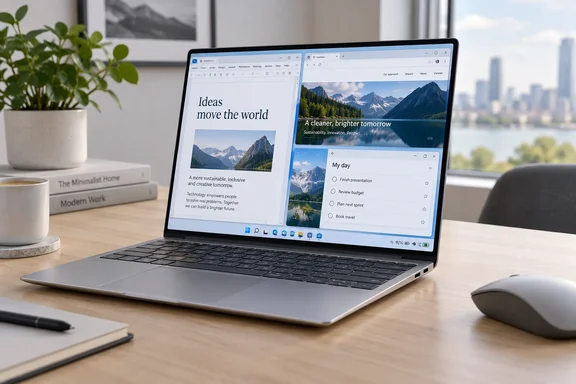
Dell XPS 13 brings Wildcat Lake into a premium ultraportable
The reviewed XPS 13 uses Intel’s Core 5 320, a six-core processor in the Core Series 3 family, codenamed Wildcat Lake. HotHardware identifies two performance cores and four low-power efficiency cores. Tom’s Hardware independently reports testing both 8GB and 16GB XPS 13 configurations with that same processor, confirming that the memory choice does not represent a move to a different CPU.
That distinction is central to the purchase. According to HotHardware, the entry configuration costs $699 with 8GB of LPDDR5X memory and 256GB of storage; its review unit costs $999 with 16GB and 512GB. The extra $300 therefore buys more memory and storage, rather than more processor cores or a faster CPU model.
HotHardware also reports $100 student discounts on those configurations at review time. Those are useful price points, not a guarantee of current eligibility or checkout pricing. More importantly, the review’s results belong to the 16GB/512GB system, so buyers should not assume every application result describes the $699 model.
The XPS name also covers materially different hardware. HotHardware reports that Dell offers Core Ultra 7 versions starting at $1,399. Those machines require their own performance and battery assessment: the Wildcat Lake review cannot establish what a more powerful processor delivers inside the same product family.
For buyers, this creates two separate decisions. First, decide whether the Core 5 320 has enough performance for the work. Then decide whether the additional memory and storage justify the higher price. Paying for the reviewed configuration does not remove the processor’s limitations.
HotHardware’s 23-hour result measures endurance, not universal Apple superiority
HotHardware’s strongest finding is approximately 23 hours of battery life from a 52Wh battery. The publication says it calibrated laptop displays to a similar fixed brightness and then compared runtime both directly and as minutes per watt-hour of battery capacity. On that second measure, it ranked the XPS 13 as the most energy-efficient laptop it had tested.
The normalization is useful. A laptop can run longer simply because it carries a larger battery; dividing runtime by capacity helps distinguish battery size from the amount of operating time a machine extracts from it. Using HotHardware’s rounded figures, 23 hours from 52Wh works out to approximately 26.5 minutes per watt-hour. That is a calculation from its reported measurements, not an additional test.
It remains a whole-laptop result. The display, processor, storage, software configuration and test workload all contribute to the battery draw. It does not isolate Intel’s processor efficiency, nor does it establish that Wildcat Lake beats Apple hardware in every task.
The approximately 23-hour figure is HotHardware’s measurement; an independently reproduced runtime is not established here. Its accessible test description also does not specify the exact battery workload or numerical brightness target. Consequently, 23 hours should be read as a benchmark result, not a promise of 23 hours of your working day.
There is a further practical qualification in HotHardware’s unplugged performance testing. The publication reran Speedometer, a browser application benchmark, and Cinebench’s multithreaded CPU test on battery power. Speedometer performance dropped sharply, while the Cinebench result barely changed. That makes the battery story more useful than a single endurance number: the XPS 13’s performance away from the outlet varies by workload.
The “challenges Apple efficiency” framing is therefore defensible as a claim about HotHardware’s tested comparison, rather than a declaration that Dell wins every category. A mobile buyer can reasonably value long runtime and low weight more highly than benchmark leadership. Someone who needs maximum responsiveness on battery should weigh the unplugged browser result alongside the endurance score.
Core 5 320 performs better in Office than its benchmark rank suggests
HotHardware’s CPU and browser results place the XPS 13 behind many of the comparison systems. In Speedometer 3.0, run in Chrome, it finished behind every other machine in the publication’s test group, including the MacBook Neo. The reviewer nevertheless described ordinary browsing as entirely usable.
Its application tests tell a more favorable story. HotHardware reports a strong showing in PCMark 10 Applications, which exercises Microsoft Office applications and Edge. The Dell also outperformed a Lenovo IdeaPad Slim 3i carrying the higher-bin Wildcat Lake Core 7 350 in that test and in its Puget Bench for Creators workload using the free version of DaVinci Resolve.
Those results explain why a processor hierarchy alone is an incomplete buying guide. HotHardware suspects Dell’s cooling and tuning contributed to the reversals, with storage also helping in the Office-oriented test. Those explanations are the reviewer’s interpretation, not separately isolated measurements proving the contribution of each component.
There is supporting evidence that the Dell’s storage is capable. HotHardware measured more than 6GB/s in peak reads and more than 5GB/s in peak writes from the review unit’s SK Hynix PCIe Gen 4 NVMe SSD. Separately, The Verge reports that the XPS 13 had substantially faster storage than the Chuwi UniBook in its comparison, and that the Dell’s six-core Wildcat Lake configuration completed its 4K export workload much more effectively than the Chuwi’s five-core version. Neither comparison makes all Wildcat Lake laptops interchangeable.
The gaming results draw a much firmer boundary. HotHardware measured single-digit frame rates in both F1 25 and The Talos Principle II at 1080p without resolution scaling. F1 25 used its High preset without ray tracing; The Talos Principle II used Medium. Lowering F1 25 to Medium produced about 28fps, while enabling XeSS resolution scaling in The Talos Principle II raised performance to 19.3fps.
Those are substantial improvements over single digits, but poor grounds for buying the machine for demanding games. Likewise, one favorable DaVinci Resolve comparison against another low-power laptop does not turn the XPS 13 into a workstation. The useful conclusion is narrower: it can handle everyday productivity credibly while leaving substantial performance headroom to more powerful systems.
HotHardware also reports a neural processing unit, or NPU, rated at 17 trillion operations per second. Its computer-vision benchmark result was ahead of the Lenovo but behind higher-powered machines. That evidence does not establish support for any particular Windows AI feature, and buyers should not use the presence of an NPU as a substitute for checking the requirements of the application they intend to run.
Dell’s display and ports make the compromises tangible
According to HotHardware, the Wildcat Lake XPS 13 weighs roughly 2.2 pounds and uses a CNC-machined aluminum chassis approximately half an inch thick. Its 13.4-inch IPS touchscreen has a 2.5K resolution, a stated peak brightness of up to 500 nits and refresh-rate support from 30Hz to 120Hz. These are meaningful parts of the proposition for someone who carries a laptop frequently and spends most of the day looking at documents or browser windows.
HotHardware praised the display’s viewing angles and the keyboard, which has backlighting and physical function keys. It also found the conventional glass touchpad accurate and responsive. The publication lists a Windows Hello-compatible 1080p webcam, Wi-Fi 7 and Bluetooth 6 among the hardware features.
The port arrangement needs more scrutiny than the premium finish. HotHardware reports only two USB-C ports, one on each side, both supporting charging, DisplayPort output and USB 3.2 Gen 2 data transfers at 10Gbps. Buyers should assess docks and peripherals against those documented capabilities rather than assume a higher-bandwidth connection from the USB-C connector shape.
Two charging-capable ports provide placement flexibility, but they remain just two ports. A buyer who regularly connects a display, external storage and other peripherals should account for the hub or dock that workflow requires. HotHardware’s comparison gives Dell an advantage over the MacBook Neo’s asymmetric USB data speeds, but that advantage does not eliminate the XPS 13’s limited physical connectivity.
The cooling behavior also fits an ultraportable rather than a sustained-performance machine. HotHardware measured approximately 40dBA during a looping Steel Nomad Lite stress test, with its meter about 14–18 inches from the display. In separate PCMark monitoring, it observed CPU temperatures reaching the high 80s Celsius before falling as the system throttled. The reviewer described the fan sound as restrained; those measurements should not be read as proof that the laptop remains silent under heavy work.
There is an encouraging ownership detail, too. HotHardware’s internal inspection identified a serviceable SSD and wireless card, an accessible battery and a separate board for the right-side port. Its expectation of favorable repairability was an assessment, not a formal repairability score. For purchasing purposes, the useful evidence is the presence of those replaceable components—not an unsupported assumption that every component, including memory, can be upgraded.
Choose the XPS 13 configuration around your workload
Shortlist the Wildcat Lake XPS 13 if portable Office and browser work dominates your day; choose something more powerful if demanding graphics or sustained computation is central to the job. The review supports that dividing line more strongly than it supports a universal Dell-versus-Apple winner.
- Compare the $699 8GB/256GB model with the $999 16GB/512GB review configuration explicitly, because they share a processor but not memory and storage capacity.
- Use HotHardware’s approximately 23-hour battery result as evidence of strong tested endurance, while allowing for a different workload and its reported browser-performance drop on battery.
- Budget for the connections you need beyond the two documented 10Gbps USB-C ports, rather than assuming the XPS name guarantees a particular docking capability.
- Avoid selecting this configuration for demanding PC games on the strength of reduced-settings results that remained below 30fps in the tested examples.
- Treat the Core Ultra 7 XPS 13 models as a separate buying comparison, with their own prices, performance and battery behavior.
Dell’s Wildcat Lake XPS 13 earns consideration by putting its resources into the parts of an ultraportable that mobile productivity users repeatedly encounter: the display, keyboard, chassis and time away from a charger. The purchasing decision now rests on configuration discipline. Buyers who choose it for those strengths—and price the memory, storage and connectivity their work actually needs—have a clearer case than buyers expecting premium construction to imply premium processing power.