

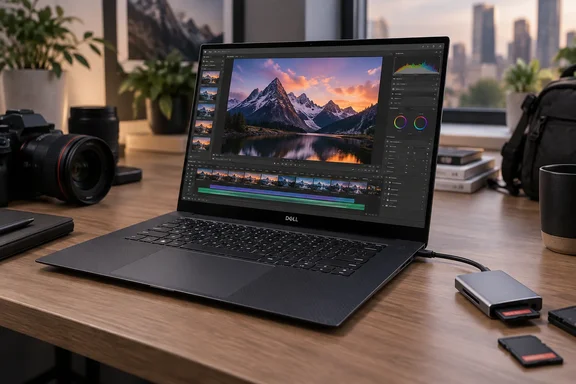
The screen is the strongest argument
The XPS 16 offers two distinct 16-inch displays: a 1920 × 1200 non-touch LCD and a 3200 × 2000 OLED touchscreen. The larger canvas gives photo-editing controls and video timelines room to breathe; the OLED option adds substantially more pixels and touch input. In testing, Tom’s Hardware found full sRGB and DCI-P3 coverage on its OLED review unit. That result should not be assumed for the standard LCD.
There is no automatic winner. The LCD may be the more sensible choice if touch and the OLED’s extra resolution are unnecessary. If accurate color is central to your work, compare results for the exact panel you intend to buy, rather than treating “XPS 16” as one display specification.
Capable creative laptop, not a disguised workstation
Dell offers Intel Core Ultra Series 3 configurations, with the Core Ultra X9 388H at the top of the range. Tom’s Hardware tested a different configuration: a Core Ultra X7 358H, 32GB of memory and integrated Intel Arc B390 graphics. It found strong results in demanding productivity and a video-transcoding test. That is useful evidence of capability, but it is not a test of every processor option or every creative application.
The critical distinction is graphics. This generation of XPS 16 has no discrete-GPU option, unlike the heavier Dell 16 Premium that preceded the revived model. For photographers, designers and editors who prize screen space and portability, that compromise may be entirely reasonable. For sustained 3D rendering or effects-heavy video work, check your application’s GPU requirements and relevant workload benchmarks before buying. A 16-inch chassis does not, by itself, confer workstation performance.
Plan the configuration—and the adapters—up front
Dell’s configuration range reaches 64GB of memory and 4TB of storage, but those choices do not make the machine endlessly upgradeable. Tom’s Hardware found that the memory is soldered, while the single M.2 SSD is accessible. Choose enough RAM at purchase for the projects you expect to tackle over the laptop’s life.
The connection story also deserves a reality check. The XPS 16 has three Thunderbolt 4 USB-C ports and a 3.5mm audio jack, but no built-in USB-A, HDMI or SD-card reader. Thunderbolt provides options for displays and peripherals; it does not make an existing camera-card or HDMI workflow magically adapter-free. Count your devices before deciding whether you need a small adapter or a dock.
Portability is real, though battery claims need context. Tom’s Hardware recorded 13 hours and 3 minutes on its OLED test unit while cycling through web browsing, OpenGL work and video at 150 nits with Wi-Fi connected. That is a useful measured result, not a prediction for a day of rendering—or for every XPS 16 configuration.
The verdict for Windows users is more interesting than the sponsored superlatives: the XPS 16 is a large-screen, slim creative laptop with an appealing OLED option and credible tested performance. Its integrated graphics, fixed memory and adapter-dependent ports are equally part of the specification. Buy it for the balance you need, not for the word “unstoppable.”