

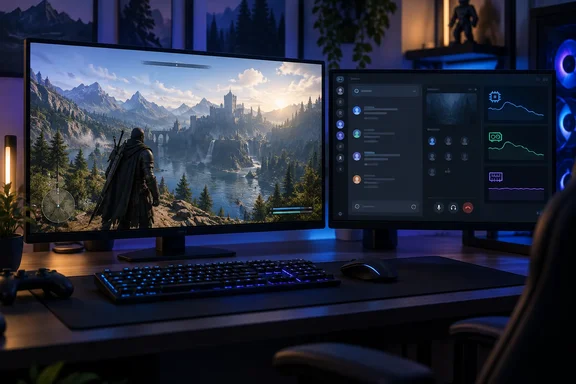
Windows Latest reports that the community account Discord Previews spotted an unannounced “Enable Game Mode” toggle. Its description says it would reduce Discord’s CPU and GPU usage while a game is running; the report says it would do so by scaling back animations and visual effects. Discord has not announced a release date or published performance measurements for the mode. This is a feature reportedly under development, not a setting readers should expect to find in their client today.
What Discord’s numbers actually show
The distinction between processor work and RAM is not academic. In its September performance notes, Discord said its upgrade to Electron 42 and related desktop changes improved p50—or median—CPU usage by approximately 17%, while median memory usage increased by approximately 4%. A separate rendering optimization improved median CPU usage by about 3%. Discord says these are measurements from its own instrumentation, not a promise that every PC will see the same result. Nor are they measurements of the proposed Game Mode.
Reducing effects that nobody is watching during a full-screen game is a sensible aim. But less rendering work does not necessarily mean Discord will release a meaningful amount of RAM. The reported toggle mentions no memory-saving mechanism, so claims that it fixes Discord’s RAM use—or that it can have no effect on memory at all—would get ahead of the evidence.
Is Electron the whole problem?
Discord’s desktop app uses Electron, which inherits a multiprocess design from Chromium. Electron’s documentation describes a main process and separate renderer processes for application windows and certain embedded content. That helps explain why a desktop chat app can have several processes, but it does not assign every Electron app the same RAM bill. What Discord loads and retains matters too.
There is a documented reason to take Discord’s memory problems seriously without treating the worst case as normal. Windows Latest reported in December 2025 that a Discord employee described testing an automatic restart when client memory exceeded 4 GB, while characterizing ordinary usage as under 1 GB. That was a dated, conditional experiment—not evidence that today’s client routinely uses 4 GB or still follows the same restart rules. The report also described fixes to multiple memory issues and an approximately 5% reduction in p95 memory usage at that stage.
Would rewriting Discord as a native Windows app settle the question? Not automatically. It could avoid using Electron to draw the interface, but a rewrite’s actual memory use would depend on its implementation and features. Microsoft’s own Windows App SDK documentation says that, as of version 2.0, WinUI apps have higher RAM usage and slower launches than comparable UWP apps. That is a UWP comparison, not a benchmark against Discord’s Electron client.
What Windows users can do now
If memory pressure is hurting a game, measure your own PC before blaming the framework. Open Task Manager with Ctrl+Shift+Esc, check the Processes view, and sort by Memory. Look at Discord alongside the game and other applications you keep open; repeat the check during the slowdown rather than relying on an idle snapshot. One process figure—or a historical 4 GB threshold—does not describe everyone’s experience.
The practical verdict is narrow but useful: Discord’s reported Game Mode may address competing CPU and GPU work while gaming, but it is not an announced RAM fix. Discord’s own figures show that performance improvements can involve trade-offs. For a memory-constrained Windows 11 PC, the measurement that matters is what your running apps consume together, not what their framework is assumed to consume.
References
- Discord's system resource hogging days may be over, with new 'Game Mode' TechRadar · 2026-09-28T11:39:26+00:00
- Discord Patch Notes: September 8, 2026 discord.com
- What's supported when migrating from UWP to WinUI 3 - Windows apps | Microsoft Learn learn.microsoft.com