

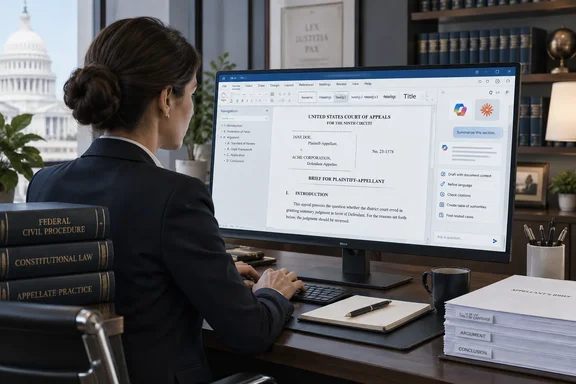
The Wisconsin Law Journal covered the product again this week. The announcement itself is older. The official press release is dated August 19, 2026, and it says the new solution connects DocStyle's document engine to Claude for Word, Microsoft Copilot, and a dedicated chat pane, available for pre-order today ahead of general availability on October 1st. As of this writing, general availability is still a few days away. Treat it as a product you can pre-order, not one you can install today.
What DocStyle is actually shipping
The Miami-based company describes itself as a leading provider of legal document repair, structuring, and automation solutions. Its pitch for DocStyle AI deliberately avoids the usual chatbot approach: rather than embedding a general AI chat into its software, DocStyle made its full document productivity engine accessible from the AI assistants legal professionals already use.
CEO Chris Cangero put it this way: "Instead of building AI into our product like everyone else, we made our product accessible to AI."
The press release talks about the "full" engine. DocStyle's own product page describes a smaller first release, with conversational access to three capabilities at launch:
| Launch capability | What DocStyle says it does | Vendor example prompt |
|---|---|---|
| Style Document | Applies DocStyle's styling engine to the document | (none published) |
| Table of Contents | Inserts, deletes, or refreshes a TOC while keeping custom formatting | "Insert my default TOC at the top of the document." |
| Cross Referencing | Finds typed-in references and turns them into live links | "Scan my document and link my cross references." |
DocStyle says more of the Ribbon's functions will be available through conversation over time. If your firm expects every Ribbon button to answer to a chat command on October 1, adjust that expectation.
In short: DocStyle AI is a new way to reach existing DocStyle tools. It is not a drafting assistant, and at launch it covers styling, TOCs and cross-references.
The architecture: the engine does the work, the AI takes the order
The key design choice is who does what. According to DocStyle, its own software does the document editing locally. The AI model only interprets a short request and then starts the right tool. The company says this keeps token use and AI costs well below what a general-purpose AI agent would need, and keeps output in line with legal document standards.
DocStyle also describes an AI validation step. The engine does the work with fixed rules, and a model then checks the results. Examples include spotting text that looks like a heading but isn't, and confirming that numbering and references match in context.
Roughly speaking, the AI plays the role of a receptionist. It takes the request, and the engine does the actual work.
A few caveats from the WindowsForum desk, based on general industry experience rather than anything DocStyle has published:
- "Runs locally" does not mean "nothing leaves the machine." Your request still goes to whichever AI service you use, whether that's Copilot, Claude or the DocStyle pane. The public materials don't say what document context goes along with it, or how each provider logs or retains it. The validation step needs the AI to look at structure in context, so firms should ask exactly what that step sees.
- Using fixed rules for the edits is sensible. Legal formatting punishes improvisation. Letting deterministic code apply numbering and links, while the model only interprets and checks, is a reasonable way to limit hallucinated changes to a 200-page credit agreement.
- The accuracy claims come from the vendor. DocStyle hasn't published error rates or independent test results.
MCP and the "no vendor lock-in" argument
DocStyle AI is built on the Model Context Protocol (MCP), an open standard, DocStyle AI is vendor-independent by design, staying reachable as AI models change and protecting the customer's investment.
MCP has become a common way to connect AI assistants to outside tools. Independent developers had already built MCP servers for Word, such as the open-source "word-mcp-live" project, which advertises that it edits Word documents while they're open.
DocStyle's difference is that it puts an existing legal-document engine, one that firms already license, behind the protocol, rather than starting from scratch.
The vendor-independence claim is a design goal, not a compatibility guarantee. The launch materials name three ways in: the DocStyle chat pane, Claude for Word and Microsoft Copilot. They don't include a compatibility list covering specific Copilot editions, Microsoft 365 license tiers, tenant settings, or supported Word builds. That matters for administrators. Copilot extensibility depends heavily on tenant policy, and "works with Copilot" can mean different things in different organizations.
In short: MCP gives DocStyle a sound hedge against switching AI vendors, but IT teams should ask for documented support for their own Copilot setup before planning around it.
Who gets it and when
DocStyle describes the AI features as an optional add-on for existing DocStyle Pro and DocStyle Enterprise customers. It says current DocStyle features keep working on their own, so firms that don't want AI anywhere near their documents lose nothing.
The ACCESS Newswire version of the release has a slightly different line. It says the product is available to all customers beginning October 1, 2026. DocStyle's own announcement ties eligibility to Pro and Enterprise. Firms on other tiers should check with the company. Pricing and licensing terms haven't been published.
The public debut took place at ILTACON 2026, from August 23-27 at the Gaylord Opryland Resort and Convention Center in Nashville, Tennessee, with live demonstrations in the DocStyle demo room. There, the company showed how DocStyle AI can perform complex tasks, combining several of them together, all by using plain language through an interactive experience.
This is DocStyle's second straight ILTACON with a generative-AI launch. At ILTACON 2025 it announced DocStyle Fusion and SmartPaste, Bridging Traditional Document Tools With Generative AI.
What Microsoft 365 admins and legal IT should do before October 1
If your firm already licenses DocStyle, here's a sensible evaluation plan:
- Confirm eligibility. Check whether your subscription is Pro or Enterprise, and get pricing and licensing terms in writing.
- Map the data flow. Ask DocStyle which document content, metadata or extracted structure reaches each AI provider, including during the validation step. Then check that against your Copilot and Anthropic data-handling agreements and your firm's confidentiality policy.
- Check the Copilot requirements. Find out which Copilot experiences, license types and tenant settings are supported, and whether admins can turn the integration on or off by user or group.
- Test on real documents. Run the three launch tools on your ugliest documents: merged precedents, documents converted from PDF, and filings with dozens of cross-references. Compare the results with what the Ribbon produces today.
- Keep review in place. Keep existing human checks for anything with a deadline. Nothing DocStyle has published says the tool checks legal substance, and a cross-reference pointing to the wrong section is still wrong however it was created.
- Pilot before rolling out. Adoption is optional, so start with a small group of document specialists before opening it to every associate.
The bigger picture
DocStyle's approach reflects a wider change in how AI reaches Word. Microsoft Copilot and Claude for Word now both run inside the same editor. Tom's Guide recently described moving to Claude inside Word after finding that Copilot is available in Word, I have found it to be a bit too instrusive and usually keep it turned off.
If assistants are going to compete inside Word, specialist vendors have two choices. They can build yet another chat panel, or they can make their tools available to whichever assistant wins. DocStyle is betting on the second option, and MCP makes that practical.
Whether the bet pays off depends on details that haven't been published yet: data handling, Copilot compatibility, pricing and real-world accuracy. The design itself is sensible for legal documents, where the model interprets and checks and fixed-rule code makes the edits. General availability is set for October 1, and firms with complex documents will soon see how well it works.
References
- New AI tool for legal document workflows announced - wislawjournal.com wislawjournal.com · 2026-09-28T06:15:16+00:00
- DocStyle AI Connects Word Drafting Tools to Claude, Copilot accessnewswire.com
- Introducing DocStyle AI docstyle.com