

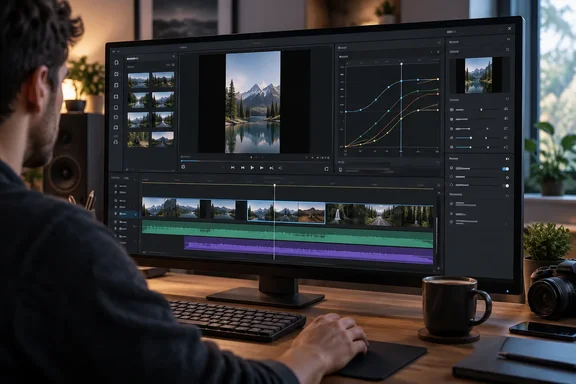
XDA’s Nolen Jonker found Drift approachable enough for everyday editing, while praising animation controls that recalled familiar Adobe and CapCut workflows. The important distinction is between that favorable hands-on impression and outright feature parity. Drift’s documented capabilities support the enthusiasm; they do not establish equivalent polish, reliability or professional workflow depth.
Keyframes are the main attraction
CutWire’s documentation describes a straightforward system: supported property rows display a diamond control, and Drift interpolates between values recorded at different times. Position, size, opacity, rotation, volume and effect parameters are documented targets. Speed changes have a separate custom-curve editor, so not every animated control belongs to one universal graph.
For a first animation, the documented workflow is:
- Select the clip and find an animation-capable property.
- Move the playhead to the starting time and record its value using the diamond.
- Move to a later time and set a different value, recording another keyframe.
- Select the keyframed property to display its curve in the timeline graph editor.
- Refine timing and easing visually.
Auto keyframes records or updates a key when a supported value changes at the playhead. Turn it off for whole-clip adjustments; otherwise, an intended static change can become an animation. If the graph is missing, check that a keyframed property is selected.
Jonker particularly liked adjusting Bézier handles, but found the graph panel somewhat awkward and its resize capability easy to overlook. That is a useful qualification: having curve controls and making those controls comfortable are two different achievements.
Familiar editing, with room to grow
Drift’s timeline separates video, audio, text, subtitles and shapes into track types. Its documented shortcuts include V for Select, B for Cut and S to split a clip at the playhead. Track hiding affects both preview and export—a small detail worth remembering when a layer mysteriously disappears from the finished file.
Jonker’s review also highlights reusable styling, separate entrance and exit animations, and effects previews drawn from the selected footage. Official release notes corroborate substantial text styling and animation tools, including layered fills, outlines, shadows and glows, along with character-, word- and line-based animation presets.
Reframing is another practical attraction. Jonker used it to turn landscape footage into a vertical composition without losing access to the original framing. CutWire’s version 0.7.0 notes explicitly list non-destructive source framing, supporting the underlying capability rather than just the reviewer’s favorable reaction.
Audio gets more than a token volume slider
Drift’s official audio guide lists EQ, compression, a limiter, noise gate, de-esser and voice leveler, alongside creative effects such as Telephone and Underwater. Effects can be reordered or removed, and clip volume can be animated from Properties → Audio → Volume using its keyframe diamond.
For a narrated tutorial, that provides a documented route to changing music levels over time rather than settling for one fixed setting. Version 0.7.0 also introduces a redesigned mixer with per-track and master strips, pan controls and stereo meters.
One documentation wrinkle deserves attention: CutWire’s general feature page still says there is no separate track-level volume fader. The release-specific mixer description is newer, but it does not explicitly settle every control detail. Readers should not interpret “per-track strips” as a guarantee of a particular fader implementation.
Jonker additionally reports stabilization that generates editable position keyframes, including a tripod mode. CutWire’s release history confirms stabilization and optional tripod lock, but the editable-keyframe behavior remains the reviewer’s account rather than a procedure independently established here.
Assets and AI need separate consideration
The review describes recolorable Lottie graphics in Drift Assets and reports a CC BY-NC-SA 4.0 license. Those specific asset terms were not independently established by the official pages inspected here. For monetized videos or client work, verify the license attached to each asset; the editor being free does not establish permission to use every library item commercially.
Official release notes do confirm Lottie and SVG vector-clip support, while version 0.7.0 identifies Drift Assets and a stock browser within Market.
AI-agent control is optional. CutWire says Agent access remains off until enabled and its MCP server listens on 127.0.0.1. That describes the editor connection, not a blanket guarantee that an external AI agent processes everything locally. Manual editing does not require enabling it.
What Windows users should know before trying it
As of October 2, 2026, GitHub identifies 0.7.0, released September 28, 2026, as the latest stable version. The visible release history includes 0.2.0 on August 7, 2026; it does not establish the review’s precise claim of a first public launch in late July. The defensible description is a young, rapidly developing editor.
Two practical details matter more than the birthday:
- Choose stable over nightly for ordinary work. CutWire explicitly warns that nightly builds may lose work, fail to export or fail to start. Separate installation does not mean complete isolation: nightlies share settings, projects and installed add-ons with stable builds.
- Portable does not mean self-contained. The Windows ZIP runs
drift.exewithout installation, but stores settings and add-ons under%APPDATA%\Drift.
Our recommendation is therefore measured: try a short, disposable project, test the animation controls, and complete an export before committing deadline-sensitive work. Drift’s appeal is not that it has already defeated Adobe or CapCut. It is that its documented tools give Windows creators a credible opportunity to move beyond preset-only editing—without putting a subscription between them and the graph editor.
References
- I stopped looking for a free video editor after finding one that handles keyframing like Adobe and CapCut (and it's only two months old) XDA · 2026-10-02T10:00:16+00:00
- CutWire Drift features — free desktop video editor cutwire.org
- Releases · CutWire-Studios/Drift · GitHub github.com