

Roadmap item 573244 lists September 2026 for preview and December 2026 for general availability, with an “In development” status. Those dates are planning estimates, not commitments. Microsoft’s documentation confirms the September preview milestone; December general availability remains a future target, not a completed release. Microsoft also warns that roadmap dates and descriptions can change.
What actually moves
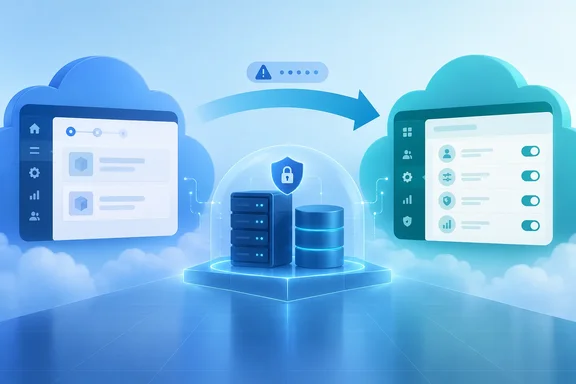
Think of this as changing the environment’s administrative control room, rather than relocating its database.
Microsoft says migration updates management metadata across its services. The database stays where it is, and the underlying infrastructure does not materially change. Each environment moves separately; the LCS project itself does not migrate. Following completion, its LCS management experience becomes read-only.
That distinction matters because the destination is not simply LCS wearing a different logo. Microsoft’s unified administration overview describes finance and operations applications sharing a Power Platform environment with Dataverse and potentially other Dynamics 365 applications, low-code apps, and flows. Lifecycle operations consequently work across the artifacts in that environment.
Two documented differences deserve a place in every migration assessment:
- Copy behavior: Power Platform copies code with data; an LCS database refresh copies data.
- Backup handling: Power Platform backups remain in the cloud rather than being downloaded as SQL
.bakor.bacpacfiles.
The practical implication is straightforward: review existing refresh and backup procedures before treating the new portal’s commands as interchangeable with familiar LCS operations.
Why existing customers should pay attention
This preview follows Microsoft’s February 16, 2026 freeze on new LCS cloud implementation projects for new Dynamics 365 Finance, Supply Chain Management, and Project Operations customers. Existing customers with active projects can continue using them. Commerce projects, AX 2012 upgrades, on-premises implementations, and tenant-to-tenant migration scenarios are listed as unaffected by that freeze.
In other words, the new-project restriction is not evidence that every existing customer must immediately migrate. It establishes the direction of administration; the preview provides an eligible-environment transition mechanism.
Before starting: eligibility and preparation
Microsoft’s migration instructions support self-service sandboxes during preview. Production migration is not recommended, even if the action appears. Cloud-hosted developer environments cannot use this migration route; Microsoft instead identifies Unified Developer Environments or downloadable VHDs for local development.
Commerce is a particularly important exclusion: environments using Dynamics 365 Commerce functionality are unsupported during preview, and the prerequisite checker does not currently detect that usage. Administrators must verify it themselves. A row of green checks is not a substitute for workload inventory.
Before proceeding, Microsoft requires a healthy environment reporting Deployed, an existing Power Platform environment link, sufficient database capacity without a Power Platform storage deficit, and an operator who administers the linked environment. Dual-write is not required. Teams should also prepare and test Azure Pipelines that produce unified packages and deploy them to unified environments.
Plan an out-of-hours maintenance window: Microsoft estimates approximately 15 minutes of downtime per Application Object Server instance, with additional allowance for overruns. This is planning guidance, not a guaranteed duration. Notify affected users before starting.
The documented migration procedure
Repeat this process separately for each eligible sandbox:
- Open its LCS project and select Full details for the environment.
- Expand Power Platform migration (Preview).
- Confirm green checks for deployment status, the Power Platform link, database capacity, and administrator access.
- Select Migrate to Power Platform Admin Center.
- Review the downtime and irreversible-management warning.
- Enter the environment name exactly as displayed, then select Start migration.
- Avoid other lifecycle operations while migration runs.
- Wait for Migrated, then select Open in Power Platform Admin Center.
If a prerequisite fails, Microsoft’s remedies are specific: finish outstanding lifecycle work and resolve health issues; complete Power Platform integration; free or purchase capacity to clear a deficit; or obtain an appropriate environment-admin role and refresh LCS.
Success means more than “Migrated”
Before moving another environment, verify user sign-in, environment details and monitoring, expected backup/restore/copy/update operations, deployment of a validated customization, and critical integrations, add-ins, and business processes. Microsoft also calls for an environment copy and validation of its target. Resolve failures before proceeding—LCS is not a customer-initiated rollback route.
There are broader workflow dependencies to assess, too. Microsoft’s unified administration overview lists LCS capabilities not implemented in the Power Platform admin center, including the asset library, build environments, methodology, project settings and users, Business Process Modeler, and Task Recorder. These require separate planning rather than an assumption that environment migration carries everything across.
Finally, migration does not release the old LCS environment slot for reuse. The migrated environment consumes Power Platform capacity, and subsequent provisioning depends on available capacity rather than LCS slots.
The sensible approach is therefore a rehearsed administrative and deployment cutover: prepare replacement development workflows, move a less-critical sandbox, prove its operations and integrations, then expand cautiously. Microsoft’s recommended sequence puts production last—and only when production migration is recommended for the applicable release stage. The preview button opens the door; validation decides whether the organization is ready to walk through it.
References
- Dynamics 365 Finance and Operations cross-app: Migrate finance and operations environments from Lifecycle Services to Power Platform admin center Microsoft 365 Roadmap · 2026-10-01T23:00:07.038613Z
- Migrate finance and operations environments from Lifecycle Services to Power Platform admin center (preview) - Finance & Operations | Dynamics 365 | Microsoft Learn learn.microsoft.com
- Lifecycle Services project creation freeze - Finance & Operations | Dynamics 365 | Microsoft Learn learn.microsoft.com