

Availability and two important limits
The roadmap metadata lists the feature as launched, with general availability in September 2026. Microsoft’s corresponding release plan records September 12, 2025 for public preview and September 2026 for general availability. The release plan cautions that delivery schedules can change; a published month does not establish that every tenant received the feature on a particular day.
Two restrictions deserve attention before deployment:
- Only Time and Material billing is supported. This is not a general-purpose adjustment for every contract billing method.
- Enablement cannot be reversed. Microsoft warns that the feature cannot subsequently be disabled.
That second point makes a controlled rollout preferable to an exploratory click in production.
Applying percentages to project lines
Microsoft Learn’s Project Operations Core guide documents this quotation workflow:
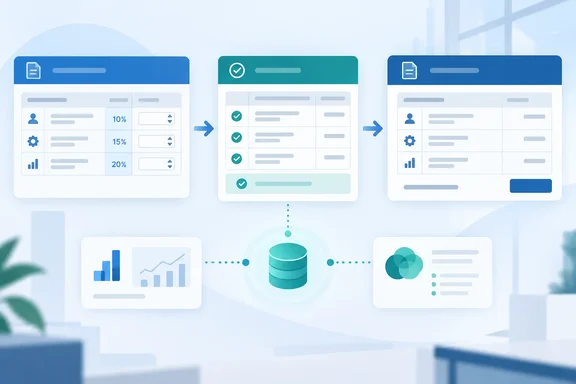
- Open Sales > Sales > Quotes, select New, and complete the required quotation information.
- Under Quote lines, add a quotation line and name it.
- Set Billing method to Time and Material.
- Enter the Quoted amount, or create quotation-line details.
- Enter Discount percentage, Fee percentage, or both.
- Review the calculated amounts, then select Save and Close.
For contracts, use Sales > Sales > Project Contracts and add a contract line with its required name and project. Select the same billing method, supply the contract amount or line details, and enter the percentages. The calculated discount, fee and extended amounts provide the immediate check that the adjustment has taken effect.
Percentages affect all details belonging to the selected line. When a quotation becomes a contract, its percentages transfer automatically to corresponding contract lines. If the fields are missing, first check feature enablement and billing method.
What happens after approval
Approved transactions generate adjusted Unbilled Sales actuals. Eligible invoice lines carry separate discount and fee amounts; changing invoice-detail quantity adjusts them. Invoice confirmation reverses the unbilled values and creates updated Billed Sales actuals.
The implementation takeaway is to validate the complete billing path—not merely whether the quotation total looks right.
ERP integration adds prerequisites and posting checks
Microsoft’s release plan requires enablement in both the Feature management workspace and Dataverse feature control for the ERP-integrated scenario.
The separate ERP integration guide remains explicitly marked prerelease and subject to change. It specifies these prerequisites:
| Component | Documented requirement |
|---|---|
| Project Operations Dataverse | 4.145.0.x or later |
| Dynamics 365 Finance | 10.0.45, build 10.0.2345.41, or later |
Project operations integration actuals (msdyn_actuals) map | Version 1.0.0.21 |
These requirements apply to integrated deployments, not every Project Operations installation.
The guide describes fee journal lines linked to source transactions, with WIP and accrual processing governed by configured profiles. Discounts can reduce posted project revenue or be posted separately according to organizational policy. It also identifies a practical failure point: during Import from staging, expected fees that have not successfully posted through the Project integration journal prevent the corresponding invoice proposal lines from being generated, and an error is logged.
Bottom line: administrators should coordinate enablement with finance, verify integrated versions and maps, and reconcile an approved transaction through invoicing before wider adoption. The feature automates pricing adjustments; it does not remove the need to validate how those adjustments reach the books.
References
- Dynamics 365 Business Central: Apply line discounts and fees on contract lines Microsoft 365 Roadmap · 2026-09-30T23:31:03.389585Z
- Apply line discounts and fees on contract lines | Microsoft Learn learn.microsoft.com
- Manage discounts and fees overview | Microsoft Learn learn.microsoft.com