

Why the memory matters
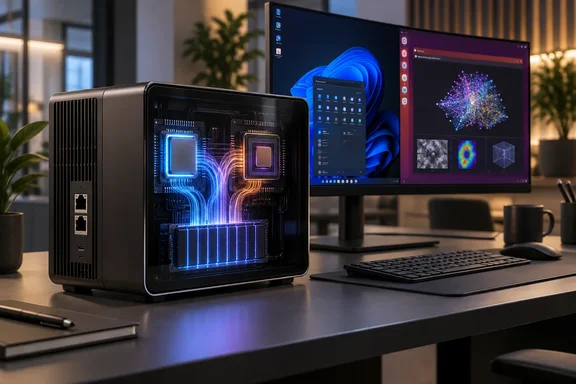
AMD’s specifications confirm that the Ryzen AI Max+ 395 combines a 16-core, 32-thread CPU with Radeon 8060S graphics containing 40 graphics cores. The processor supports up to 128GB of LPDDR5X-8000 memory. This is a shared system-memory architecture, rather than a separate graphics card carrying 128GB of dedicated VRAM.
That distinction matters for Windows users. AMD documents up to 96GB available for graphics on a 128GB Ryzen AI Max+ system. Its Windows guidance describes running models with up to 128 billion parameters using suitable four-bit configurations and Vulkan-based llama.cpp software. The qualification is important: model capacity depends on its representation and software, not simply the number printed beside “parameters.”
AMD also explains that longer context lengths consume additional memory. A model that loads successfully is therefore not necessarily ready to handle lengthy documents at an acceptable response speed. Memory gets the model through the door; workload testing determines whether it earns its desk space.
Windows and Ubuntu are different deployment choices
EMARQUE says its Ubuntu configuration makes up to 120GB GPU-accessible through pre-applied BIOS and kernel settings. It also lists dual 10GbE ports and a two-year warranty handled directly by the company. Those are manufacturer specifications, not independently tested findings.
For software, EMARQUE names its AI Utility alongside tools such as Onyx and Hermes Agent. Its internal results include approximately 80 tokens per second for Qwen3-Coder-30B-A3B-Instruct and 55 for GPT-OSS 120B, with explicit caveats about quantisation, context and runtime. These figures should be treated as vendor benchmarks, not comparable scores against other PCs.
Practical takeaway: ask for a demonstration of the exact model, operating system and application stack your team intends to deploy—not merely a chatbot answering a short prompt.
Local inference is not automatic privacy
EMARQUE itself cautions that applications can contact external services even when the model runs locally. Its product FAQ also acknowledges that dedicated NVIDIA hardware or larger servers can be preferable for CUDA-dependent software, heavy concurrency and high-throughput workloads.
Those caveats suggest a more useful purchasing checklist than the “desktop supercomputer” label:
- Test the full workflow: include representative documents, expected context lengths and simultaneous users.
- Define the privacy boundary: require an account of external API calls, connectors and cloud fallbacks.
- Specify operational controls: establish who can access the service, who maintains it and how failures will be handled.
- Compare total costs: include administration, maintenance and electricity rather than comparing hardware price with API charges alone.
These are procurement recommendations, not claims that Eclipse already supplies every control.
The strongest case for EMARQUE’s system is consequently narrower—and more credible—than “cloud AI without the cloud.” Its documented hardware offers a large shared-memory platform for local models. Whether that becomes a useful private business service depends on the software, security design and measured workload, not the badge on the box.
References
- Private AI on Your Desk: EMARQUE Eclipse, From RM17,999 - ProductNation Malaysia ProductNation Malaysia · 2026-10-07T02:13:05+00:00
- EMARQUE AI Eclipse | Desktop AI Supercomputer Malaysia emarque.co
- FAQs: AMD Variable Graphics Memory, VRAM, AI Model Sizes, Quantization, MCP and More! amd.com