

That connector matters more than the slogan. Here is what the interview claims, what the connector does, and what IT admins and legal technology teams need to check before enabling it.
The argument: grounding matters more than model quality
In the interview, Christoff says legal AI needs access to the sources lawyers already use: statutes, case law, court decisions, regulations and, in many matters, the evidence itself. He says access alone isn't enough. AI tools should be set up to base their answers on those sources rather than on what the model already "knows." They should trace every claim back to a source and admit when they don't have enough information. Lawyers still have a duty to inspect the supporting material and decide whether to trust the conclusion.
He also points to scale. A single matter can involve millions of emails, messages, contracts and other files, sometimes in old formats, scanned handwriting, video or several languages. Everlaw says its platform has handled a case with 239 million documents. That is Everlaw's own figure and we have not seen it independently confirmed. The company promotes Deep Dive, its natural-language research tool, which answers questions across a whole case dataset and cites documents. The interview's example question asks whether any evidence shows a CFO knew about an internal audit report before June.
The Microsoft connection comes from his case for open, connected tools. Christoff says closed systems either leave AI without context or force people to copy information between systems by hand. That duplicates sensitive data and weakens control over it. He says a lawyer drafting a brief in Word should be able to cite a fact from the evidence without downloading documents from one system and uploading them to another. He lists integrations with Google Gemini, Microsoft Copilot, Anthropic Claude, Thomson Reuters CoCounsel, Harvey and Legora.
Section summary: The interview's claim is reasonable but comes from the vendor. The useful part for Windows and Microsoft 365 readers is the Copilot integration, covered below.
What shipped: an Everlaw connector in the Copilot gallery
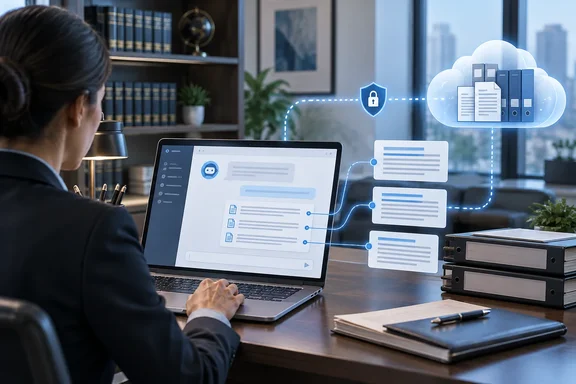
On September 2, 2026, Everlaw announced that it was introducing an MCP integration with Microsoft 365 Copilot, connecting Everlaw's evidentiary system of record with Microsoft 365. The company said the Everlaw MCP integration is live in the Copilot connectors gallery as of today for joint Everlaw and Microsoft 365 Copilot customers. The legal news site eDiscovery Today republished the announcement a few days later.
Microsoft's list of connectors in its connectors gallery includes an Everlaw entry in the legal category, described as a way to search and analyze documents, cases and projects in Everlaw for litigation. The listing marks it as a preview. Treat that label seriously: being in the gallery doesn't mean the connector is generally available to every tenant or region.
The connector uses Model Context Protocol (MCP), the standard many vendors now use to let AI assistants call tools in outside systems. Microsoft's documentation explains what that means for Copilot. Microsoft 365 Copilot supports federated Copilot connectors to enable organizations to connect their data to Copilot by using Model Context Protocol (MCP). Federated connectors use MCP to access data in real time, so Copilot can retrieve up-to-date information directly from external systems.
This sets it apart from older connectors. Microsoft's connector overview says there are two models. Synced connectors index data into Microsoft Graph for Copilot and search, while federated connectors use a Model Context Protocol (MCP) model to fetch data in real time, without indexing content into Microsoft 365. Microsoft says federated connectors suit live, dynamic, or sensitive data sources that shouldn't be indexed. Litigation evidence is a clear example.
The architecture also changes how citations work. In Microsoft's words, for federated connectors citations refer to content returned directly from your MCP server. No content is synced or stored in Microsoft Graph.
Section summary: This is a Microsoft-listed federated (MCP) connector in preview. It fetches Everlaw data when needed and doesn't copy the case into Microsoft Graph.
Setup: three parties, three steps
Everlaw's support documentation, published September 3, 2026, describes a deployment that involves both vendors' admins and the end user:
- Everlaw Organization Admin enables OAuth2 in Everlaw. Nothing else works until this is done.
- A Microsoft admin deploys the Everlaw connector in the Microsoft 365 admin center, following Microsoft's usual connector deployment process.
- Each user authenticates with their own Everlaw credentials from inside Copilot.
For step 3 in Microsoft 365 Copilot Chat, Everlaw's instructions are:
- Open Settings > Sources.
- In Browse Sources, search for "Everlaw."
- Select the Everlaw app, then Continue to Everlaw.
- Sign in to Everlaw. When it works, you can search your Everlaw projects from Copilot.
Prerequisites, per Everlaw:
- A Copilot account in an enterprise-level Microsoft tenant that has deployed the connector
- An Everlaw account with access to at least one project
- A US-environment Everlaw account. Everlaw says the connection doesn't currently work for GovCloud users or for its Canada, EU, UK or Australia environments.
That last point rules out many potential customers. A UK or EU firm that sees the gallery listing and expects it to work should check its Everlaw environment first.
Where it works, and what the Word example doesn't prove
Everlaw's setup guide says MCP connectors currently work in Microsoft 365 Copilot Chat, Copilot in Excel and the Researcher agent. Microsoft's broader connector documentation names the same kinds of experiences, saying synced and federated connectors power Microsoft Search, Copilot in Excel, and the Researcher agent.
Note what the list leaves out. Christoff's scenario of a lawyer drafting a brief in Word and pulling a fact from the evidence describes where Everlaw wants to go. Everlaw's own setup page does not list Copilot in Word as a supported experience. Admins should expect Chat-based research and copy-paste into Word, not an evidence panel inside Word.
Search coverage is also limited. Everlaw says the connector supports these search terms:
- Contents (full text)
- Binders
- Bates/Control numbers
- Metadata terms such as email participants, custodians and dates
Users write questions in plain language. Copilot converts them into Everlaw search syntax, sends the query through MCP and uses the results to answer. Everlaw says the MCP tools mirror its Search API endpoints for binders, Bates information, metadata and text searches. That leaves a gap between this connector and Everlaw's own Deep Dive tool. The Copilot connector passes search results to Copilot, and Copilot writes the answer. It does not run Deep Dive's cited analysis over the full corpus.
Governance: better controls, but not a guarantee
Everlaw makes three governance claims, and each needs context:
- Read-only. Everlaw says users can't modify, export or delete documents through Copilot. This is worth tracking because Microsoft's platform is expanding. Microsoft says where a connector provides the tools, Copilot can also create, update, or delete data in the connected system on the user's behalf, and support for write, update, and delete actions begins rolling out in early October 2026. Everlaw's connector is read-only because of the tools Everlaw built, not because of a limit in the platform. If Everlaw adds write tools later, review the connector again.
- Per-user permissions. Everlaw says requests use each user's own Everlaw permissions, so Copilot can't show a user anything they couldn't see in Everlaw. Microsoft describes federated connectors the same way: they access data using the user's identity and permissions. Don't index external data into Microsoft 365.
- No long-term copy. Everlaw says data is fetched on demand, so there is no separate long-term copy of the case corpus in another AI workspace. That describes storage. It doesn't cover what Copilot does with the retrieved content during a conversation, or how interaction data is retained.
Everlaw's documentation divides responsibility clearly. Everlaw's terms and data processing addendum cover data on its side. Your agreement with Microsoft covers what happens inside Copilot. Your compliance team needs to review both. One helpful detail from Microsoft: federated connectors are managed and governed by admins in the Microsoft 365 admin center, and admins can audit activity in Microsoft Purview. Check that your Purview audit setup captures connector activity before a matter depends on it.
Section summary: Read-only access, per-user permissions and on-demand retrieval reduce the risks of manual copying. You still need to review your data agreements and set up auditing.
Troubleshooting: common problems
This is our reading of Everlaw's documentation, not results from our own testing:
- Some projects don't appear in Copilot. Copilot can only search projects whose owning Everlaw organization has enabled OAuth2. Users with projects in several organizations will see partial results until each organization enables it. Everlaw says those projects become searchable as soon as OAuth2 is turned on, with no need to reconnect.
- Nothing connects. Check the order of steps. Everlaw requires OAuth2 to be enabled before the Microsoft admin deploys the connector.
- The connector doesn't show up for a user. Check the tenant deployment and the user's Everlaw region. Non-US and GovCloud users are excluded for now.
- Can't find it as an admin during preview. Microsoft's gallery page notes that preview synced connectors require the Targeted release option on the admin account. Everlaw's is a federated connector, so that note may not apply. Microsoft's documentation doesn't say, so confirm in your own tenant.
- Answers seem to miss documents. The connector searches only contents, binders, Bates numbers and metadata. A question that needs other Everlaw features may not get complete results.
The bigger picture: citations help you check, they don't prove anything
Christoff is right about the main point. An AI answer about evidence is only as good as what it retrieved, and lawyers need citations they can check. Microsoft's federated connector design supports this: data stays in place, permissions are enforced per user, and citations point to live source content.
The main risk is overconfidence. A cited answer can still misread the cited document. A search that returns a handful of hits can miss the one email that decides the case. Neither Everlaw's materials nor Microsoft's documentation claims that citations remove errors or that retrieval is complete. Everlaw's Deep Dive marketing says grounding "drastically reduces" hallucination risk, which is a claim about reducing risk, not removing it.
For a legal department on Microsoft 365, the practical steps are:
- Confirm you're in Everlaw's US environment.
- Coordinate OAuth2 enablement with the connector deployment.
- Review user permissions in Everlaw, because Copilot inherits them.
- Test real questions in Copilot Chat and Researcher.
- Treat every Copilot answer about evidence as a starting point that still needs checking.
The underlying principle applies well beyond law. Whether the source is ServiceNow, Salesforce or a litigation database, a Copilot answer is only as good as the data and permissions behind it, and a person still has to check the citations.
References
- AI is only as reliable as its evidence raconteur.net · 2026-09-29T22:15:59+00:00
- Setup Steps to Search Your Everlaw Projects Using Copilot – Knowledge Base support.everlaw.com
- Everlaw and Microsoft Copilot Announce New MCP Integration everlaw.com