

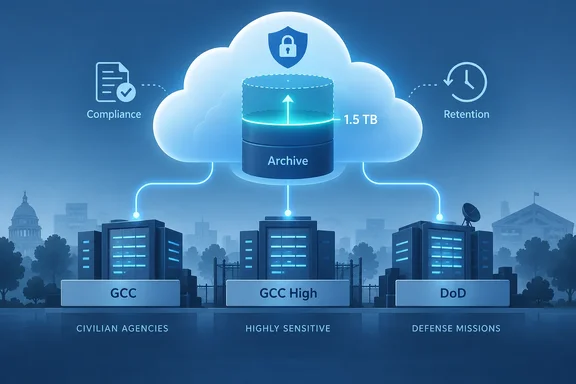
The entry itself is brief. Microsoft says archive expansion used to stop at 1.5 TB, and that mailboxes could then become inoperative. It also says archives will now keep growing past that point. The entry doesn't give a new maximum. The details came out earlier through the commercial-cloud version of the feature.
What the government roadmap entry says
Here is what roadmap item 573702 contains:
- Product: Microsoft Purview, Data Lifecycle Management
- Change: Auto-expanding archives can grow beyond 1.5 TB
- Licensing: Customers with "eligible E5 licenses"
- Cloud instances: GCC, GCC High, DoD
- Platform: Web
- Status: In development
- Estimated GA: November 2026
Microsoft's roadmap page says its release dates are estimates and that all information can change. It also says entries are removed once a feature becomes generally available or is cancelled or postponed. Treat November as a target, not a promise. The entry also doesn't say whether GCC, GCC High and DoD will get the change at the same time.
Section summary: This is a planned change for government tenants, not a setting you can use today. The government entry doesn't state a new limit.
The commercial version already set the number: 3 TB
This feature first appeared on the worldwide roadmap. Roadmap item RM560820 uses the same wording as the government entry: archive mailboxes can now automatically expand beyond the 1.5 TB limit, ensuring uninterrupted retention and enabling scalable archive growth as storage thresholds are reached. This capability to expand archive beyond 1.5 TB will be available to customers with eligible E5 licenses. A roadmap tracker lists that entry's current target as October CY2026. When WindowsForum first covered it, the target was July 2026, so it has already moved once.
Microsoft later filled in the details in Message Center post MC1472592. It said Purview Data Lifecycle Management is increasing the maximum auto-expanding archive capacity for eligible Exchange Online archive mailboxes from 1.5 TB to 3 TB. The post also said the maximum auto-expanding archive capacity supported through this feature is 3 TB per mailbox for eligible licenses.
So the change doubles the limit. It does not remove it. The roadmap phrase "beyond 1.5 TB" is accurate, but read alone it could suggest there's no ceiling at all.
The 3 TB figure comes from the commercial announcement. The government entry gives no number, so government admins should expect 3 TB but confirm it when Microsoft publishes Message Center posts for their own cloud.
Who qualifies, and what about cost?
According to the commercial announcement, the feature is available to customers licensed with Microsoft Purview E5 or higher qualifying offerings that include Purview E5 capabilities. The M365 Admin site at HandsOnTek published a fuller list of eligible licenses: Office 365 E5, A5, and G5 Microsoft 365 E5, A5, and G5 Microsoft 365 Purview Suite Microsoft 365 Purview Suite FLW, EDU, and GOV Microsoft Defender + Purview Suite FLW Microsoft 365 F5 Compliance Microsoft 365 F5 Security + Compliance, along with certain mini-suite combinations.
The G5 SKUs and the Purview Suite GOV entry are the ones that matter most for government tenants. Mailboxes without an eligible license stay where they are: mailboxes that do not have an eligible license will continue to be limited to 1.5 TB.
Pricing has changed along the way. HandsOnTek's coverage of an earlier version of the commercial roadmap text said the expansion will be offered as a consumption‑based feature for auto expanding archive beyond 1.5 TB and will be billed at $0.25 per GB per month (or $0.0082 per GB per day). The later Message Center summary says no extra configuration or charges apply. The newer communication says the feature is included with eligible licenses. Neither the government entry nor the commercial communications mention a metered charge. Still, check the final licensing documentation before you tell finance it's free.
Section summary: Expect a 3 TB ceiling tied to E5/A5/G5-class Purview licensing. Unlicensed mailboxes stay at 1.5 TB. The earlier per-gigabyte pricing appears to have been dropped.
Why 1.5 TB was a problem
Microsoft's current auto-expanding archiving documentation, last updated in July 2026, explains the existing behavior:
- Enabling an archive creates an archive mailbox with 100 GB of storage and a 90 GB warning quota.
- After an admin turns on auto-expanding archiving, the quota rises to 110 GB if the mailbox is on hold or under a retention policy.
- When the archive, including its Recoverable Items folder, reaches its quota, it becomes an auto-expanding archive. Microsoft then adds storage automatically up to 1.5 TB. Each new block of storage can take up to 30 days to appear.
The trouble comes at the top. Microsoft says that once an auto-expanding archive holds 1.5 TB, no more data is stored there or moved into it from the main archive. If the main archive then fills, the primary mailbox can fill too, and sending and receiving mail can stop. This hits regulated organizations hardest. A mailbox under Litigation Hold can't simply be cleaned out, so the rules that require keeping the data are what push the mailbox toward failure.
WindowsForum's earlier coverage made the same point: a mailbox that exists because a company is required to preserve data should not become inoperative precisely because the preservation requirement worked.
Rules that stay the same
Neither announcement changes how auto-expanding archiving is allowed to be used. These rules from Microsoft's documentation still apply:
- 1 GB per day maximum growth. The feature supports only individual user mailboxes or shared mailboxes growing at no more than 1 GB per day.
- No journaling into archives. Journaling, transport rules or auto-forwarding rules can't be used to copy other users' mail into an archive. Microsoft can refuse extra storage in those cases.
- Recoverable Items count toward the limit. An archive can be closer to its ceiling than its visible folders suggest.
- Users lose some controls. Once auxiliary storage is added, users can't delete folders from the archive or use Recover Deleted Items. Item and unread counts may be inaccurate. Search in classic Outlook only covers the current search scope.
- Compliance tools still cover all of it. eDiscovery searches, holds (Microsoft 365 retention, eDiscovery case holds, Litigation Hold) and MRM deletion policies all apply to auto-expanded storage.
Doing the math: at 1 GB per day, filling the extra 1.5 TB would take about four years of steady growth. Mailboxes that hit 1.5 TB are usually ones that have collected data for many years under holds.
What admins should do now
The commercial announcement says no action is required if eligible mailboxes already have auto-expanding archiving enabled. HandsOnTek also reports that no new administrator workflow, user experience, or user interface is introduced. Government admins can still prepare:
- Find your largest archives. In Exchange Online PowerShell,
Get-MailboxStatistics -Identity <user> -ArchivereturnsTotalItemSizeandTotalDeletedItemSize. Add the two together, because Recoverable Items count toward the limit. - Check licenses on those mailboxes. Microsoft recommends you review license assignments for users with large archive mailboxes to confirm eligibility. A G3 user at 1.4 TB gets nothing from this change.
- Look at shared and inactive mailboxes. These often hold the oldest data. The Purview service description sets separate licensing rules for shared mailboxes, so check how those rules apply to the higher limit when Microsoft publishes them.
- Keep your retention policies. A 3 TB limit buys time, but deleting content that has no business value is still Microsoft's own advice.
- Update your documentation. Microsoft also suggests admins update internal documentation, retention guidance, and help desk materials to reflect the new 3 TB limit once it applies to your tenant.
Analysis
This is a useful change, and E5 customers are the ones who need it most. Organizations running years of Litigation Holds or regulated communications retention are the ones that hit 1.5 TB, and they're usually already paying for top-tier licensing. Restricting the feature to E5 also helps Microsoft sell its compliance bundle. WindowsForum's earlier piece made this point: the technical ceiling is moving, but the licensing politics are not going away.
Two points deserve some skepticism. First, the roadmap line about "ensuring uninterrupted retention" describes the goal, not a guarantee. The 3 TB cap, the 1 GB-per-day growth limit and the 30-day provisioning delay all remain. Second, the commercial date has already moved once, so government tenants shouldn't assume November is fixed.
The bottom line
Government admins should watch for the GCC, GCC High and DoD Message Center posts. Based on the commercial rollout, you can expect:
- a 3 TB ceiling for mailboxes with E5/A5/G5-class Purview licenses
- no configuration changes
- 1.5 TB remaining the limit for everyone else
Until those posts arrive, plan against 1.5 TB and check license assignments on your largest archive mailboxes.
References
- Microsoft Purview: Data Lifecycle Management-Increase in expansion limit for auto-expanding archive beyond 1.5 TB Microsoft 365 Roadmap · 2026-10-06T22:56:31.053213Z
- Microsoft Purview service description - Service Descriptions | Microsoft Learn learn.microsoft.com
- Learn about auto-expanding archiving | Microsoft Learn learn.microsoft.com