

The announcement, distributed through GlobeNewswire and reproduced by The Manila Times, is a company release—not an independent product test. Its workflow features are concrete; its promises of improved efficiency and accuracy remain vendor claims.
What the Word workflow adds
Expedience describes two central elements:
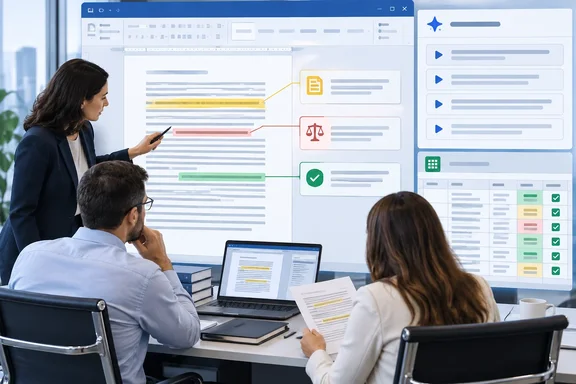
- Copilot Alignment: Centralized, preconfigured prompts supply business parameters, qualification criteria, and differentiators.
- In-document Flagging: Human reviewers or Copilot can tag mandatory requirements, legal exceptions, bid/no-bid criteria, and competitive themes. AI-derived findings are identified as AI-assisted.
Supporting functions include hiding and showing comments while preserving associated tags and assignments, exporting decision summaries and contributor worksheets, and combining keyword extraction with prompts to produce an Excel requirements matrix. These outputs are positioned as support for review and executive approval, rather than autonomous bid decisions.
The practical attraction is straightforward: analysis stays close to the passage that prompted it. Whether that translates into fewer missed obligations needs testing, not just a tidier ribbon.
Better prompts are not an accuracy guarantee
Microsoft’s own guidance supports the rationale for standardized prompts. Its Word documentation recommends specifying the intended outcome, audience, purpose, source material, format, and constraints. It also advises reviewing generated content for accuracy and completeness before sharing it.
That distinction matters when assessing Expedience’s stronger language about keeping Copilot within business guardrails. A prompt library can standardize instructions; it should not be treated as proof that every interpretation is correct.
Microsoft explicitly warns that Copilot in Word can make mistakes, misinterpret facts, and produce inaccurate results. Its documentation also notes limits on how many words Copilot can process per prompt. For proposal teams, the implication is important: an AI-assisted flag is a request for scrutiny, not a compliance certificate.
Consider a hypothetical tender requiring a particular certification before contract award. Finding the certification’s name is only the first step. A reviewer still needs to establish the deadline, any exceptions, and whether the bidder actually qualifies. The useful outcome is a verified obligation—not merely a confident summary.
Compatibility needs a separate check
The launch announcement does not specify pricing, the required Copilot license, minimum Word versions, or supported platforms. Those omissions leave deployment questions unresolved.
Microsoft says Copilot in Word requires an eligible Microsoft 365 subscription and/or Microsoft 365 Copilot license. Particular experiences can depend on organizational settings, app version, platform, and gradual rollout. Those Microsoft requirements do not establish compatibility with Expedience’s product; administrators need confirmation for both components.
Before planning a rollout, request a written compatibility and licensing statement covering the actual Word clients used by proposal managers and contributors. A Word-ribbon description is not a deployment specification.
A useful pilot should test omissions, not just exports
Based on Microsoft’s review warnings, a sensible evaluation would use a previously completed, appropriately sanitized RFP with known requirements. This is an evaluation recommendation, not a documented Expedience installation procedure.
The pilot should answer four questions:
- What did it miss? Compare extracted requirements with a human-validated baseline, including exceptions and deadlines.
- Can reviewers verify findings? Check whether each flagged interpretation can be reconciled with the original clause.
- Do exports preserve useful detail? Inspect decision summaries, assignments, and Excel matrices for lost qualifications or ambiguous ownership.
- What happens after changes? Ask the vendor to demonstrate how amendments and revised requirements affect existing flags and outputs.
Success should mean accurate, reviewable findings with clear responsibility—not simply a spreadsheet appearing faster.
Expedience’s launch offers a specific approach to AI-assisted proposal work: standardized instructions, visible review markers, and structured outputs inside familiar Microsoft Office workflows. The strongest reason to evaluate it is that connection between analysis and human review. The strongest reason to remain cautious is equally clear: Microsoft’s own guidance still requires people to verify what Copilot produces. The ribbon may organize the work; it cannot sign off on the bid.
References
- Expedience Software Launches AI-Enhanced Proposal Manager: Delivering In-Document Workflow Governance Directly in Microsoft Word - The Manila Times The Manila Times · 2026-09-30T15:47:28+00:00
- Expedience Software Launches AI-Enhanced Proposal Manager: globenewswire.com
- Write effective prompts for Copilot in Word | Microsoft Support support.microsoft.com