

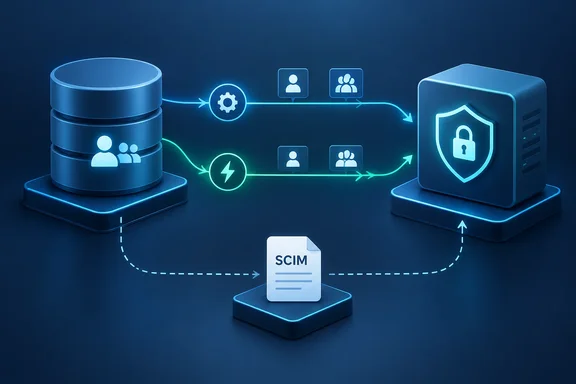
There is an important timeline correction: this is an architectural explanation, not evidence of a newly launched replacement. Firezone’s April 1, 2024 product update already described its custom, non-SCIM directory-sync engine. The new post explains the engineering behind that decision in greater detail.
A shared standard, different operational behavior
SCIM—System for Cross-domain Identity Management—provides standardized schemas and HTTP operations for managing users and groups. Microsoft’s documentation describes its value clearly: applications can expose common endpoints rather than requiring a proprietary provisioning interface for every integration. That remains a legitimate advantage, even when individual implementations need accommodation.
Some of the differences Firezone identifies have direct corroboration in provider documentation:
- Microsoft Entra’s compatibility behavior: Microsoft documents a user-disable request containing the string
"False"and a standards-compliant alternative containing the booleanfalse. ItsaadOptscim062020compatibility flag changes PATCH behavior, including user disabling and group-member removal. The documentation also warns that the flag does not work with on-demand provisioning. - Okta’s optional capabilities: Okta says its provisioning service does not currently use bulk operations, POST-based searches,
/ServiceProviderConfig, or filtering onmeta.lastModified. Supporting the standard therefore does not mean exercising every capability it defines. - Lifecycle semantics matter: Microsoft describes disabling previously provisioned users when they leave scope or become disabled or soft-deleted, while hard deletion follows a different path. Administrators must understand those distinctions rather than treating every directory change as an identical “remove access” instruction.
Firezone additionally cites differing membership PATCH behavior and deprovisioning rules across Okta, Entra, JumpCloud, and OneLogin. Those examples are the company’s engineering rationale—not a comparative reliability benchmark.
The takeaway: a common protocol reduces integration work, but it does not eliminate provider-specific lifecycle handling.
How Firezone’s replacement works
Firezone’s engine enumerates provider users, groups, and memberships, follows pagination, and matches records using stable IDs. Nested memberships require traversal and recomputation rather than simply deleting one relationship.
For larger directories, it checkpoints fetched pages against a sync-start timestamp, then removes older records after traversal. Its safeguards include rate-limit handling, deletion circuit breakers, retry classification, and serialization to prevent overlapping jobs. Application-assignment filtering reduces unnecessary requests where supported.
Scheduled reconciliation remains eventually consistent. Notifications shorten the delay by prompting a fresh provider read; they are not treated as authoritative payloads. Full syncs and notification-driven work share a queue to avoid overwriting each other.
That architecture changes where the complexity lives. Firezone’s Entra integration, for example, reads directory information through Microsoft Graph with read-only permissions and subscribes to Graph change notifications. It is not relying on Entra’s outbound SCIM provisioning cycle for this integration.
What the timing means for administrators
The “40-minute lag” comparison needs precision. Microsoft says subsequent synchronization cycles for the documented Entra SCIM integration occur approximately every 40 minutes, with the initial cycle taking longer. That is a scheduling description—not a guarantee that every individual change arrives within exactly 40 minutes.
Firezone documents these operating cadences:
| Provider | Notification behavior | Full reconciliation |
|---|---|---|
| Microsoft Entra ID | Most changes reflected within moments | Daily |
| Google Workspace | User notifications typically take 1–2 minutes, potentially up to 10 | Every four hours |
| Okta | Changes arrive through configured event hooks | Every two hours |
Without an Okta event hook, full synchronization handles the changes instead. These are Firezone’s documented expectations, not independent measurements or delivery guarantees.
Microsoft also documents retries for failed SCIM provisioning operations and a Restart provisioning mechanism that reevaluates source objects. Consequently, Firezone’s criticism should not be read as proof that SCIM-based systems have no recovery or reconciliation options.
The useful offboarding check
For existing Firezone administrators, the actionable finding is session handling. Firezone says that once synchronization processes a deleted or suspended identity, it clears that identity’s active Client and admin-portal sessions. Its Entra handling excludes disabled and deleted users and rechecks accountEnabled in returned records. Administrators can request reconciliation through Settings → Directory Sync → Sync Now. The important boundary is when the change is processed, not merely when someone clicks Disable in Entra.
The documented provider list is Google Workspace, Entra ID, and Okta; the blog’s mention of JumpCloud notification APIs should not be mistaken for confirmed product support. Enterprise availability is documented, although Firezone’s pages differ on whether Business is also included. Business customers should confirm entitlement before planning deployment.
Ultimately, “SCIM or custom APIs?” is less useful than asking: Does the offboarding change reach the application, and does the application actually revoke access? Microsoft’s lifecycle documentation reinforces why those are separate operational questions. The standard is only part of the plumbing; the access outcome is what administrators need to verify.
References
- Firezone skips SCIM, builds its own directory sync engine - news.lavx.hu news.lavx.hu · 2026-10-02T08:23:28.902000+00:00
- Robust directory sync without SCIM | Firezone Blog firezone.dev
- Tutorial - Develop a SCIM endpoint for user provisioning to apps from Microsoft Entra ID - Microsoft Entra ID | Microsoft Learn learn.microsoft.com