

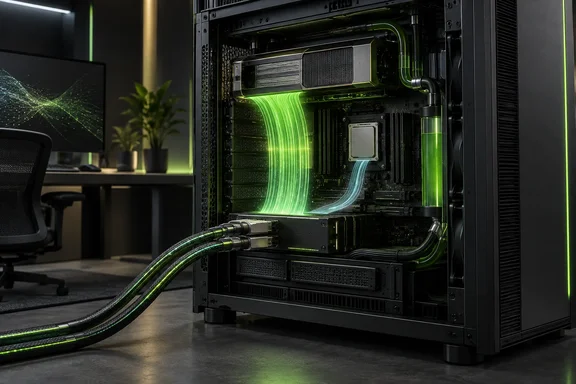
This is a composite of five items from that review: the nvidia-smi capture, Grace idle-power figures, the system photography, the ConnectX-8 SuperNIC hardware, and the dual-400G networking test. They are parts of one review, not five separate launches.
What the machine is
ServeTheHome describes the W775-V10-L01 as an NVIDIA DGX Station GB300-based system you can run at your desk. It is liquid-cooled, and its 1.6 kW maximum draw lets it run on most 120V circuits. Gigabyte's datasheet adds that the system needs a C19 power cord. The submitted packet also cites a 20-amp circuit requirement from that datasheet.
The core specifications, per Gigabyte and ServeTheHome:
- CPU: NVIDIA Grace, 72-core Neoverse V2 (72C/72T)
- GPU: NVIDIA Blackwell Ultra
- Memory: 496 GB LPDDR5X for the CPU (396 GB/s) and 252 GB HBM3E for the GPU (7.1 TB/s)
- Networking: two 400 Gb/s QSFP ports via an NVIDIA ConnectX-8 SuperNIC, plus a 10 Gb/s LAN port using a Marvell AQC113
- Storage and expansion: two M.2 PCIe Gen6 x4 and two M.2 PCIe Gen5 x4 slots, one PCIe Gen5 x16 slot and two Gen5 x8 slots
- Power: a single 1600 W ATX 80 PLUS Platinum supply
- Operating system: Ubuntu with NVIDIA AI Developer Tools
Gigabyte's marketing cites up to 748 GB of coherent memory. That figure is the sum of two different pools. The 496 GB is CPU-attached LPDDR5X at 396 GB/s, and the 252 GB is GPU HBM3E at 7.1 TB/s. Don't read it as 748 GB of fast GPU memory.
The networking finding
ServeTheHome says it tested the ConnectX-8 400Gbps RDMA networking and found something it did not expect. The measurements in the review's networking pages:
- GPU path: the Blackwell Ultra GPU connects to ConnectX-8 over PCIe Gen6 x16. A single 400G link carried roughly 392–400 Gb/s of RDMA traffic. With a second set of 400G DR4 optics connected, the reviewer measured 784.3 Gb/s of payload between Blackwell Ultra GPUs.
- CPU path: Grace reaches the NIC over PCIe Gen5 x8. Throughput on the CPU side topped out at about 229 Gb/s (228.9 Gb/s in one test, 229.0 Gb/s in the dual-rail test). The reviewer attributes this to the CPU's PCIe link, not to the network.
- CPU overhead: ServeTheHome saw about 1.4% CPU utilization during RDMA traffic. It attributed that mostly to its own single-core polling used to monitor performance, so it is not a general overhead benchmark.
The practical point is that "2x 400G" describes the ports, not what every part of the machine can use. GPU-direct RDMA traffic can use nearly the full line rate. Ordinary CPU-side transfers, such as data staging or storage traffic through Grace, are limited to about a quarter of the aggregate. If you plan multi-node GPU work or model serving, check that your software stack actually uses the GPU path.
These are one reviewer's results on one configuration. They don't guarantee throughput on other cables, switches or workloads.
The review also describes the optics and cabling it used. It tested QSFP112 direct-attach cables and NVIDIA MMS1X00-N5400 optics at around 10 W each, and notes limited airflow around the optical cages. It also describes a passive splitter cable from an 800G OSFP end to two 400G QSFP112 ends, which needs compatible switching. Treat these as details of ServeTheHome's setup, not compatibility guarantees.
Idle power and the power budget
The review's power section reports these figures for the tested unit:
- GPU: about 148 W at idle, with a 1.3 kW cap.
- Grace module: a 300 W cap and about 77–82 W at idle, of which 51–54 W was the CPU cores.
- Whole system: idle power did not fall below 250 W.
These are observations, not manufacturer ratings. The nvidia-smi image in the review sits in this section. The capture page has no readable text of its own, so no further fields or settings can be drawn from it.
The 1.6 kW ceiling is shared. The CPU and GPU limits together approach it, and ConnectX-8, cooling, NVMe drives, the Marvell NIC and the BMC all draw from the same supply. The open PCIe slots don't mean you can add hardware freely. Gigabyte lists optional RTX PRO Blackwell cards for the x16 slot. Any card or extra storage eats into that shared budget.
ServeTheHome measured noise at 36–38 dBA under lighter loads and 44–46 dBA at full load. It judged the system reasonably office-friendly for its power class. That is a review measurement, not an acoustic guarantee for your room.
Why this matters to Windows and PC readers
This is not a Windows machine. It is an Arm-based Grace CPU running Ubuntu, so don't expect x86 Windows to install on it. Windows-centric IT teams still have reasons to watch it:
- Local AI development: the product is aimed at developers who want large-model work on a desktop. Gigabyte positions it as optimized for large-scale AI model development, fine-tuning and inference on the desktop, and scalable to cloud or data center deployments.
- Facilities planning: a heavy tower (the review describes roughly 29 kg), a C19 inlet, a dedicated circuit and a 10–35°C operating range make this a facilities question as much as an IT one.
- Throughput claims: the CPU-versus-GPU gap is a useful reminder to check where your data actually flows before trusting a headline bandwidth number.
ServeTheHome also reports headline AI performance on this system. It cites Qwen3.6-35B-A3B Flash NVFP4 running at well over 26,000 tokens per second. That figure is the reviewer's, and the packet doesn't include the test conditions behind it.
Bottom line
The W775-V10-L01 delivers near-line-rate 400G RDMA to the GPU and about 784 Gb/s across two rails in the reviewer's GPU test. Grace's own path to the NIC is capped near 229 Gb/s. At idle the system draws at least 250 W, and it shares a 1.6 kW budget with everything you add. It is a serious deskside AI system with some fine print you should read before buying.
References
- NVIDIA GB300 Station nvidia-smi - ServeTheHome ServeTheHome · 2026-10-06T17:00:41+00:00
- Dual NVIDIA GB300 Station NVIDIA ConnectX-8 Connectivity and Performance 2x 400G Rails - ServeTheHome ServeTheHome · 2026-10-06T17:00:41+00:00
- W775-V10-L01 Workstation - GIGABYTE United States gigabyte.com