

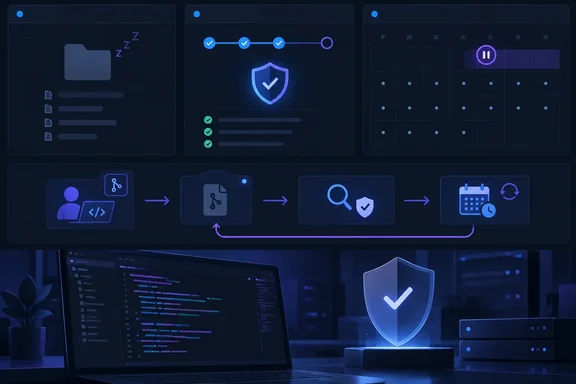
Initial findings stay; automatic weekly runs change
Previously, any unscheduled scan could qualify as activity—including the initial validation scan and scans prompted by changes in detected languages. A broad security configuration rollout could therefore make inactive repositories appear active for another six months, generating unexpected weekly scans.
The new behavior separates setup from development activity:
- Initial validation still runs, populating findings immediately.
- Weekly scanning begins after a push or pull request triggers analysis.
- Eligibility depends on analysis history, not Git activity before scanning was enabled.
- Activity remains shared between code scanning and Code Quality.
The useful distinction is between turning protection on and establishing a recurring scanning cadence. Administrators should not mistake the absence of subsequent weekly runs for evidence that the initial setup failed.
Enterprise Cloud now, Enterprise Server later
GitHub says the change applies to GitHub Enterprise Cloud as of October 1, requires no configuration changes, and will be supported in GitHub Enterprise Server 3.24. The announcement does not establish a release date for that server version or extend the rollout claim to every GitHub plan.
Inactive repositories still have a monthly option
There is an important companion policy for organizations that deliberately want continuing coverage of dormant code.
GitHub’s Enterprise Cloud documentation says default setup normally pauses weekly scheduled scans after 180 days without pushed commits or opened pull requests. Organization owners can enable scans every 30 days for inactive repositories; that interval is not configurable.
To enable that documented organization setting:
- Open your profile menu and select Organizations.
- Open the organization’s Settings.
- Under Security, select Advanced Security, then Global settings.
- In Code scanning, enable Keep scheduled scans running every 30 days for inactive repositories.
This is a separate policy choice, not a prerequisite for receiving the October scheduling change. The announcement does not explain precisely how the monthly override interacts with repositories that have only an initial validation analysis, so administrators should avoid assuming an undocumented outcome.
How to distinguish expected inactivity from a failure
For administrators reviewing a large deployment, the practical question is not merely “Did another scan run?” It is “Did setup succeed, and what analysis history should drive the schedule?”
GitHub’s setup documentation provides useful checks:
- Verify prerequisites: GitHub Actions must be enabled, and the repository must be public or have GitHub Code Security enabled.
- Check the initial workflow: Selecting Enable CodeQL triggers a workflow that tests the generated configuration.
- Inspect coverage: The code scanning tool status page shows scan timestamps and the percentage of files scanned.
A missing scan can also have a different cause. GitHub documents that if analyses fail for every CodeQL-supported language, default setup can remain enabled without running further scans or consuming Actions minutes. Recovery requires adding another supported language or manually reconfiguring default setup, followed by a successful supported-language analysis.
That distinction matters: an enabled setting is not proof of successful analysis, while a quiet weekly schedule is not automatically a malfunction.
The operational takeaway
For security teams, this is primarily a predictability improvement. The sensible response is to review rollout expectations and analysis history—not disable and re-enable scanning to coax a weekly run.
Treat three questions separately: whether initial analysis succeeded, whether development-triggered analysis has established weekly activity, and whether organizational policy calls for continued scanning of inactive repositories. Keeping those decisions distinct should make fleet-wide security administration less surprising—and leave fewer scheduled jobs running simply because someone switched the lights on.
References
- Scheduled code scanning skips inactive repositories GitHub Changelog · 2026-10-01T16:49:15+00:00
- Configuring default setup for code scanning - GitHub Enterprise Cloud Docs docs.github.com
- Editing your configuration of default setup - GitHub Enterprise Cloud Docs docs.github.com