

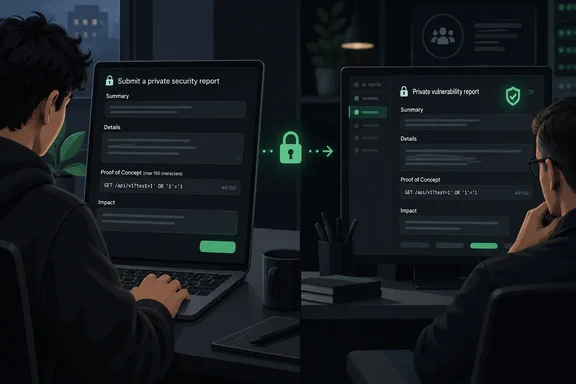
What maintainers can configure
GitHub’s October 1 announcement covers public repositories with private vulnerability reporting enabled on Free, Pro, Team and Enterprise Cloud.
The configuration options include:
- Custom forms: Add
.github/VULNERABILITY_REPORT.ymlto the default branch, or use the owner’s.githubrepository for an owner-wide form. Issue-form syntax supportsmin_length; invalid forms fall back to the default. - Weakness classification: Require a CWE through Settings > Advanced Security > Private vulnerability reporting. Organization and enterprise owners can enforce this through policy.
- Reporting guidance: A banner points reporters to an existing
SECURITY.md. - AI disclosure: Reporters can disclose AI assistance in finding or writing the report.
Analysis: Separating reproduction instructions from claimed impact should make initial triage easier. But a length requirement measures characters, not correctness. Maintainers still need to establish whether the reported behavior is reproducible and represents a security weakness. Likewise, disclosure of AI assistance is not evidence that a report is either valid or invalid.
The API compatibility boundary matters
Custom forms also constrain REST API submissions. The default form does not. A rejected custom-form submission receives an error pointing to a new endpoint that returns the repository’s enforced form.
Practical implication: Teams should treat a custom form as an integration change, not just a cosmetic improvement. Before deploying one broadly, assess the tools that submit reports programmatically and test their compatibility. The announcement does not provide the new endpoint’s route or payload schema, so an integration recipe would be premature.
Check enablement—and who receives the reports
GitHub’s documentation establishes an important prerequisite: a SECURITY.md file does not enable private vulnerability reporting. These are separate mechanisms. Researchers can use GitHub’s private reporting workflow only when the repository has enabled it.
For an authorized administrator, GitHub documents this repository-level setup:
- Open the repository’s Settings.
- In the sidebar’s Security and quality section, select Advanced Security.
- Find Private vulnerability reporting and select Enable.
Once enabled, the repository’s Advisories page displays Report a vulnerability.
There is another operational detail worth checking before improving the intake form: notifications. GitHub says repository administrators and security managers receive report notifications when their watching or security-alert subscriptions and notification preferences permit them. For email delivery, the documentation specifies an All Activity or Custom > Security alerts subscription plus email notifications for watched repositories.
Analysis: Better intake is useful only if someone sees the intake. Reviewing notification coverage alongside the form configuration closes a practical gap that additional required fields cannot fix.
What researchers should expect
GitHub documents the submission path as Security and quality > Report a vulnerability. After completing the form and selecting Submit report, the researcher receives confirmation that maintainers have been notified and that advisory credit is pending. If private reporting is unavailable, GitHub advises using the repository’s security policy or asking maintainers for a preferred security contact.
The update is best understood as an improvement to evidence collection, not automated vulnerability validation. A well-designed form can make the right questions harder to skip. Deciding whether the answers establish a real vulnerability remains the maintainer’s job.
References
- Structured forms for private vulnerability reports GitHub Changelog · 2026-10-01T19:57:28+00:00
- Privately reporting a security vulnerability - GitHub Docs docs.github.com
- Privately reporting a security vulnerability - GitHub Docs docs.github.com