

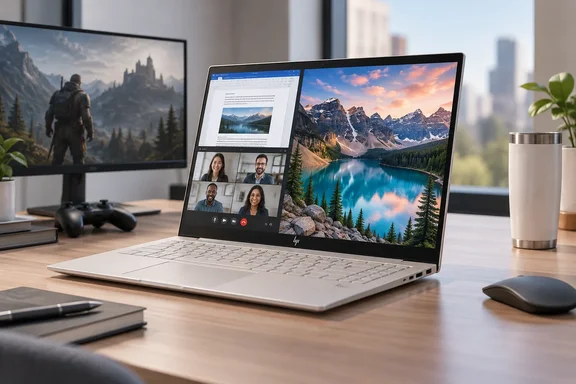
The useful takeaway is not that this laptop lacks power. It is that CPU capability, graphics performance and upgradeability are three different purchasing decisions. Here, a capable productivity platform shares space with modest integrated graphics and a fixed 16GB memory allocation. HP’s official listing confirms that combination in the closely matching US model 14-kd0047nr, although that listing specifies Eclipse Gray rather than the reviewer’s Silk Sand finish. It should therefore corroborate the hardware configuration, not be mistaken for identification of the exact review unit.
A premium design with everyday irritations
Digital Trends describes the reviewed OmniBook Ultra as a forged-aluminum, wedge-shaped laptop weighing 1.27kg and measuring just 1.07cm thick. Its strongest design attributes are straightforward: it is easy to carry, feels sturdy and provides a comfortable typing experience without growing into workstation territory.
The reviewer also praises the large haptic touchpad and speakers. These are hands-on judgments from Digital Trends, rather than findings from separate WindowsForum testing.
The shortcomings are less glamorous but potentially more important during daily use:
- Keyboard visibility: On the light-colored Silk Sand keys, the reviewer sometimes found that enabling the backlight made the lettering harder to distinguish.
- Manual backlight adjustment: The review describes two brightness levels, without an automatic mode.
- Restricted hinge movement: The screen did not tilt back as far as the reviewer wanted in some working positions.
- No fingerprint reader: Windows Hello facial recognition is available through the IR camera, but a second biometric option is absent.
None automatically disqualifies the laptop. Together, however, they demonstrate why premium construction does not guarantee premium ergonomics. A keyboard can look immaculate in a photograph and still become an impromptu eyesight test under office lighting.
Practical takeaway: Anyone considering the Silk Sand version should inspect keyboard legibility with the backlight both enabled and disabled, and check the hinge angle in their usual working position.
The OLED display is the clearest strength
The display receives some of Digital Trends’ strongest praise. The reviewer highlights contrast, sharp text, vivid colors and smooth scrolling, while noting reflections from the glossy surface.
HP independently specifies a 14-inch OLED touchscreen with a 2880 × 1800 resolution and refresh rates up to 120Hz. Its published brightness figures are 500 nits for SDR and 1,100 nits for HDR, with claimed 100% DCI-P3 coverage. Those are manufacturer specifications, not independent display measurements.
For this review, the distinction matters. An attractive viewing experience supports the laptop’s appeal for writing, browsing and entertainment, but it does not establish measured color accuracy for professional production work.
Nor does a 120Hz screen establish that demanding games will run at 120 frames per second. The panel and the graphics processor have separate jobs—and this configuration makes that separation particularly obvious.
Why this Panther Lake model is not the graphics flagship
The Core Ultra 7 356H belongs to Intel’s Core Ultra Series 3 family, formerly codenamed Panther Lake. Intel specifies 16 CPU cores, divided into four performance cores, eight efficient cores and four low-power efficient cores, with 16 threads and a maximum turbo frequency of 4.7GHz. Crucially, its integrated Intel Graphics contains four Xe cores.
Intel’s Series 3 reference guide lists 12 Xe cores for the Core Ultra X9 388H, which uses Arc B390 graphics. That provides a concrete hardware explanation for the review’s warning that the 356H is not equivalent to the higher-end Panther Lake configurations. Three times the Xe-core count does not establish three times the gaming performance, but it does establish that these are materially different graphics implementations.
Digital Trends reports responsive browsing, writing, multitasking and lighter creative work on the 356H machine. Demanding games were another matter: its reviewer describes difficulty maintaining stable frame rates in Forza and Cyberpunk, even with substantially reduced settings.
That evidence supports a configuration-specific conclusion, not a blanket dismissal of Intel integrated graphics. This OmniBook Ultra is a productivity laptop with limited gaming headroom—not proof that every Panther Lake laptop has the same limitation.
HP’s own store also lists a separate OmniBook Ultra configuration with a Core Ultra X9 processor, Arc B390 graphics and 32GB of memory. The family name alone therefore tells buyers too little about the hardware underneath.
What the reported benchmarks establish
Digital Trends reports the following results from its review unit:
| Test | Reported result |
|---|---|
| CrystalDiskMark sequential read | 10,244MB/s |
| CrystalDiskMark sequential write | 6,898MB/s |
| 3DMark Steel Nomad Light | 1,972 |
| 3DMark Steel Nomad | 474 |
| 3DMark Solar Bay | 10,391 |
| 3DMark Solar Bay Extreme | 1,405 |
These are Digital Trends’ measurements, not independently reproduced results.
The storage figures support its description of a fast SSD under sequential testing. They do not mean every application launch or file operation will scale with that headline throughput. Likewise, the different 3DMark scores should not be compared with one another as though they share a common scoring scale.
The review does not provide enough detail about power profiles, driver versions and comparison-system conditions to turn its cross-laptop figures into a controlled ranking. Its observed gaming difficulties are consequently more useful purchasing evidence than a broad claim that this processor generation is faster—or slower—than another.
Fixed memory deserves more attention than the AI badge
HP confirms that the matching US configuration has 16GB of onboard LPDDR5x memory and a 1TB PCIe Gen5 SSD. Intel specifies a 50-TOPS NPU for the 356H.
Digital Trends identifies the memory as non-upgradeable. That makes the initial capacity a lasting constraint rather than something buyers can cheaply revisit later.
The editorial implication is simple: prospective owners should consider their heaviest expected workload, not merely whether the laptop feels quick with a browser and document open. The review supports ordinary productivity use; it does not establish comfortable headroom for large virtual-machine workloads, complex development environments or demanding creative projects.
Similarly, the NPU rating is a hardware capability, not an application-specific AI benchmark. It should not substitute for evidence that a particular local AI workflow runs well.
Battery claims remain claims
HP lists a 70Wh battery, a 65W USB-C GaN adapter, battery life of up to 20 hours and 45 minutes, and video playback of up to 30 hours and 15 minutes. Those are manufacturer “up to” figures.
Digital Trends’ battery assessment is favorable but qualitative: the reviewer describes several hours of ordinary use without constant concern about charging. It does not present a timed rundown result supporting either advertised maximum.
Connectivity is similarly worth assessing against actual needs. The review describes three Thunderbolt 4 USB-C ports and a headphone jack, but no built-in USB-A, HDMI or SD-card connection. Buyers dependent on those interfaces should include an appropriate adapter or dock in their planning.
The verdict: buy the configuration, not the name
Digital Trends’ findings position the Core Ultra 7 356H OmniBook Ultra as an appealing portable Windows productivity machine. Its screen, design, touchpad and reported responsiveness are the central attractions. Limited graphics performance, fixed memory and small ergonomic compromises are the corresponding reservations.
The strongest buying rule is also the least flashy: verify the full processor name, graphics implementation and memory capacity before ordering. Intel’s specifications confirm that “Panther Lake” covers meaningfully different GPU configurations, while HP’s listings show that “OmniBook Ultra” spans more than one hardware package.
For someone prioritizing portable office work, video calls and an excellent-looking display, the reviewed model makes sense. For demanding gaming, substantial GPU workloads or future memory expansion, its limitations deserve more weight than its elegant exterior. The chassis may say Ultra; the specification sheet still gets the final vote.
References
- HP OmniBook Ultra review: Utterly sleek and snappy, but I wish it did just a tad more - Digital Trends Digital Trends · 2026-10-02T23:59:56+00:00
- Intel® Core™ Ultra 7 Processor 356H intel.com
- Intel Core Ultra Series 3 Processors - Quick Reference Guide intel.com