

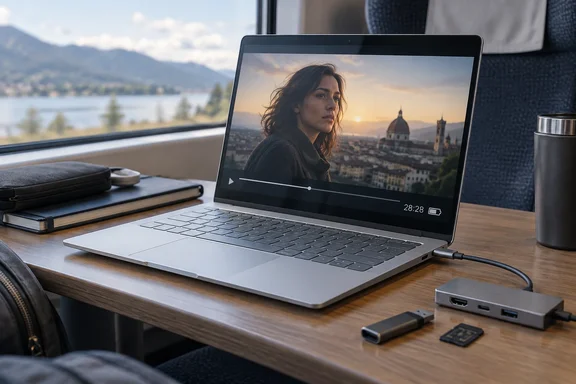
The number alone doesn't tell you whether this is the right Windows on Arm laptop for you. The review also found some trade-offs worth knowing about: awkward ports, a reflective screen, a cramped keyboard layout, and the usual Arm compatibility questions. Here is what TechRadar reported, how it lines up with other reviews, and what you should check before buying.
What TechRadar tested
TechRadar reviewer Lewis Maddison tested this configuration:
| Component | Review unit | Base configuration (per TechRadar) |
|---|---|---|
| CPU | Snapdragon X Elite X1E-78-100 (12 cores, up to 3.4GHz) | Snapdragon X Plus X1P-42-100 (8 cores, up to 3.4GHz) |
| GPU | Integrated Qualcomm Adreno | Integrated Qualcomm Adreno |
| RAM | 16GB LPDDR5x | 16GB LPDDR5x |
| Storage | 1TB PCIe 4.0 NVMe SSD | 512GB PCIe 4.0 NVMe SSD |
| Display | 14-inch 2240 × 1400 IPS touchscreen, 16:10, 60Hz | Same |
| Battery | 59Wh | 59Wh |
| Ports | 2× USB-C (Power Delivery/DisplayPort 1.4a; one 10Gbps, one 40Gbps), 1× USB-A (10Gbps), 3.5mm combo jack | Same |
| Wireless | Wi-Fi 6E, Bluetooth 5.3 | Same |
| Size / weight | 313 × 224 × 14mm; 1.35kg (2.97lbs) | Same |
TechRadar lists a starting price of £764 (roughly $1,000 / AU$1,400). It did not give a price for the review configuration. Treat that as a UK figure from the review, not a global price. Regional pricing and promotions change often.
A note on "new": TechRadar calls the laptop "new," but this hardware isn't a fresh launch. IT Pro reviewed it in August 2024 and described it as the first entry in its revived OmniBook brand since 2002, and its first Qualcomm Snapdragon X-powered Copilot+ PC. The spec sheets match. At launch, coverage syndicated through Yahoo reported that HP's 3-cell 59Wh battery is rated at up to 26 hours plus of battery life. How-To Geek's launch coverage listed the same two chips, the 12-core Snapdragon X Elite X1E-78-100 and the 8-core Snapdragon X Plus X1P-42-100.
So this is a 2024-era first-generation Snapdragon X machine, reviewed again in late 2026. That matters for value. You're paying for a known platform, not the newest silicon. It also means the laptop has had two years of firmware, driver and Windows updates.
Summary: A Snapdragon X Elite, 16GB, 1TB Copilot+ PC with a 59Wh battery, tested well after its original 2024 debut.
The 28-hour result, in context
TechRadar's method was simple: play a movie on a loop, unplugged, until the laptop dies. The OmniBook X lasted 28:28. The reviewer said the only other laptop they'd tested that matched it was the Asus Zenbook A14, within a few minutes. A full recharge took about two hours.
Other reviewers found the same thing:
- Creative Bloq said the laptop offers some of the longest battery endurance we've seen.
- Notebookcheck's roundup summarised it as a compact 14-inch laptop featuring a Snapdragon X Elite processor that enables very good battery runtimes.
A movie loop is close to the best case for any laptop. Video decode runs on dedicated hardware, the CPU mostly idles, and nothing much happens in the background. A day of Teams calls, browser tabs and OneDrive sync will drain the battery much faster. TechRadar's number is best used to compare laptops tested the same way, not as a promise of 28 hours of work.
Owners on HP's support forum have also raised power questions. One user of the 14-fe0000sa variant said HP's claimed battery life is 21+ Hours though on some other sites it states 16+ hours of use. The thread went on to cover battery drain while the laptop was supposed to be hibernating. HP's reply noted that Snapdragon systems often use Modern Standby, which can mimic hibernate but still allow background activity. It suggested checking the standby mode and enabling hibernation with powercfg /hibernate on.
If your battery drains overnight in a laptop bag, try this:
- Open Terminal and run
powercfg /a. If you see "Standby (S0 Low Power Idle)," your laptop uses Modern Standby. - Run
powercfg /hibernate on(you may need an elevated prompt) so hibernation is available. - Hibernate manually from the Start menu's power options before you pack the laptop away.
- Keep HP's battery and power management drivers and firmware up to date.
Summary: 28 hours is a real, repeatable result under light video playback. Mixed work will get you less, and Modern Standby can drain the battery while the lid is closed.
Performance: good for office work, weak for games
TechRadar says the X Elite handled everyday work, multi-tab browsing and 4K streaming without trouble. The fans stayed very quiet even under load, and the rear half of the chassis warmed up but stayed comfortable. Cyberpunk 2077 did run, but only on low presets with ray tracing off, and it had rough visuals and some stutter. That's fine for a quick session, not for serious gaming.
TechRadar's benchmark results:
- Geekbench 6.5: 2,427 single-core / 14,204 multi-core
- Cinebench R23: 5,595 multi-core
- Cinebench R24: 65 single-core / 374 multi-core
- Crossmark: 1,352 overall
- HandBrake 4K-to-1080p: 29.86fps
- Blackmagic Disk: 2,670MB/s read / 2,416MB/s write
- 3DMark Steel Nomad: 484
IT Pro's 2024 numbers were different. It measured 2315 and 12585 respectively in Geekbench 6 single-core and multi-core. In Cinebench R24, it reported 87 (single-core) and 808 (multi-core). IT Pro thought the laptop fell short of other X Elite machines presumably as a result of the smaller form factor and a power profile that prioritizes low noise.
Two points stand out:
- Geekbench is higher now. TechRadar's scores beat IT Pro's, which fits two years of updates and a newer Geekbench version. That's a plausible explanation, not a proven one, because the versions and test conditions differ.
- Cinebench R24 is lower in TechRadar's run. A multi-core score of 374 is less than half IT Pro's 808. The evidence doesn't explain why. Power mode, whether the laptop was plugged in, thermal state and test version could all play a part. Don't read too much into either number. Just be aware that sustained multi-core performance in this thin chassis depends heavily on the power profile.
Creative Bloq's view of the GPU fits the gaming results: the CPU is fine, but its GPU suffers from the same lack of power as we've seen in other ARM-based PCs using the same chip.
Summary: Fast and quiet for office work, capable enough for occasional light gaming, and tuned for silence over peak multi-core output.
Design and ports
TechRadar praised the chassis as thin, light and solid, though with some flex around the keyboard. The reviewer said they'd rarely seen a thinner laptop body. The problems start at the ports:
- Both USB-C ports are on the left. You can't choose which side to charge from, and a dock plus a charger will crowd one side of your desk.
- The USB-A port has a flip-down hinge, like the ones usually found on thin-laptop Ethernet jacks. TechRadar called it needlessly fiddly and noted the Zenbook manages without one.
- The headset jack sits far back on the right, which is awkward with short cables.
One positive: TechRadar's spec table lists one of the USB-C ports at 40Gbps. For docking or external storage, check which port that is and use it for your high-bandwidth devices.
Summary: Very portable, but port placement is inconvenient if you use lots of peripherals.
Display and input
The 2240 × 1400 IPS touchscreen is sharp and vibrant, according to TechRadar, but it can be reflective. Maximum brightness usually overcame the glare, and it doesn't have OLED-level contrast. The touch layer felt unusually smooth. The hinge doesn't fold back into tent or tablet mode, though. Creative Bloq added that the hinge could do with a bit of a stiffer hinge so that the screen doesn't wobble and shift backwards when poked with a finger.
The keyboard got strong marks for light, snappy, well-spaced keys. The downsides are that Home, End, PgUp and PgDn share the arrow keys as Fn shortcuts, there's no number pad, and the touchpad is smaller than the space under the keyboard allows. The touchpad is responsive and tactile, just small.
Summary: A good screen for its class and a comfortable keyboard. Spreadsheet users and people who rely on navigation keys may find the layout frustrating.
Before you buy: check Windows on Arm compatibility
This is the most important check for anyone considering this laptop. The Snapdragon chips make it a Windows on Arm PC, and good battery life won't help if your key software doesn't work.
Microsoft's documentation says Windows 11 on Arm runs x86 and x64 apps through emulation, using the Prism emulator introduced in Windows 11 24H2. Microsoft also says emulation covers user-mode code only and doesn't support drivers. Any kernel-mode component has to be built for Arm64. In practice, that affects:
- VPN clients, anti-cheat software and some security agents, which often rely on kernel drivers.
- Printers, scanners, audio interfaces and niche USB devices, which need Arm64 drivers.
- Specialist line-of-business apps, which may run under emulation but more slowly.
IT Pro's verdict on this point still stands: performance is quick in Arm-native apps and more than good enough in apps running under emulation, provided they actually work.
If an x86 or x64 app misbehaves under Prism, Microsoft documents a per-app setting:
- Right-click the app's executable and select Properties.
- Open the Compatibility tab and find the Windows on Arm section.
- Select Change emulation settings.
- Try the presets in order: Default, Safe, Strict, Very strict. Each one gives up some performance for better compatibility. Or choose Use advanced settings to change individual options, such as how the app uses multiple cores.
- If an app worked on an older Windows on Arm release, try Hide newer emulated CPU features to turn off Prism's newer AVX/AVX2-class instruction support for that app.
Microsoft warns that changing these settings can make an app crash or fail to launch. They can help with emulation problems, but they won't fix a missing Arm64 driver.
Summary: Check your drivers and key apps before buying. The emulation settings can help with problem apps, but only if the app runs in the first place.
Verdict
TechRadar scored the OmniBook X 14 4.5 out of 5, with a perfect 5 for battery life. The reviews agree on the main points. It's a quiet, well-built Copilot+ ultraportable with standout battery life in light-use tests, and it held up well two years after launch.
Keep the praise in proportion. TechRadar's "top of the league" is based on its own movie-loop test, not a ranking of every 14-inch laptop. The £764 starting price buys the 8-core X Plus model, not the X Elite unit that was reviewed. And the hardware is from 2024, so newer Arm and x86 laptops are competing for the same money.
Good fit if: you travel, work mostly in browsers and Microsoft 365, and want a laptop that lasts all day and stays quiet.
Look elsewhere if: you need specific drivers, rely on navigation keys or a number pad, want a 2-in-1, or plan to game regularly.
The battery life really is exceptional. Just check your apps, drivers and ports before you buy.
References
- HP OmniBook X 14 review: one of the longest-lasting laptops I’ve ever used TechRadar · 2026-09-29T14:25:10+00:00
- Notebookcheck Logo notebookcheck.net
- HP OmniBook X 14 review: Incredible battery life meets Copilot+ AI itpro.com