

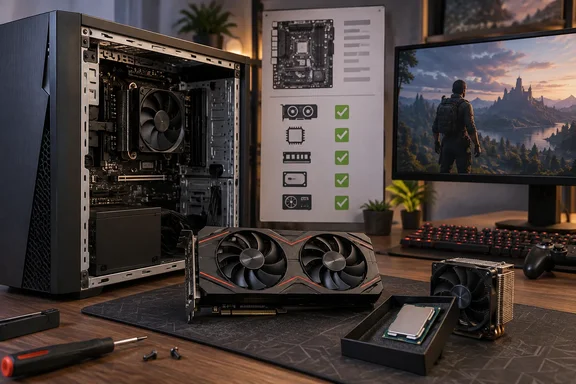
The test machine: a pandemic-era HP Pavilion TG01
According to BGR, the TG01 on Luis's bench came with:
- CPU: AMD Ryzen 5 3500, a six-core chip he lists at 3.6 GHz
- GPU: Nvidia GeForce GTX 1650 Super with 4 GB of video memory, a 2019 card
- RAM: already raised to 16 GB of DDR4, using sticks he had lying around
His goal was simple: spend as little as possible and get the most out of the money. He also explains why so many of these machines exist. Walmart sold refurbished units for under $500 in 2021, so scalpers bought them to strip out the graphics card, which was worth more on its own than the whole PC. It's a very 2021 story.
Section summary: This is an ordinary, very common prebuilt, so the lessons apply to a lot of Windows gamers sitting on the same kind of hardware.
Luis's rule of thumb
The article's short version:
- Start with the workload. What will the machine actually do?
- For gaming, upgrade the GPU first.
- For a work machine, add RAM first, then consider the CPU.
- Your motherboard sets the limits. Intel or AMD, you can't buy the fastest processor on the market and expect it to work.
He also notes that the fastest CPU his board would take was a Ryzen 7 3700X. He argues that a faster CPU does little for gaming once you're already at your monitor's refresh rate with the best graphics card you can get.
Why the GPU won in this case
For Luis, the GTX 1650 Super was clearly the weak point. He reports that before the upgrade he was stuck at 1080p and most modern games quickly filled the card's 4 GB of VRAM. Even Red Dead Redemption 2, a 2019 game, struggled to reach 60 FPS on high settings, though it played fine on medium.
The VRAM wasn't the only problem. The GTX 1650 Super can't do hardware ray tracing, and Luis points out that some games simply won't run without it. His example is Indiana Jones and the Great Circle. No CPU upgrade fixes a missing GPU feature. If a game requires a capability your graphics card doesn't have, the processor can't help.
His fix was a used Radeon RX 6600 XT, bought locally in as-is condition for $100. He repasted it and replaced a grinding fan, and says he got a gain of close to 60%. Treat that as his own measurement from his own games, not a lab benchmark. It shows what a well-chosen used GPU can do for an old prebuilt. And yes, "as-is" cards can come with a grinding fan and dried-out thermal paste, so be ready to do some repairs.
Section summary: In this machine the GPU was the limit on VRAM, on features and on frame rate, so it went first.
The work-machine case: RAM, then CPU
Luis also describes what he'd do if he kept the TG01 as a work PC to replace a laptop he uses for a small home business. He'd upgrade the RAM and nothing else at first. Later he'd upgrade the CPU, because he sometimes edits short YouTube videos. His reasoning is that video editing software leans heavily on the CPU for decoding, rendering and codec support.
That's reasonable for his workflow, with one caveat from general industry knowledge. Many modern editors can also hand encoding and effects to the GPU's media engines, depending on the application, codec and settings. "Work machine means CPU" is a good default, not a rule. Before you spend money, check what your editing app actually accelerates.
The motherboard check that matters most
This is where Luis's warning about motherboards becomes practical. HP makes several different boards for this product family, and they don't all support the same CPUs.
HP Support Community threads show how the "Erica" boards differ:
- One user quoted HP's own page for the original Erica board. It lists these processor upgrades: Athlon 300 UGE APU, Ryzen 3 3200G APU, Ryzen 5 3400G APU, Ryzen 5 3500 CPU, and Ryzen 7 3700X CPU. The same user found that HP's page for the Erica 2 board, the one in their own desktop, lists a shorter set of upgrades.
- In another thread, a community expert pointed to HP's Erica specification, which lists a TDP: up to 65 W · Socket type: AM4. The same reply warns that the asker could have another model, different motherboard.
- A separate forum post describes an Erica board spec that lists the AMD Ryzen 7 3700X, 3.6 GHz Base frequency, up to 4.4 GHz burst frequency, 32 MB cache, Octa core (Matisse).
- Later TG01 units can use different boards entirely. One owner said they'd seen a TG01-0023w motherboard erica_erica2 work with this processor and asked whether their motherboard 87D6 erica3_erica5 REV A would handle a Ryzen 7 3700X or Ryzen 9 3900X.
For a machine with the right Erica board, then, BGR's statement that the 3700X is the top CPU option matches HP's documentation. That doesn't make it true for every TG01. The 65 W limit also matters: a CPU using the same AM4 socket isn't automatically supported by an OEM board's firmware, power delivery or cooling. There's one more practical catch. On an HP Erica system, a community expert noted that the 3700X does not have integrated graphics, you will need a separate graphics card. That's fine in a gaming PC, but it's a problem if you planned to run on integrated graphics after pulling the GPU.
How to check your own HP prebuilt
- Find the exact product number on the case sticker or in HP's support tools. "TG01" alone isn't specific enough.
- Open HP's product specifications for that model and note the motherboard's code name and revision (for example, Erica or Erica 2).
- Open HP's motherboard specification page for that board and read its list of supported processor upgrades and its TDP limit.
- Update the BIOS to the latest version before you swap the CPU.
- Buy only from HP's supported list, and stay within the TDP limit.
Section summary: The model name tells you very little. The board revision determines which CPUs will work.
A counterpoint: plenty of games are CPU-limited
BGR's "gamers should buy a GPU" advice fits Luis's machine. It isn't universal, and Microsoft's own guidance for Windows game developers is a useful counterweight. Microsoft's DirectX "Top Issues for Windows Titles" document says the vast majority of games are limited by CPU performance on systems with high-performance GPUs. It attributes this mostly to game systems such as AI, physics and collision detection using up CPU cycles. It adds that when the GPU was the limit, the usual causes were very high fill rates or heavy pixel shader demand at high resolutions.
That guidance is old; it mentions Windows XP and the Xbox 360. The underlying point still stands. Pair a strong GPU with an old CPU, or chase high frame rates at 1080p in simulation-heavy games, and the processor becomes the bottleneck. Luis's point about refresh rate is the same idea from the other direction.
A quick way to find your bottleneck
This method comes from general industry practice, not from BGR:
- Pick a real scenario. Use the game or app you actually run, at your normal settings.
- Get a baseline. Record the frame rate with an overlay such as the Xbox Game Bar performance widget in Windows, your GPU vendor's overlay, or Steam's in-game counter.
- Lower the resolution and nothing else.
- If frame rate rises a lot, the GPU was the main limit.
- If it barely changes, suspect the CPU. First rule out frame caps, V-Sync, thermal throttling and outdated drivers.
- Watch VRAM. If usage sits at the card's full capacity and you get stutters, you need a card with more memory, as Luis found with 4 GB.
- Change one thing at a time and test again.
Don't read too much into a single utilization percentage. It helps you spot the bottleneck; it doesn't prove it.
Before you buy a GPU: the practical checks
BGR doesn't list the TG01's power supply rating or case dimensions, so we can't tell you which cards fit or run safely in any particular unit. Check these yourself:
- Power supply: its wattage and whether it has the PCIe power connectors the new card needs. OEM power supplies are often modest.
- Physical fit: the card's length and thickness against your case's clearance.
- Your target: resolution and refresh rate. A 1080p/60 Hz monitor doesn't need a flagship card.
- Used-card risk: Luis's $100 card needed work. Price in thermal paste, a replacement fan and your time.
The verdict
Luis's answer holds up: define the workload, find what's actually slowing you down, and let the motherboard set your CPU ceiling. For his TG01, the GPU was the obvious bottleneck, and a cheap used RX 6600 XT fixed his VRAM and ray-tracing problems in a way no Ryzen upgrade could. For a home-office machine that edits some video, RAM first and a supported CPU later makes sense.
What BGR's piece doesn't stress enough is the board-revision problem. Two PCs sold as "TG01" can have different CPU upgrade paths, and HP's documentation is the only reliable check. So test first, check the exact model number, and then buy.
References
- CPU Vs. GPU - Which Should You Upgrade First? bgr.com · 2026-09-30T10:17:00+00:00
- ERICA vs. ERICA 2 motherboard processor upgrades??? - HP Support Community - 7948121 h30434.www3.hp.com
- Top Issues for Windows Titles - Win32 apps | Microsoft Learn learn.microsoft.com