

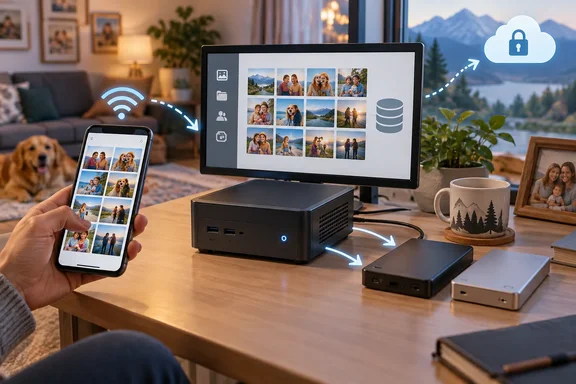
It's a good pitch, and a lot of it holds up. Some of it needs corrections, though, and the parts that were left out are the ones that can lose you a decade of family photos. Below is what Immich actually does, what it really needs to run, and what you take on when you become your own photo cloud.
The core claim: local uploads beat the WAN
The speed argument is sound in principle. When your phone uploads to a server on your own network, the photos never cross your internet connection. Most home broadband plans have much slower upload speeds than download speeds. On your own Wi-Fi, that limit doesn't apply.
The same article also makes some bigger claims: that cloud providers throttle uploads, compress raw files in the background, scan photos for telemetry, and feed personal media into AI training. Those are the author's opinions. The article offers no evidence for them, and they shouldn't be taken as proven facts about Google or anyone else. Google's plans and terms vary. If you care about how your photos are processed, read the privacy terms for your actual plan rather than a blog's summary of them.
"Instant" also needs a qualifier. Upload speed still depends on your phone, your Wi-Fi, the server's CPU and the disks behind it.
Section summary: A home server removes the internet from the upload path, and that's a real speed gain. The accusations against cloud providers are opinion.
How Immich mobile backup actually behaves
The XDA piece says the phone apps upload photos "the second you walk through the door." Immich's own documentation is more careful than that. Per the docs:
- With backup turned on, the app uploads new photos and videos from the albums you selected when you open or resume it, and also periodically in the background.
- You choose which phone albums to back up and can exclude specific ones by double-tapping them. This matters on iOS, where one photo can sit in several albums.
- When you first pick albums, Immich calculates a checksum of each file's contents. Anything already on the server is skipped, whether it arrived through the command-line tool, the web interface or another device.
- By default, uploads only happen on Wi-Fi. You can change that in the backup settings.
- Optional album sync creates matching albums on the server. It only works one way, from phone to server.
The platform details matter more than the marketing:
- iOS: Background App Refresh has to be on (Settings > General > Background App Refresh). iOS decides when background tasks run, not Immich. Opening the app more often tends to make background runs more frequent.
- iCloud users: If the albums you back up include photos stored in iCloud, the app downloads them into its cache for hashing and uploading, then deletes the temporary copies. That can use a lot of extra phone storage and, if you're not on Wi-Fi, mobile data.
- Android: Some phone makers' aggressive battery optimization is known to kill the background worker, so you may need to exempt the app. You can also limit background uploads to when the phone is charging and set a minimum delay between taking a photo and uploading it.
Section summary: Background backup is automatic, but on iOS the operating system decides when it runs.
What you get: a feature list that really does resemble Google Photos
The article is right about how much Immich now covers. The project's official feature list includes phone backup, multiple users, face recognition, smart search (you can type natural phrases like "sunset at the beach"), albums, partner sharing, a map view, memories, RAW support, duplicate detection, hardware video transcoding, OAuth sign-in and automatic database backups. The project keeps shipping, too. According to AlternativeTo, Immich 2.5 added Free Up Space, a much-requested feature that lets users remove local media files already backed up to their Immich server, and it also brought non-destructive photo editing.
The family setup works as the article describes, with some fine print:
- Every user has their own account and devices.
- Albums can be shared with other users on the same server, as either editors (read-write) or viewers (read-only).
- Partner sharing opens your entire library to a chosen user, who can browse it and download files. It only goes one way unless they share back.
- Public links reach people who don't have an account. You can add an expiration date and a password, and the URL is random so it's hard to guess.
Section summary: The features really are close to Google Photos. Sharing is flexible, but think about what partner sharing exposes before you turn it on.
Hardware: Immich's official requirements vs. the article's shopping list
The XDA article recommends a "modern 6-core, 12-thread" processor and at least 16GB of RAM, and pairs that with a Geekom A5 2027 edition built on a Ryzen 5 7430U. Those numbers are well above what Immich asks for. Immich's official requirements are:
| Requirement | Immich official guidance |
|---|---|
| OS | 64-bit Linux or another Unix-like OS recommended (Ubuntu, Debian, etc.) |
| RAM | 6GB minimum, 8GB recommended; 4GB possible with machine learning turned off |
| CPU | 2 cores minimum, 4 recommended; amd64 or arm64 |
| CPU feature (v3+) | Machine learning container on amd64 needs x86-64-v2 (most CPUs from roughly 2012 onward) |
| Storage | Unix-compatible filesystem (EXT4, ZFS, APFS, etc.) that supports user/group ownership and permissions |
| Database | Postgres on local SSD, never a network share |
| Overhead | Thumbnails and transcoded videos add about 10–20% to library size on average |
Extra cores and RAM do give you headroom if the same box also runs Plex and home automation, as the author's does. Just don't mistake a buying preference for a requirement. The Geekom model, its power draw and its Plex performance are the author's own claims and haven't been independently checked. Treat them as one person's setup, not a benchmark.
Two more corrections:
- Machine learning acceleration isn't automatic. The article says Immich uses a "local GPU/NPU or multi-core CPU." By default it runs on the CPU. Immich documents optional acceleration backends (CUDA, ROCm, OpenVINO, ARM NN, RKNN), each with its own setup, and calls hardware-accelerated machine learning experimental. Having a Ryzen chip in the box doesn't mean Immich is using its graphics.
- Put your storage in the right places. Mass storage over USB or a network share is fine for the photo library itself. The Postgres database should sit on a local SSD.
Running it on Windows: possible, but not recommended
This is a Windows forum, so here's the part that affects you most. Immich says non-Linux operating systems "tend to provide a poor Docker experience" and are strongly discouraged, and its ability to help with troubleshooting on them is much reduced. If you still want to try, the options are Docker Desktop or WSL 2. Immich requires the docker compose command; the old docker-compose is no longer supported.
The main Windows trap is the database. It has to live on a filesystem that supports Unix ownership and permissions. It won't work on NTFS or exFAT/FAT32, and it won't work in WSL from a mounted Windows directory (usually under /mnt). Immich's documented fix is to use a Docker volume instead:
- In
.env, changeDB_DATA_LOCATION=./postgrestoDB_DATA_LOCATION=pgdata. - At the bottom of
docker-compose.yml, addpgdata:under the existingvolumes:section, next tomodel-cache:.
You'll know it worked when the Postgres container starts cleanly rather than crashing on permission errors. If you're buying a dedicated mini PC anyway, installing a Linux server distribution on it is the route Immich actually supports, and you'll get far more help when something breaks.
The part the article skipped: you're now the backup department
Cancelling Google One doesn't just save you a fee. It makes you responsible for uptime, updates, security and disaster recovery. Immich is blunt about this. Its documentation says a 3-2-1 backup strategy is recommended to protect your data. You should keep copies of your uploaded photos/videos as well as the Immich database for a comprehensive backup solution.
The database is easy to underestimate. Immich stores file paths and user metadata in the database. It does not scan the library folder, so database backups are essential. Immich does back itself up automatically: you can adjust the backup schedule and retention settings in Administration > Settings > Backup (default: keep last 14 backups, create daily at 2:00 AM). But database backups do not contain photos or videos — only metadata. They must be used together with a copy of the files in UPLOAD_LOCATION. The docs also point out that you still need to take care of using an actual backup tool to make a backup yourself.
Restores have become easier. Immich provides two ways to restore a database backup: through the web interface or via the command line. The web interface is the recommended method for most users. Be aware that restoring a backup will wipe the current database and replace it with the backup. A restore point is automatically created before the operation begins, allowing rollback if the restore fails.
A sensible minimum setup:
- Copy 1: the live Immich library and database on the mini PC.
- Copy 2: a nightly backup of the upload folder, including the
backupssubfolder, to a separate drive. - Copy 3: an encrypted offsite copy. Irony alert: that could be a cheap cloud storage tier, which is a bit awkward for a story about quitting the cloud.
Remote access matters just as much. Immich's own guidance is clear: never forward port 2283 directly to the internet without additional configuration. Its remote-access guide covers VPNs, Tailscale and reverse proxies instead. A private photo server that's open to the whole internet isn't private anymore.
Section summary: Immich is excellent, but it can't be your only copy. Back up the media and the database, and use a VPN rather than an open port for remote access.
So is ditching Google One worth it?
It depends on what you're counting. The XDA article doesn't give a Google One plan, a price, a library size, a hardware cost or an electricity figure, so it can't actually show that you save money. An honest comparison includes the mini PC, the drives, a second backup target, power, and your weekends. Google One also shares storage across Gmail and Drive and with family members, and Immich doesn't replace those parts.
For tinkerers who already run a homelab, Immich is one of the best self-hosted projects around. It's polished, capable and quick on your own network. For someone who just wants their photos to be safe without having to think about it, cloud storage still makes a lot of sense, fees and all. Self-hosting means your photos are only as safe as the backups you set up and actually check.
References
- I ditched Google One for self-hosted Immich on a mini PC, and photo backup is finally instant XDA · 2026-09-25T23:00:17+00:00
- Mobile Backup | Immich docs.immich.app
- Features | Immich immich.app