

The date is not fixed yet. The change is expected to occur sometime this month, although Microsoft has not provided IU with a specific date for when the update will reach affected devices. The notice does not name a KB number, a Windows build, a release channel or the exact setting that will change. We won't guess at any of those here.
What IU says will happen
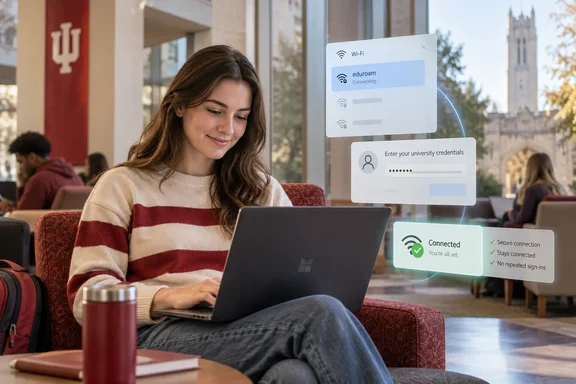
IU expects an annoyance, not a full outage. After the update, affected Windows 11 users may be prompted to enter their IU credentials each time they connect to an IU wireless network.
Signing in again every time you open your laptop between classes isn't a disaster. But anyone who has typed a password into a Wi‑Fi dialog in a crowded lecture hall knows how quickly it gets old.
The notice uses careful wording: users "may" be prompted. It doesn't say whether every Windows 11 PC will be affected. It also doesn't say whether the prompt appears on every reconnect or only in certain situations.
Who is affected, and who isn't
IU limits the warning to a specific group:
- Possibly affected: personal (not IU-managed) Windows 11 devices connecting to IU Secure or eduroam.
- Not affected: IU-managed computers, Macs, iPhones, iPads or Android devices, or other connected devices such as gaming systems, smart TVs or printers.
Don't read this as a warning about every Windows PC or every campus network. IU's notice covers only the personal-Windows-11 case on its two named networks.
Section summary: If you have a personal Windows 11 PC on IU Secure or eduroam, you may get repeated sign-in prompts once an unnamed October update lands. Everyone else on IU's list can relax.
The fix: IU's eduroam Network Setup Tool
IU's fix is short. If you use a personal Windows 11 device to connect to IU Secure or eduroam, visit the Connect to eduroam KB article and use the Eduroam Network Setup Tool to configure your connection. The university says once you have used the setup tool, you will no longer need to enter your IU credentials each time you connect to an IU wireless network.
Here's what to do:
- Check whether this applies to you. Is the device a personal Windows 11 PC that you use on IU Secure or eduroam? If it's IU-managed, IU says it isn't affected.
- Find IU's "Connect to eduroam" knowledge base article through IU's own support channels.
- Run the Eduroam Network Setup Tool from that article to configure your connection.
- Test the connection. IU says success means you no longer have to enter your IU credentials every time you join.
- If it still doesn't work, contact your campus IT Support Center.
We couldn't independently check IU's knowledge base page, so we can't vouch for the tool's step-by-step screens, download location or required username format. Follow what IU's live article says, not a screenshot a classmate posted on Discord.
You don't need to wait for the update to arrive. IU says the tool removes the repeated prompts, and there's no firm date for when the update reaches any given PC. Running it now is a few minutes of work that saves you from rushing later.
Section summary: Run IU's Eduroam Network Setup Tool on your personal Windows 11 PC before the update arrives. If anything goes wrong, contact your campus IT Support Center.
IU isn't the only school sending this warning
IU's notice is the first item in this story, but it isn't the only campus alert of its kind. Washington and Lee University posted a similar notice on September 7, 2026. It said that to improve wireless security and comply with new Microsoft connection requirements, the campus eduroam network will soon use a more secure authentication method called EAP-TLS. As at IU, this change affects users who connect to eduroam using a personal Windows computer.
W&L's notice describes a different, harsher situation than IU's:
| Indiana University | Washington and Lee University | |
|---|---|---|
| Stated trigger | An upcoming Windows 11 update from Microsoft | "New Microsoft connection requirements" |
| Timing | Sometime in October; no date from Microsoft | October transition |
| Affected devices | Personal Windows 11 devices | Personal Windows computers |
| Managed machines | Not affected | University managed Windows computers will be automatically updated. |
| What happens if you do nothing | Repeated credential prompts | Devices that are not updated may be unable to access the campus wireless network after the transition in October. |
| Fix | Run IU's Eduroam Network Setup Tool | Windows devices will need a new security certificate installed before they can connect to eduroam. |
Two universities pointing to Microsoft-driven changes for personal Windows machines in the same month doesn't prove they mean the same Windows change. W&L also describes a move to EAP-TLS on its own network, and IU's notice says nothing of the sort. What the comparison does show is that campus IT teams are responding this autumn, and each school is responding in its own way. Your school's instructions apply to you, not your friend's school's.
Background: why Wi‑Fi sign-in is sensitive to these changes (analysis)
This section is general industry context, not an explanation of IU's specific change.
Many eduroam setups on Windows have long used password-based sign-in. Louisiana State University's manual setup guide for Windows 11 lists EAP Method: Protected EAP with Authentication Method: Secured password (EAP-MSCHAP v2). Guides from other schools, including Cambridge's MRC Cognition and Brain Sciences Unit and Aristotle University of Thessaloniki, show the same approach.
Microsoft has been tightening this kind of sign-in for a while. Its Credential Guard documentation says 802.1X wireless connections that rely on older password-based protocols may lose single sign-on and require you to sign in again manually. It recommends moving from PEAP-MSCHAPv2 to certificate-based methods such as EAP-TLS. Separately, Microsoft's EAP documentation for Windows 11 describes stricter server-certificate checks that follow the WPA3-Enterprise specification.
IU has not said either of these is the cause of what it's warning about. Neither has Microsoft, in anything we found. Treat them as background on where Windows Wi‑Fi security has been heading, not as a diagnosis.
For tinkerers: see what's on your PC now
If you're curious, Microsoft documents the built-in netsh commands for Wi‑Fi profiles:
netsh wlan show profileslists every saved Wi‑Fi profile.netsh wlan show profiles name="eduroam"shows details for one profile. Use whatever name your PC displays.
These commands only let you look. Don't start deleting or hand-editing your campus profile because of this article. IU's supported route is its setup tool. If you remove a working profile right before a lab session, you'll be the one stuck in the hallway asking for the guest password.
The bottom line
- What: IU says an upcoming Windows 11 update will change wireless authentication and may cause repeated IU sign-in prompts.
- Who: personal Windows 11 devices on IU Secure or eduroam. IU-managed PCs, Apple devices, Android, consoles, smart TVs and printers aren't affected.
- When: sometime in October 2026. Microsoft hasn't given IU a date.
- Fix: run the Eduroam Network Setup Tool from IU's "Connect to eduroam" KB article. Contact your campus IT Support Center if you need help.
- Elsewhere: other campuses, including Washington and Lee, are warning personal-Windows users about Microsoft-related eduroam changes this fall. Follow your own school's instructions.
Have you already run your campus's setup tool, or hit new sign-in prompts after a recent Windows 11 update? Tell us in the forums, especially if you're seeing this outside IU. Patterns across campuses are often the first hint that a broader Windows change is on the way.
References
- Upcoming Windows 11 update may affect IU wireless connections - news.iu.edu news.iu.edu · 2026-10-05T04:00:00+00:00
- Configure EAP Profiles and Settings in Windows | Microsoft Learn learn.microsoft.com
- EAP - What's changed in Windows 11 | Microsoft Learn learn.microsoft.com