

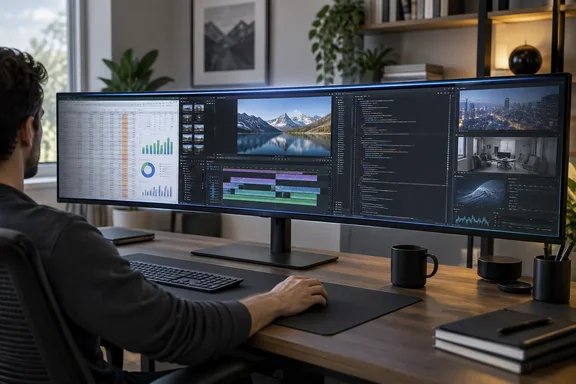
What the E49M1R is
The panel is a 49-inch 32:9 VA display at 5120 x 1440, often sold as DQHD. That is the same pixel area as two 27-inch 1440p monitors side by side, with no bezel down the middle. Notebookcheck noted that at an ultrawide resolution of 5,120 x 1,440 pixels, virtually all competitors are curved so that the ends of the screen are at least roughly the same distance from the viewer as the center of the screen.
Innocn calls it the world's first 49-inch flat Mini LED ultrawide. That is the company's own claim. What the reviews do confirm is that a flat panel at this size is unusual.
The headline specs from Innocn:
- Panel: 49-inch flat VA, Mini LED backlight, 1,760 local dimming zones
- Refresh and response: 165Hz, 8ms grey-to-grey, 2ms with overdrive
- HDR: HDR1000 certification, 450 nits typical brightness
- Contrast and colour depth: 3000:1 native, 8-bit
- Inputs: two HDMI 2.1 and two DisplayPort 1.4, plus a USB hub and audio out
- Extras: two 5W speakers, AMD FreeSync, VESA 100 x 100mm mount
- Stand (per TechRadar): 120mm height travel, tilt from -5 to +15 degrees, 15 degrees of swivel, no pivot, 13.3kg with the stand fitted
Innocn doesn't claim G-Sync Compatible certification. Nvidia owners who care about that label should note it's missing.
In short: it's a dual-QHD workspace on one flat panel, and its main selling points are straight lines and no centre seam rather than gaming speed.
Price, warranty and availability
US pricing is the $999.99 list price. Innocn lists the E49M1R at $999.99 on its US store, with free shipping, a 30-day return window and a standard 12-month warranty. There's a time limit on the warranty offer: orders placed before 1 October 2026 qualify for an extended three-year warranty as a launch promotion. After that date, assume the standard one-year warranty unless Innocn extends the offer.
Street prices already vary. Notebookcheck reported the monitor at $889.99 direct from the manufacturer and between $783.49 and $999.99 on Amazon US at the time of its review. Check the price on the day you buy.
In Japan, the monitor also launched in Japan on 10 September 2026 at 159,999 yen, roughly $1,044, with an introductory price of 135,990 yen, roughly $887, running for a limited period around launch. PC Watch said that introductory price ran until September 20, so it has ended. Notebookcheck said the monitor hadn't reached Germany yet but was expected to.
The flat-panel trade-off
The case for flat is easy to see. A flat panel keeps straight lines straight, which matters for anyone lining up spreadsheet columns, CAD drawings or video timelines across the full width of the screen. At the Tokyo launch, Innocn pitched it as a "command center" for people running code editors, AI chat windows, terminals and documentation side by side.
The cost is distance to the edges. TechRadar worked out that at 75cm from the centre of the screen, the left and right edges are about 20cm further away. That's the reviewer's own geometry, not an official viewing guideline. Its practical suggestion was to use a desk setup that lets you slide or roll toward whichever side you're working on.
Distance isn't the only issue. Notebookcheck called viewing angles the flat ultrawide's biggest weakness. Looking at a full-white window from the centre, it saw the screen split into a bright middle and two noticeably (though not dramatically) darker side areas, with colours also less saturated toward the edges. A curved panel exists largely to fix this. With a flat VA panel, you trade that uniformity for straight geometry.
In short: flat helps precision work but costs brightness and colour consistency at the edges. How much that matters depends on your desk depth and how often you look at the far sides.
Image quality: what the testers measured
The two reviews agree on the broad picture but report different numbers, which is normal for different units, test tools and methods.
| Measurement | TechRadar | Notebookcheck | Innocn claim |
|---|---|---|---|
| Peak SDR brightness | 481.5 nits | 543 nits max, 522 average | 450 nits |
| Contrast | 4180:1 | 2842:1 | 3000:1 |
| sRGB | 98% | 100% | 100% |
| Adobe RGB | 72% | 81.9% | 96% (Japanese spec) |
| P3 | 74% | 83% (Display P3) | 95% DCI-P3 |
Both reviews measured brightness above Innocn's 450-nit rating. Both also found wide-gamut coverage well short of the marketing figures.
TechRadar rated contrast and gamut highly and called the screen very readable, but said colour accuracy isn't good enough for colour-critical design work. Notebookcheck got an average ColorChecker Delta E of 3.51 out of the box, falling to 2.12 after calibration. Greyscale error dropped below 2 after calibration, which matches Innocn's target. Notebookcheck called the monitor borderline for professional editing and said it's well calibrated for sRGB out of the box but less so for DCI-P3.
Notebookcheck also noted:
- Local dimming has five levels and is off by default in the DCI-P3 picture mode. Check this before you judge HDR or contrast in that mode.
- It found no PWM brightness control, only a low-amplitude flicker from the dimming circuitry that it thinks even sensitive users are unlikely to notice.
- Power draw was just under 100W in SDR at full brightness and about 93W at 90% brightness.
Motion and gaming
The spec sheet says 165Hz and 2ms, but measured response times are slower. Notebookcheck recorded 20.7ms black-to-white and 16.3ms grey-to-grey. It concluded the monitor is fine for everyday gaming but not an esports display. TechRadar thinks it suits flight and racing simulators, where the wide field of view matters more than pixel response. A good way to read the "2ms" figure is as a best case under overdrive, not a typical result.
Multi-input use and the KVM question
This is where the monitor stands out. You can show all four inputs at once, either picture-in-picture or with the screen split into zones. TechRadar's reviewer ran his main PC on one half and a mini PC he was benchmarking on the other. Notebookcheck showed a similar setup with a mini PC and a gaming laptop side by side.
The reviews disagree on one feature. TechRadar says the USB hub isn't a KVM, and that a built-in KVM with a hotkey to move keyboard and mouse between machines would make the monitor close to ideal. Japanese sources say otherwise: PC Watch's launch report lists a KVM function, and a Japanese buyer's guide says PIP/PBPとKVMに対応するため、PCを複数使う環境でも入力機器を切り替えながら画面を活用できます (roughly: with PIP/PBP and KVM support, you can switch input devices while using the screen across several PCs). Notebookcheck describes the hardware as two USB-A ports for peripherals and one USB-B upstream port. It doesn't mention KVM switching.
Nobody has cleared this up yet. If a built-in KVM is a deciding factor for you:
- Read the current product listing and manual for your region before you order, and look for KVM specifically, not just "USB hub".
- Check how many upstream USB connections there are. One USB-B upstream port usually means one host computer controls the hub at a time.
- Plan on the 30-day return window, or budget for a separate KVM switch. TechRadar's reviewer uses a separate KVM.
Controls, stand and setup
Settings are changed with five buttons under the Innocn logo. There's no desktop app. TechRadar complained that changes can take six button presses. Notebookcheck was kinder, noting the buttons are labelled and that picture modes and brightness sit in a quick menu, though it wanted input selection there too. The menu includes 15 picture modes, including sRGB, DCI-P3 and Mac.
Notebookcheck described the metal stand as very sturdy but said the panel keeps wobbling for a while if knocked. The panel doesn't rotate to portrait. If you plan to use a monitor arm, make sure it's rated for a 49-inch display of this weight and depth, and don't assume a basic single-monitor arm can handle it.
Who should buy it
Good fit if you:
- Want one continuous dual-QHD workspace for spreadsheets, timelines, code or trading dashboards
- Watch or control several machines and would use the four-input split view
- Prefer straight geometry to the immersion of a curve
Look elsewhere if you:
- Do colour-critical work, where calibrated IPS or OLED screens remain safer choices
- Have a shallow or narrow desk
- Want esports-level motion clarity
A cheaper option is the Innocn E49M1G, which drops to 3840 x 1080 at 144Hz.
Bottom line
The E49M1R's main advantage is that almost nothing else at this size is flat. It's bright, contrasty and very good at showing several sources at once. The weaknesses are just as clear: dimmer and less saturated edges, colour accuracy short of creative-pro standards, slower real-world response times than the spec sheet suggests, and a KVM feature that still needs confirming. TechRadar scored it 4.5 out of 5, and Notebookcheck was positive with reservations. It suits a specific kind of setup, so check your desk and your list of must-have features before buying.
References
- Innocn E49M1R ultrawide monitor review TechRadar · 2026-09-27T06:45:00+00:00
- 49-inch, flat, ultrawide and Mini-LED: Innocn E49M1R monitor for CAD and creative work in review - Notebookcheck Review notebookcheck.net
- Event Recap: INNOCN Hosts Tokyo Media Showcase, Unveils World’s First – INNOCN innocn.com