

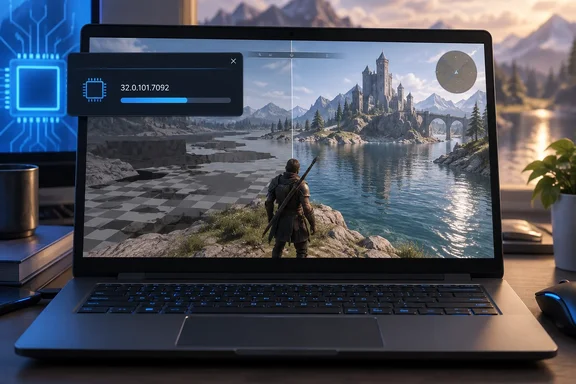
What's in 32.0.101.7092
Eleven Forum's driver tracker lists the Intel 11th-14th Gen Processor Graphics Drivers for Windows 10/11 Driver Version: 32.0.101.7092 Release Date: September 25, 2026. Intel's download page gives the same date and lists this build as newest, ahead of 32.0.101.7088, 7085 and 7084.
Intel's release notes list one fixed issue:
- Naraka: Bladepoint (DirectX 12 and DirectX 11): textures could go missing near bodies of water during gameplay. Intel lists the fix for Core processors with Intel Iris Xe or Intel UHD Graphics.
Intel is describing one specific rendering bug here, not a general display problem. The notes don't claim higher frame rates, include before-and-after testing, or promise fixes for other visual glitches or crashes in the game. If you're seeing a different problem in Naraka, this driver may not help.
Section summary: A single, specific game fix on both DX11 and DX12. No performance claims.
Who can install it
Eleven Forum's listing, which matches Intel's download page, says the package covers 11th Gen Intel® Core™ processor family (Codename Tiger Lake, Rocket Lake, Tiger Lake-H) 12th Gen Intel® Core™ processor family (Codename Alder Lake-S, Alder Lake-H, Alder Lake-P, Alder Lake-U, Alder Lake-HX, Alder Lake-N, Twin Lake) 13th Gen Intel® Core™ processor family (Codename Raptor Lake-S, Raptor Lake-HX, Raptor Lake-H, Raptor Lake-P, Raptor Lake-U) 14th Gen Intel® Core™ processor family (Codename Raptor Lake-S Refresh, Raptor Lake-H Refresh, Raptor Lake-U Refresh) Intel® Iris® Xe Dedicated Graphics family (Codename DG1).
| Item | Detail |
|---|---|
| Driver version | 32.0.101.7092 WHQL |
| Release date | September 25, 2026 |
| Installer | gfx_win_101.7092.exe (744.7 MB) |
| Windows 10 | 64-bit, version 22H2 |
| Windows 11 | 64-bit, versions 21H2, 22H2, 23H2, 24H2, 25H2 |
| Hardware | 11th–14th Gen Core processor graphics, Iris Xe DG1 discrete |
This driver is not for Arc graphics cards or Core Ultra chips. Intel ships those on a separate driver branch. Geeks3D's coverage of the Arc drivers makes the same point: this driver supports Intel Arc GPUs only (integrated and discrete GPUs). The graphics driver for other integrated GPUs (11th to 14th gen) is available separately. That's why the current Arc drivers have 8900-series build numbers while this one is at 7092.
Section summary: 64-bit Windows 10 22H2 or Windows 11 21H2 through 25H2 only, on pre-Core Ultra Intel graphics.
Why older Intel graphics get their own driver now
Intel used to ship one large driver for Iris Xe and the newer Arc hardware. That changed when Intel split the older architectures into their own package. Intel's download page says the company has moved 11th - 14th Gen Intel Processor Graphics and related Intel Atom®, Pentium®, and Celeron® processor graphics to a legacy software support model.
"Legacy" can sound like "abandoned," but this release shows otherwise: Intel is still fixing bugs on this branch. The difference is that updates now come less often, focus on fixes, and don't include the game-launch optimizations the Arc branch gets. For the millions of Tiger Lake, Alder Lake and Raptor Lake laptops still in use, that's a reasonable trade-off. You won't get day-one tuning for new games, but specific bugs like this one still get patched.
Section summary: "Legacy" means fewer, fix-focused updates, not the end of support.
Known issues still open
The release notes list two known problems in Intel Graphics Software, the control panel app, as opposed to the driver:
- Windows 10 settings crash: Using the Settings, Preferences, or Reset all settings options may crash the app now and then on Windows 10. Intel says resetting settings from an individual page doesn't trigger the problem. Workaround: reset settings one page at a time.
- One-time metrics crash: necacom.net's summary of the same notes says Intel® Graphics Software may sometimes experience a single application crash on the first re-arrange of metrics within the select metrics window. Subsequent usage will not be affected by this crash again. If the app closes the first time you rearrange metrics, reopen it and carry on.
Neither issue affects Naraka or games in general. Both are in the control panel app.
Section summary: Two minor app issues with simple workarounds. Neither affects gameplay.
Should you install it? OEM drivers vs. Intel's generic driver
Before you run a 744.7 MB installer, it helps to know whether you should. Intel says the generic Intel driver provides users with the latest and greatest feature enhancements and bug fixes that computer manufacturers (OEMs) might not have customized yet. The same page also warns that installing the generic driver replaces the one your laptop maker supplied. OEM drivers can include power, display-panel or other platform-specific tweaks that the generic package doesn't.
This is a general rule of thumb, not something from the release notes:
- Home users with the Naraka water bug: Install it. That's what it's for.
- Home users without the problem: No rush. The only listed fix is for one game.
- Corporate or managed PCs: Don't install it yourself. Intel says business customers should use OEM drivers and report problems through the vendor that sold and supports the hardware. IT admins should wait for their OEM or management tools to validate and deliver the update.
How to update and check that it worked
- Check your processor. If you're not sure which Intel chip you have, Intel's Driver & Support Assistant can detect it.
- Download gfx_win_101.7092.exe from Intel's official download page. Heads-up: some regional versions of Intel's site may still show build 7088 for a while, so check the version number before you download.
- Run the installer and restart when it asks.
- To confirm it worked: open Device Manager, expand Display adapters, open your Intel graphics device, and look at the Driver tab. The version should read 32.0.101.7092.
- Launch Naraka: Bladepoint in DX11 or DX12 and go near water. The textures should now load.
If the version reverts: Intel's download page covers a known problem where Windows Update offers or installs a driver older than the one you just installed. If Device Manager shows an older build a few days later, that's probably why. Reinstall the driver and look at Windows Update's driver settings.
Bottom line
Version 32.0.101.7092 doesn't bring new features or speed-ups. It fixes one confirmed rendering bug in a popular battle royale on Iris Xe and UHD Graphics, and it shows Intel is still maintaining its legacy graphics branch. If the Naraka water bug affects you, install it. If it doesn't, you can skip it, and if you manage company PCs, wait for your OEM.
References
- Intel 11th-14th Gen Core Integrated Graphics Driver 32.0.101.7092: Fixes display issues in Naraka: Bladepoint. - expreview.com expreview.com · Sun, 27 Sep 2026 03:44:21 GMT
- Intel® 11th – 14th Gen Processor Graphics - Windows* intel.la
- Intel® 11th – 14th Gen Processor Graphics - Windows* intel.com