

The important correction for administrators is that KB5002914 is specifically the security update package for MSI-based Excel 2016. Microsoft’s release note nevertheless identifies the broader Excel version range in its known-issue section. That means organizations should not treat the KB number alone as a complete identifier for every affected machine, particularly where Office is installed through Click-to-Run and managed as a suite build rather than as individual MSI patches.
BleepingComputer first reported the wave of complaints, and Microsoft subsequently added the defect to the KB5002914 support article. Microsoft has acknowledged the problem but, as of September 15, has not published a corrected update, identified the defective component, provided a rollout scope, or said when a permanent fix will arrive.
The failure is silent, which makes spreadsheet errors more dangerous
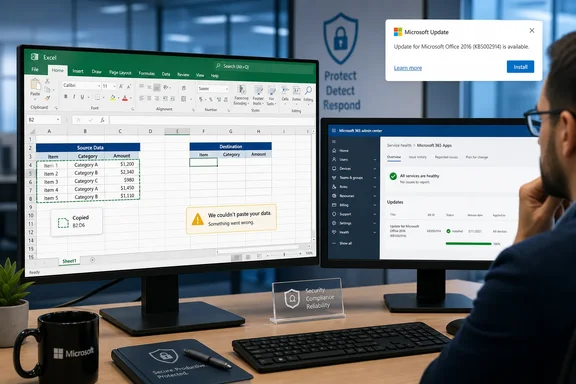
Microsoft describes a specific behavior: a user initiates a paste, the source range remains selected, and nothing changes at the destination. There is no error dialog, alert sound, or other indication that the operation did not complete.
For an Excel user, that creates a worse operational problem than a visible application crash. A crash stops work and prompts investigation. A silent paste failure can let someone continue through a workbook believing a value, formula, or revised range has been transferred when it has not. In finance, reporting, inventory, operations, and any workflow built around repetitive copying or filling formulas, that can produce an apparently complete spreadsheet containing stale data.
The reports collected in Microsoft Q&A threads show that the behavior is not confined to a single shortcut. Users have described standard Ctrl+C and Ctrl+V operations failing, copied cells retaining their moving border, Escape not consistently clearing that selection after a failed paste, and Ctrl+D or drag-fill actions not completing. Some users report that Paste Special options, such as pasting values or formulas, continue to work. Those are useful observations for diagnosis, but they are community reports rather than Microsoft’s published workaround.
BleepingComputer reported cases spanning MSI and Click-to-Run Office installations. Microsoft’s own wording is broader still, naming Excel 2016, Excel 2019, Excel 2021, and Excel 2024. The company has not said whether the underlying fault is the same in each delivery model or whether all builds in those product families are exposed.
KB5002914 is an Excel 2016 package, not a universal Office patch
Microsoft’s KB5002914 page says the package applies to the Microsoft Installer, or MSI, edition of Excel 2016. It explicitly says the Download Center package does not apply to Office 2016 Click-to-Run editions. The standalone update replaces KB5002886 and is available through Microsoft Update, the Update Catalog, and the Download Center.
That distinction matters when help-desk staff begin searching installed updates. An MSI-based Excel 2016 deployment may show KB5002914 as a removable update. A Click-to-Run deployment is serviced as an Office build, so an administrator may need to identify the Office channel and current version instead of expecting to find the KB as a discrete entry.
The published guidance circulating in Microsoft Q&A includes rollback commands for Office 2019, Office 2021, and Office 2024 builds. Those commands are being shared by community moderators and users, not by the KB5002914 support article itself. They may work in particular environments, but an administrator should not roll them out blindly: a Click-to-Run rollback changes the installed Office suite build, not only Excel.
That can affect Word, Outlook, PowerPoint, Access, and other Click-to-Run components on the device. It also means that a targeted “Excel fix” can turn into a broader application regression or create version inconsistency with an organization’s standard Office baseline.
Rolling back restores functionality for some users, but removes security fixes
Users on Reddit and Microsoft Q&A have reported that removing KB5002914 or reverting their Click-to-Run Office build restored ordinary copy-and-paste behavior. That makes rollback a plausible short-term mitigation for a machine where the failure has been reproduced and verified. It is not the same thing as a vendor-issued resolution.
Microsoft released the update to address Excel remote-code-execution and information-disclosure vulnerabilities. The KB lists 29 CVE entries, including CVE-2026-81399, CVE-2026-81390, and CVE-2026-81954. Microsoft does not characterize the paste defect as a reason to remove the security update, and it has not published an alternative patched build that keeps those fixes while resolving the Excel regression.
For that reason, IT teams should treat removal as a risk decision, not as a routine repair step. The calculation depends on how exposed the affected systems are to malicious Office files, whether protected-view and attachment controls are enforced, whether users handle untrusted spreadsheets, and whether the Excel disruption stops a business-critical workflow.
Administrators should also avoid an increasingly common unofficial workaround: copying an older excel.exe over the updated executable. BleepingComputer warned against this approach, correctly. Mixing binaries from different Office patch levels can leave an installation with incompatible files and a security state that is difficult to inventory or support. A documented rollback of the installed product version is more defensible than manually replacing individual binaries.
What administrators should do before changing affected machines
The first task is to confirm that the failure matches this specific defect. Test a new blank workbook, copy a simple cell or formula, and paste it into another cell. Observe whether the source remains selected while the target cell is unchanged. Test a formula fill or Ctrl+D separately if that is part of the reported business impact.
Then identify the installation type and build from Excel’s Account page or from the organization’s endpoint-management inventory. The distinction between Excel 2016 MSI and Click-to-Run Office is central here; the remediation path and the scope of any rollback differ.
A sensible incident response is:
- Preserve a record of the Excel version, Office build, update installation date, Windows version, architecture, and whether the device uses MSI or Click-to-Run servicing.
- Test a non-destructive workaround such as Paste Special on a representative workbook before rolling back a security update.
- Pilot any rollback on a small group of confirmed affected devices, then verify ordinary paste, formula fill, and core Office applications before wider deployment.
- Prevent the reverted Click-to-Run build from immediately updating back to the faulty release, but document the temporary exception and revisit it as soon as Microsoft publishes a fix.
- Do not replace individual Office executables or rely on copied files from another PC as a production remedy.
The evidence so far suggests the fault can be inconsistent across workbooks and configurations. One Microsoft Q&A user running Office LTSC 2024 reported that simple sheets worked while more complex sheets exposed the copy-and-paste and drag-fill issue. That is not enough to establish a technical trigger, but it is enough to warn against declaring an endpoint clean after a single successful paste test.
The support-status wrinkle should change the remediation plan
There is another uncomfortable detail in this incident. Microsoft’s lifecycle documentation says Office 2016 and Office 2019 reached end of support on October 14, 2025. Yet KB5002914 was published in September 2026 for Excel 2016, and the known issue explicitly includes both 2016 and 2019.
Microsoft has not explained the apparent mismatch in the KB article. The record establishes that the update exists and that Microsoft recognizes the regression; it does not explain why a security update was issued for product versions that Microsoft’s lifecycle pages list as out of support.
For organizations still operating Office 2016 or Office 2019, that gap should not be read as a renewed support commitment. It is a reminder to inventory the estate and accelerate migration planning. A one-off update does not restore predictable servicing, supportability, or compatibility for software that has passed its published end-of-support date.
Office LTSC 2021 reaches end of support in October 2026, while Office LTSC 2024 remains supported through October 2029, according to Microsoft’s lifecycle matrix. The current incident therefore lands during a period when many organizations will need to make both an immediate rollback decision and a longer-term Office deployment decision.
Microsoft’s next required action is narrow but urgent: release a corrected update or publish supported mitigation guidance that specifies affected builds and installation types. Until then, the concrete consequence for administrators is clear: verify Excel paste behavior after the September 8 update, avoid improvised binary swaps, and make any rollback decision with the lost Excel security fixes explicitly accounted for.