

What Microsoft has confirmed
KB5124010 is the September 22, 2026 non-security preview cumulative update for Windows 11 versions 24H2, 25H2 and 26H2. It moves PCs to OS builds 26100.9550, 26200.9550 and 26300.9550.
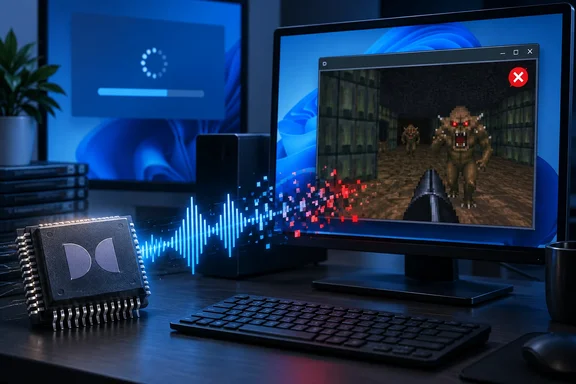
The update's release notes now list this known issue: after installing it, some applications that use AC-3 (Dolby Digital) audio decoding might fail to launch or close unexpectedly when certain audio features are used. Microsoft adds that this issue primarily affects legacy applications that rely on Windows built-in audio decoding. Most modern applications are not affected.
The Windows release health notice, quoted by BleepingComputer, puts it more broadly: "Affected applications may vary and can include games, media players, and certain productivity applications." BleepingComputer also explains why most current software is spared. The code component that triggers these crashes is most commonly used in legacy applications that still use the Windows built-in audio decoding, while modern apps that use the legacy AC-3 codec often include their own audio decoding components.
On the fix, the official wording is that Microsoft is working on releasing a resolution for this issue in a future Windows update. We will provide an update when more information is available.
The date the issue was added depends on which copy you read. Microsoft's own support page logs it as October 3, 2026. An ElevenForum mirror of the release notes records October 2, 2026. Either way, Microsoft's public acknowledgement only came after the update had been available for more than a week.
Section summary: The confirmed bug is narrow. It affects software that hands Dolby Digital decoding to Windows instead of shipping its own decoder. Microsoft has not offered a workaround or a release date for the fix.
Why some gamers are hit hardest
Bethesda-era classics are taking the blame. TechRadar reports Reddit users seeing crashes in Fallout: New Vegas, The Elder Scrolls IV: Oblivion and WarDogs. Those players said the trouble started after they installed the September preview and stopped after they removed it. These are individual user reports. Microsoft has not named any specific game, and not every copy of these titles will be affected.
The community has also pointed to a likely culprit file. Germany's Born City highlighted a Reddit thread titled PSA: Latest Windows Update (KB5124010) (26200.9550) causes crashes and makes the FNV unplayable because of a faulty msmpeg2ac3dec.dll file responsible for audio. That file is the "Microsoft DTV-DVD Audio Decoder." Microsoft has not publicly named any DLL as the cause, so treat this as an informed user theory, not a diagnosis.
Some reports describe when the crashes happen. PBX Science notes that reports describe crashes that can appear when playing media, changing audio settings or raising the volume, though Microsoft has not explained the underlying cause.
Why your PC may be immune and your friend's isn't
If one gaming rig crashes and an identical-looking machine runs fine, the codec situation may explain it. Born City cites Microsoft documentation stating that beginning with Windows 11, version 24H2, the AC-3 codec is no longer included with Windows. However, many device manufacturers will pre-install an AC-3 codec. Also, if you upgrade to Windows 11, version 24H2 from an earlier version of Windows, the AC-3 codec will be retained.
That suggests a practical rule of thumb. Upgraded systems and OEM machines with a preinstalled codec are the likeliest to be exposed. Clean installs of 24H2 or later may never touch the affected decoder at all. That's our inference from Microsoft's codec documentation, not a statement from Microsoft about who is affected.
The scarier reports: boot failures and slowdowns
TechRadar also quotes Reddit users with much worse experiences: boot problems, very slow startup and shutdown, sluggish search and File Explorer, and one 25H2 machine that ended up needing a clean reinstall after the update was removed.
Treat those reports with caution. Microsoft's AC-3 notice describes app launch failures and crashes only. It does not mention boot failures, slow shutdowns or general desktop slowdowns. Nobody has shown that those symptoms come from the decoder bug.
The same KB5124010 page does list other, unrelated known issues. Users might confuse them with each other:
| Known issue | Who's affected | Status |
|---|---|---|
| AC-3 app crashes | Legacy apps that use Windows' built-in Dolby Digital decoder | No workaround; fix pending |
| Black screen or desktop loading issues after sign-in | Mainly Azure Virtual Desktop hosts using FSLogix (since the August preview) | Workaround and Known Issue Rollback available |
| Loss of domain trust | Credential Guard-protected machine accounts (since the September 8 security update) | Workaround available |
| USB Audio Class 1.0 Code 10 or no output | Specific USB audio devices (since the September 8 security update) | Fix pending |
For the black-screen issue, Microsoft's workaround is to open Task Manager with Ctrl+Shift+Esc, choose Run new task, and enter explorer.exe. Managed environments can deploy the Known Issue Rollback Group Policy instead. None of these entries is evidence that the AC-3 bug bricks PCs.
Why people installed the preview anyway
You have to opt in to a preview update, and KB5124010 gave people a good reason to. It fixes a File History bug from September that could stop backups or restores to an external drive or network location, with Windows wrongly showing "Reconnect your drive." It also brings Emoji 17.0, an option to remap the Copilot key, new touchpad gestures and several Bluetooth audio fixes. Anyone who wanted their backups working again had an obvious reason to install it early.
The timing also matters. Microsoft's update page says these changes will appear in the next security update. October's Patch Tuesday falls on October 13, which is also the date Windows 11 24H2 Home and Pro editions reach end of updates. Enterprise and Education editions stay supported until October 12, 2027. Microsoft hasn't said whether the AC-3 fix will be ready by then. So people who skip optional updates could still meet this bug next week if the fix isn't ready by Patch Tuesday.
What to do now
If you haven't installed KB5124010:
- Hold off if you play older games or use legacy media software, unless you specifically need the File History fix.
- Optional updates only install when you choose them. Microsoft's route is Settings > Windows Update > Advanced options > Optional updates, so not clicking there is the simplest way to wait.
If apps started crashing after the update:
- Confirm the update is installed. Go to Settings > Windows Update > Update history and check that the crashes began after it arrived. Matching timing is a strong clue, not proof.
- Microsoft has no official workaround. Windows Report notes that users who rely on affected software and need it working immediately can uninstall KB5124010. Its steps: open Settings, go to Windows Update, select Update history, and then open Uninstall updates to locate KB5124010.
- After removing it, Windows Report suggests you can temporarily pause Windows Update after removing the patch to stop Windows 11 from automatically installing it again before a fix ships.
- Keep in mind what uninstalling costs you. You lose the File History fix and the other improvements in the update. One Reddit user also reported that their PC wouldn't boot after removing it. Back up your files and have recovery media ready before you roll back.
- Don't swap in random decoder DLLs from the internet. No codec replacement, driver change or audio setting has been verified as a fix.
For IT admins: Test KB5124010 on machines running legacy line-of-business or media apps before rolling it out widely. Also check the Credential Guard and USB Audio Class 1.0 issues listed above.
The bottom line
This is a real, Microsoft-confirmed regression, but a narrow one. It breaks software that still relies on Windows' own Dolby Digital decoder. That happens to include some beloved older games, which explains the noise. The more alarming reports of PCs failing to boot are still unconfirmed by Microsoft. If you value stability over the newest emoji, wait for the fix. If you've already been hit, uninstalling is the only reported fix for now, and it has its own risks.
References
- KB5124010 Windows 11 Cumulative Update Preview build 26100.9550 (24H2), 26200.9550 (25H2), and 26300.9550 (26H2) - Sept. 22 elevenforum.com
- Windows 11 update packs a bug that's making the lives of gamers a misery TechRadar · 2026-10-05T13:09:04+00:00
- Microsoft: Windows KB5124010 update crashes some games and apps bleepingcomputer.com