

KB5124014 Only Touches Windows 11 26H1 Setup
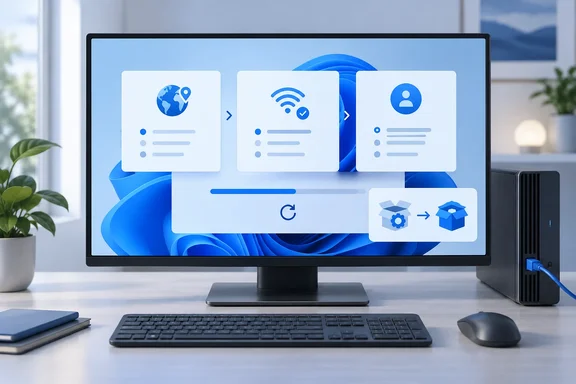
Microsoft's KB article is short and firm about scope. It says the update improves the Windows 11, version 26H1 OOBE, "applies only to the Windows OOBE process," and is available only when OOBE updates are installed. OOBE is the set of first-run screens a new or freshly reset PC shows before anyone reaches the desktop: region, keyboard, network, account and privacy choices.
Here are the details Microsoft publishes for the package:
| Item | What Microsoft states for KB5124014 |
|---|---|
| Applies to | Windows 11, version 26H1, all editions |
| Release date | September 22, 2026 |
| Delivery | Installed during Windows OOBE if an internet connection is available |
| Prerequisites | None |
| Restart | Required after applying the update |
| Replaces | KB5082960 |
| File information | Provided as a downloadable CSV that opens in Notepad or Microsoft Excel |
"No prerequisites" is easy to misread as "installs anywhere." It means nothing has to be installed first. The page gives no route for installing KB5124014 on a machine that's already past setup, and the only download it offers is the file-information CSV, not a standalone installer. Microsoft also notes that the English (United States) version may contain files for other languages. That's standard wording for localized packages.
The page also leaves out several things admins usually look for. It doesn't list an OS build number, a changelog of specific fixes, a named component or a CVE. Nobody should claim KB5124014 fixes a particular setup screen or bug until Microsoft publishes that detail.
Microsoft's Windows 11 26H1 OOBE Updates Now Come in a Chain
KB5124014 is the latest in a series of setup-only packages for 26H1 this year. Microsoft published KB5077868 on February 16, 2026, describing it the same way: it improves the Windows 11, version 26H1 out-of-box experience (OOBE) and applies only to the Windows OOBE process and is available only when OOBE updates are installed. On March 10, 2026, Microsoft released two more. KB5081921 was a regular OOBE update that is installed during the Windows OOBE process if an Internet connection is available. KB5082960 was flagged as an out-of-band update for the same setup process.
KB5124014 explicitly replaces KB5082960, the March out-of-band package. The Spanish-language edition of Microsoft's KB5082960 page lists the same basics: OOBE-only scope, installation during setup when internet is available, no prerequisites and a required restart. It also states that KB5082960 didn't replace any earlier update.
KB5082960's page included a full file table, and it gives a rough idea of what these packages carry. The x64 list starts with AppxAllUserStore.dll at file version 10.0.28000.1706 and AppxProvisioning.xml. Those are followed by a long run of licensing files (.xrm-ms) for editions and channels including Professional, Professional N, Professional Workstation N, Professional Single Language and ServerRdsh, across OEM, Retail and Volume (GVLK, MAK, CSVLK) variants. That tells you what the predecessor shipped. It doesn't tell you what's in KB5124014. For the new package, Microsoft points to the CSV instead.
One small wording change: Microsoft calls KB5124014 a "cumulative update," while the February and March pages simply said "update" or "out-of-band update." Taken with the replacement statement, the practical reading is that KB5124014 is now the relevant package in the OOBE chain. Microsoft doesn't say it replaces the regular monthly cumulative updates for 26H1, which run on a separate track.
How OOBE Updates Reach a Windows 11 PC During Setup
Microsoft Learn's page on Windows updates during OOBE explains the general mechanism. After the user connects to a network during setup, critical Windows zero-day patch (ZDP) updates start downloading automatically. The user can't opt out, because Microsoft considers them necessary for the device to work properly, and Windows shows a message that it's checking for and applying updates.
The same page says that when a newer Windows version is available than the one the device shipped with, the user may be offered the latest updates during OOBE, depending on OS build. Microsoft warns this can take 30 minutes or more, depending on update size, network conditions and hardware. It advises keeping the PC on and plugged in. OOBE then restarts the PC to finish the update.
These are general OOBE behaviors, not details specific to KB5124014. The KB page doesn't call KB5124014 a zero-day patch or give an install time. The mechanism does explain the "if an Internet connection is available" condition, though. A PC set up offline never contacts Windows Update during OOBE, so it can't pick up the package at that point.
KB5124014 Arrives Alongside a Busy September for 26H1
KB5124014 came out the same day as the September optional preview for Windows 11 26H1, KB5124006 (OS Build 28000.3086). That preview includes production-quality improvements and is available through two release phases: gradual rollout and normal rollout. The preview also confirms that starting in September 2026, Windows 11, version 26H1 will no longer include the Windows Management Instrumentation Command-line (WMIC) utility, although WMI remains supported.
Earlier in the month, the September 8 security update KB5124012 (OS Build 28000.2954) includes the latest security fixes and improvements, along with non-security updates from last month's optional preview release. It also includes additional high confidence device targeting data, increasing coverage of devices eligible to automatically receive new Secure Boot certificates. Microsoft then shipped out-of-band update KB5129194 (OS Build 28000.2956) on September 14. It addresses an issue affecting Remote Desktop Services (RDS) after installing the September 2026 Windows security update (KB5124012) and adds protections for CVE-2026-62721 and CVE-2026-85921. Separately, Setup Dynamic Update KB5126041 of September 8 addresses security vulnerabilities in Windows setup binaries or any files that setup uses for feature updates in Windows 11, version 26H1.
These are separate servicing tracks. Monthly cumulative updates such as KB5124012 and KB5124006 service installed systems. Setup Dynamic Updates such as KB5126041 service the feature-update setup process. OOBE updates such as KB5124014 service first-run setup. Installing one doesn't stand in for another, and KB5124014 doesn't change which monthly update a configured PC needs.
The Secure Boot Notice on KB5124014 Is Separate From the Update
Microsoft's KB5124014 page ends with a related-topic notice about Secure Boot certificate expiration. It says certificates used by most Windows devices started expiring in June 2026, that this may affect the ability of some personal and business devices to boot securely if they aren't updated in time, and that Microsoft recommends reviewing its guidance and updating certificates in advance. The same banner appears on the KB5082960 page.
Nothing on the KB5124014 page says the OOBE update deploys or refreshes Secure Boot certificates. That work shows up in the monthly track. For example, KB5124012's changelog mentions expanded device targeting for automatic delivery of the new certificates. Admins shouldn't count on a fresh OOBE pass to handle the certificate transition. They should treat it as a separate item on the fleet checklist.
What This Means for Anyone Deploying Windows 11 26H1
The main decision is about setup. If you're unboxing or resetting Windows 11 26H1 hardware and want the current OOBE package, connect the device to the internet during setup and leave time for the restart. Users of PCs that are already configured don't need to do anything with KB5124014.
A few things are worth planning for. Imaging and provisioning teams whose workflows include an online OOBE should expect the PC to pause for updates and reboot mid-setup. Microsoft's general guidance of 30 minutes or more for OOBE updates is a reasonable worst case to plan around, even though no KB5124014-specific time is published. Devices set up offline skip the package during OOBE, and Microsoft doesn't document a way to apply it afterward. If a particular setup fix matters to your deployment, offline setup is a gap to keep in mind. Because Microsoft hasn't published a changelog, anyone troubleshooting a specific OOBE failure can't yet confirm from the KB page whether KB5124014 addresses it. The file-information CSV is the only published view of what changed.
- KB5124014 applies only to Windows 11, version 26H1 (all editions) and only during the out-of-box setup process.
- Windows installs it automatically during OOBE when the PC has an internet connection, and the device restarts afterward.
- It replaces the March 10, 2026 out-of-band OOBE update KB5082960, which makes it the current package in the 26H1 OOBE chain.
- It doesn't replace the monthly 26H1 cumulative updates such as KB5124012, KB5129194 or the September 22 preview KB5124006, which service installed systems.
- Microsoft publishes no build number, fix list or CVE for KB5124014. Its file-level contents are only available as a CSV of file information.
- The Secure Boot certificate expiration notice on the KB page is related guidance, not something KB5124014 fixes. Track certificate updates through the monthly servicing channel.
This is the fourth setup-only package Microsoft has published for Windows 11 26H1 this year, after February's KB5077868 and March's KB5081921 and KB5082960, and the first it labels as cumulative. Microsoft now services first-run setup on its own track, apart from the monthly updates. For deployment teams, the practical point is that an online OOBE on a 26H1 machine will now pull in KB5124014 and reboot. Everything else about the device, including its Secure Boot certificates, still depends on the regular Patch Tuesday updates that follow setup.
References
- KB5124014: Out of Box Experience cumulative update for Windows 11, version 26H1: September 22, 2026 | Microsoft Support Microsoft Support · 2026-09-22T00:00:00+00:00
- KB5082960: Actualización de experiencia de configuración rápida para Windows 11, versión 26H1: 10 de marzo de 2026 (fuera de banda) | Microsoft Support support.microsoft.com
- Updates during OOBE | Microsoft Learn learn.microsoft.com