

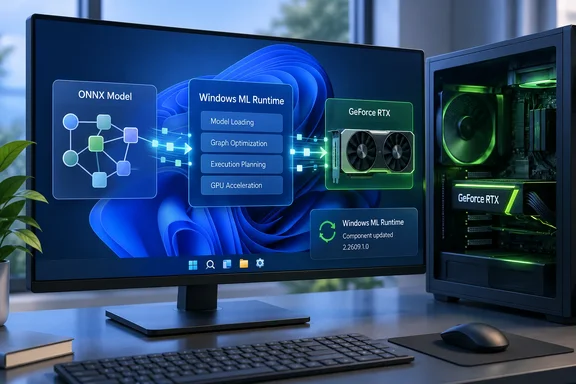
KB5128776 updates Windows ML's NVIDIA inference engine, not your graphics driver
Microsoft's support notice describes the NVIDIA TensorRT RTX Execution Provider as an ONNX Runtime/Windows machine learning execution provider built to speed up ONNX model inference on NVIDIA RTX GPUs in end-user PC scenarios. It uses NVIDIA's TensorRT for RTX runtime to generate and run RTX-optimized inference engines on the local GPU, enabling Windows and apps to take advantage of RTX hardware acceleration.
Some terms first. ONNX is an open file format for trained machine-learning models. An execution provider (EP) is the plug-in that ONNX Runtime uses to run a model on particular hardware. Windows ML is Microsoft's packaging of ONNX Runtime for Windows apps. According to Microsoft Learn, Windows ML includes two EPs in-box, CPU and the legacy DirectML provider. Vendor EPs from AMD, Intel, NVIDIA and Qualcomm are downloaded on demand, depending on device and driver compatibility. The NVIDIA provider shows up to developers as NvTensorRtRtxExecutionProvider.
Earlier Microsoft notices for this same component explain why it exists. They describe it as the preferred execution provider for GPU acceleration on consumer hardware (RTX PCs), more straightforward to use than the datacenter focused legacy TensorRT Execution provider and more performant than CUDA EP. The ONNX Runtime project's own documentation says the same thing: Microsoft and NVIDIA collaborated closely to integrate the TensorRT RTX EP with ONNX Runtime.
You can confirm that this update doesn't touch the display driver. The KB's only prerequisite is the latest cumulative update for Windows 11 24H2 or 25H2. The EP sits on top of your installed NVIDIA driver and doesn't replace it.
Who KB5128776 reaches: Windows 11 24H2 and 25H2 PCs with RTX 30-series or newer
The support page lists Windows 11 version 24H2 and 25H2, all editions. Microsoft says this NVIDIA TensorRT-RTX Execution Provider update includes improvements to the execution provider component for Windows 11, version 24H2 and Windows 11, version 25H2. Windows 10 isn't covered.
Windows 11 26H1 isn't listed either, and it gets its own builds of this component. In May, for example, Microsoft shipped KB5096139, version 2.2605.1.0, and described it as improvements to the execution provider component for Windows 11, version 26H1. It required the latest 26H1 cumulative update. If you manage a mix of 24H2, 25H2 and 26H1 machines, expect different KB numbers for the same NVIDIA component.
Qualifying for the Windows version doesn't mean the provider will run. Microsoft Learn lists the NVIDIA EP's hardware requirement as a GeForce RTX 30-series card or newer, a minimum recommended driver of 32.0.15.5585 and CUDA 12.5. The ONNX Runtime documentation agrees on the hardware: TensorRT RTX EP supports RTX GPUs based on Ampere and later architectures - NVIDIA GeForce RTX 30xx and above. These requirements come from Microsoft's developer documentation, not from the KB. The KB names only the cumulative-update prerequisite, and Microsoft says outright that provider availability depends on device and driver compatibility.
In practice, a Windows 11 25H2 laptop with an RTX 4060 is the intended target. A 24H2 desktop running an older GeForce GTX card, AMD graphics or only integrated graphics falls outside the provider's documented hardware support, even though its Windows version is on the KB's list.
A monthly cadence shows in the 2.2609.1.0 version number
Taken alone, KB5128776 says very little. The component's release history on Microsoft Support shows how Microsoft services it.
| KB | EP version | Scope | Replaces |
|---|---|---|---|
| KB5077528 | 1.8.22.0 | Windows 11 24H2/25H2 | KB5068004 |
| KB5079257 | 1.8.24.0 | Windows 11 24H2/25H2 | KB5077528 |
| KB5083460 | 2.2603.1.0 | Windows 11 24H2/25H2 | KB5079257 |
| KB5089168 | 2.2604.1.0 | Windows 11 24H2/25H2 | KB5083460 |
| KB5096139 | 2.2605.1.0 | Windows 11 26H1 | KB5089174 |
| KB5121777 | 2.2607.0.0 | Windows 11 24H2/25H2 | KB5103216 |
| KB5128776 | 2.2609.1.0 | Windows 11 24H2/25H2 | KB5121777 |
Microsoft's notices back each row. KB5077528 replaced KB5068004, KB5079257 replaced KB5077528, KB5083460 replaced KB5079257, KB5089168 replaced KB5083460, and KB5121777 replaces the previously released update KB5103216. The version of the intermediate KB5103216 wasn't in the material available for this story, so it's left out of the table.
Two patterns stand out. First, the component moved from a 1.8.x version line to a 2.x line in early 2026. That lines up with Microsoft Learn's split between the Windows App SDK ML 1.8.x developer track and the Windows ML 2.x APIs, and both tracks list the NVIDIA EP. Second, since the move to 2.x, the middle field looks like a year-and-month stamp: 2603, 2604, 2605, 2607 and now 2609. That reading of 2.2609.1.0 as a September 2026 build is our inference from the pattern, not something Microsoft documents. Either way, don't confuse the package version 2.2609.1.0 with the KB number or with Windows 11's own version.
The table also shows that each release supersedes the one before it. A PC that is current on Windows Update doesn't need the older KBs. It needs the newest one.
Why KB5128776 arrived on a Tuesday in late September
Microsoft Learn's guide to updating execution providers explains the timing. Once an EP is installed, it gets updates through Windows Update's optional non-security preview releases, known as "D week" releases. September 22, 2026 was the fourth Tuesday of the month, which fits that schedule.
The same page says two things that shape how these updates work. Compatible EP updates reach apps automatically, without the app updating itself, so apps can pick up performance improvements and support for new operators without code changes. It also says apps currently have no way to install an updated EP themselves. Windows Update is the only route.
That general description sets expectations for KB5128776 without saying what this specific release changes. Microsoft offers no changelog, bug fixes, benchmarks or new operator list for 2.2609.1.0. Performance gains and new operator support are what EP updates are for in general, not documented contents of this one.
One detail explains why a new EP version might produce a brief slowdown. The ONNX Runtime documentation says that when a compiled model loads for the first time, the system generates specialized CUDA kernels for the GPU. It also says developers can set a runtime cache so later loads quickly deserialize precompiled kernels instead of compiling them again. How an app handles those caches after an EP update is up to the app. Microsoft hasn't documented any behavior specific to this release.
How to verify KB5128776 and the EP version it installed
Microsoft gives one check for home users and admins. Developers and power users have a second, more precise option.
Check Update history in Windows 11 Settings
- Open Settings > Windows Update > Update history.
- Look for the entry named "Windows ML Runtime NVIDIA TensorRT-RTX Execution Provider Update (KB5128776)".
- If it's missing, make sure the latest cumulative update for your version (24H2 or 25H2) is installed. That's the KB's only stated prerequisite. Then check for updates again.
If the entry still doesn't appear, look at the hardware requirements above. Microsoft says vendor EPs are delivered depending on device and driver compatibility, so a PC without an RTX 30-series or newer GPU may never get this component. That doesn't mean something is wrong.
Check the installed provider package with PowerShell
Microsoft Learn documents a PowerShell query that lists installed Windows ML provider packages:
Get-AppxPackage MicrosoftCorporationII.WinML.*
This returns each Windows ML EP package with its name, publisher, architecture and version. On an eligible NVIDIA machine, look for an NVIDIA TensorRT-RTX package reporting version 2.2609.1.0 after the update. Microsoft's published example uses the Qualcomm QNN package, so the exact NVIDIA package name isn't documented in the material reviewed here. Find it by the vendor and EP name in the output.
Check programmatically through ExecutionProviderCatalog
Developers can query the Windows ML ExecutionProviderCatalog. Call FindAllProviders(), then read each provider's PackageId to get its version. Microsoft documents that PackageId returns null when a compatible EP isn't on the device yet. That lets an app tell "this device supports the NVIDIA EP but hasn't downloaded it" apart from "installed at version X." Microsoft publishes samples in C#, C++/WinRT, C/C++ and Python.
Microsoft's notice doesn't cover removing or rolling back KB5128776, and it doesn't describe any known issues. Nothing in the record suggests you'd need to.
What KB5128776 means for Windows 11 RTX users, developers and admins
On unmanaged PCs, you don't need to do anything. The component arrives through Windows Update, the prerequisite is just staying current on cumulative updates, and there's no documented problem to work around. Admins and developers are the people with reasons to look closer.
Developers shipping Windows ML apps shouldn't assume a fixed EP version. Microsoft Learn says installed EP versions change over time through automatic compatible updates. KB5128776 moves NVIDIA users from 2.2607.0.0 to 2.2609.1.0 without the app doing anything. If a model's output or performance on RTX hardware changed around late September, the EP version is worth logging through PackageId when you triage bug reports.
Admins should know that these EP updates come on the optional D-week schedule, not with the monthly security release. They're tied to specific Windows 11 versions, and 24H2/25H2 and 26H1 get different KBs for the same NVIDIA component. How a D-week component update interacts with a particular management configuration isn't covered in Microsoft's notice. Check your reporting instead of assuming either way.
- KB5128776 updates the NVIDIA TensorRT-RTX Execution Provider to version 2.2609.1.0 on Windows 11 24H2 and 25H2, all editions, and replaces KB5121777.
- Windows Update installs it automatically, and the only stated prerequisite is the latest cumulative update for your Windows 11 version.
- The provider needs a GeForce RTX 30-series or newer GPU, with Microsoft recommending driver 32.0.15.5585 or later and CUDA 12.5, so PCs without such hardware may never receive it.
- To confirm installation, look for "Windows ML Runtime NVIDIA TensorRT-RTX Execution Provider Update (KB5128776)" under Settings > Windows Update > Update history, or run
Get-AppxPackage MicrosoftCorporationII.WinML.*to see the package version. - Microsoft hasn't published specific fixes, performance numbers or new features for this release, so don't expect a visible change in any particular app.
- Windows 11 26H1 devices get this component under separate KB numbers, so don't use KB5128776 to judge whether a 26H1 fleet is current.
The main value of KB5128776 is that the pipeline works: Microsoft now ships a new build of NVIDIA's RTX inference engine through Windows Update about once a month, and Windows ML apps pick it up without a code change. For most RTX owners the update will install without anyone noticing, and that's the intent. Going by the D-week pattern, the next NVIDIA EP refresh would likely come with October's optional preview release, and developers who log PackageId will be able to see each version change.