

Microsoft's October 7 Windows Event Puts Local AI and RTX Spark on the Record
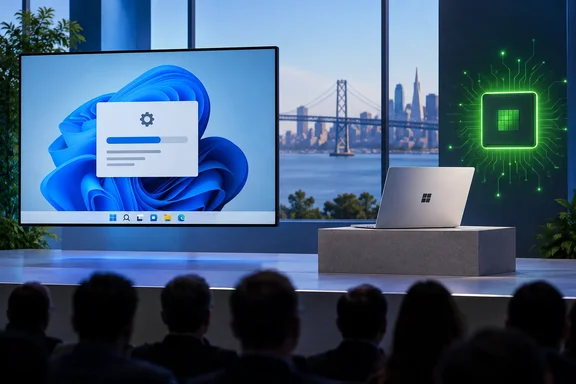
Several outlets have confirmed the basic facts of the event. Microsoft will hold a Windows and Surface event Oct. 7 in San Francisco, where the company plans to discuss local AI and the future of the PC. The event is scheduled for 10 a.m. PT, or 1 p.m. ET. The invitation calls it a "conversation on how local AI will shape the next chapter of the PC." Microsoft says the speakers will cover the "latest innovations across Windows, NVIDIA RTX Spark, Surface and the broader PC ecosystem".
The speakers were listed on the invitation itself. Microsoft CEO Satya Nadella, Windows and Devices Executive Vice President Pavan Davuluri, and Nvidia founder and CEO Jensen Huang are scheduled to attend. A stage presentation like this is also uncommon for Microsoft these days. BetaNews points out that the event will be Microsoft's first large Windows presentation in more than two years. Its previous Windows event took place in May 2024, when the company introduced Arm-based Copilot+ PCs.
Huang is there because of the hardware. Nvidia introduced RTX Spark on May 31, 2026, as a system-on-chip for Windows PCs that can run AI workloads locally. The first Microsoft product built on it has already been shown. According to VideoCardz, the Surface Laptop Ultra uses NVIDIA's RTX Spark platform with up to 128GB of unified memory and up to one petaflop of AI compute. Microsoft still lists the laptop as a pre-release product, with final availability dependent on regulatory approval.
That confirmed record also has clear limits. Microsoft has not confirmed that the Surface Laptop Ultra will appear at the Oct. 7 presentation, and it has not said that the event will include the laptop's price or release date. The confirmed agenda covers "local AI," Windows, RTX Spark, Surface, and the PC ecosystem.
PCMag's Predictions Point to Windows 11, Not Windows 12
PCMag's Windows columnist expects no new version number, and other coverage agrees. His view is that Windows 11 remains Microsoft's focus. He thinks the company will highlight this year's fixes and promise more work on performance, especially on 8GB machines, plus interface modernization and common pain points. That matches what other outlets are telling readers. WindowsLatest adds the same date and speakers while explicitly warning readers not to treat the "Windows" branding as a Windows 12 unveiling.
The more pointed prediction is about AI inside the operating system. PCMag argues that Windows now trails its competitors on AI. It points to Gemini integration in Google's Googlebook OS and an AI-powered Siri in macOS Golden Gate, and notes that Copilot on Windows still can't change simple system settings. The columnist expects Microsoft to start explaining how local models help ordinary users. He guesses at a tiered setup: smaller models on typical PCs, and more demanding ones on RTX Spark machines like the Surface Laptop Ultra.
Treat those as one columnist's educated guesses, not as Microsoft's roadmap. PCMag also says the Surface Laptop Ultra was promised for this fall, which makes a launch date on October 7 plausible. Yahoo Tech's reading is similar: Huang's presence points to RTX Spark PCs serving as a focal point of the presentation. If that holds, the event could bring additional details on Microsoft Surface Laptop Ultra pricing and availability. Both outlets are inferring from the guest list. Neither has a confirmed agenda item.
One PCMag claim affects buying decisions now. The column says Recall and other earlier headline AI features remain exclusive to Copilot+ PCs, and that Microsoft is placing less emphasis on that brand. If you're thinking about buying a Copilot+ laptop just for its AI features, it's reasonable to wait two weeks and see where Microsoft positions local AI. That is our inference from the timing. Microsoft hasn't said anything about the future of the Copilot+ label.
KB5129195 Fixes September's Patch Tuesday Regressions on Windows 11 24H2 and 25H2
The most urgent item in PCMag's newsletter is the patch. Microsoft's release notes list KB5129195 as a September 14, 2026 out-of-band cumulative update for Windows 11 versions 25H2 and 24H2. It moves systems to OS Builds 26200.9457 and 26100.9457 respectively. Out-of-band means it shipped outside the normal second-Tuesday schedule. Because it is cumulative, it also includes earlier fixes.
Microsoft lists these fixes for problems introduced by the September security update:
- Remote Desktop Services could become unstable. Symptoms included RDP connection and sign-in failures and servers hanging during Remote Desktop configuration. Microsoft Management Console, RDS Licensing Diagnoser, File Explorer and the Windows Update page could also stop responding.
- Some applications that use HCS-managed virtual machines lost access to Windows host folders shared into Linux guests over Plan9, the file-sharing protocol behind those shares.
- Some USB Audio Class 1.0 devices worked in stereo but failed in multichannel modes such as 8-channel or 3D audio.
- The update also carries protections for CVE-2026-62721, an elevation-of-privilege vulnerability in the Windows User-Mode Power Service.
The Plan9 fix is the one PCMag connects to Anthropic's Claude Cowork. Microsoft's own known-issue text names Claude Cowork and the Windows Subsystem for Linux as affected apps. It says the VMs start normally, but the shared folders don't appear, or apps report that no Plan9 drive shares were mounted. Microsoft also says standard Hyper-V virtual machines that don't use Plan9 were not affected. That lets sysadmins rule out ordinary Hyper-V workloads quickly.
PCMag's criticism is about the restart count. The columnist notes that Microsoft has been promoting the idea of one reboot per month for updates. He argues that another emergency update undercuts that promise, and cites July's KB5121767 for performance problems on some Dell PCs as an earlier example. He also says September's release was a big one that included the movable taskbar. His conclusion is that Microsoft should either make updates more reliable, even if new features arrive more slowly, or drop the one-restart claim.
What KB5129195 leaves broken
KB5129195 does not fix every September regression. Microsoft says outright that other USB audio symptoms remain. Some USB Audio Class 1.0 devices may still fail with the Device Manager error "This device cannot start (Code 10)". Others may produce no sound, show volume controls stuck at zero, or have Sound settings that won't respond. When the release notes were last checked, Microsoft still listed that issue as under investigation. If your USB headset or DAC shows Code 10, this update is not a confirmed fix.
Domain administrators should read the second remaining issue carefully. After the September 8 update KB5124008 or later, some machine accounts protected by Credential Guard can lose their secure channel with on-premises Active Directory. Users then get the "trust relationship failed" message, although cached-credential sign-in may still work. Microsoft says those updates make Windows start honoring existing Machine Identity Isolation enforcement settings. That feature is supported only with domain controllers at Windows Server 2025 Domain Functional Level or higher.
Microsoft's workaround is to disable Machine Identity Isolation using the same method that enabled it: Intune, Group Policy or the registry. For registry-configured machines, check MachineIdentityIsolation under HKLM\SYSTEM\CurrentControlSet\Control\Lsa\MachineIdentityIsolation and HKLM\SOFTWARE\Policies\Microsoft\Windows\DeviceGuard\MachineIdentityIsolation. If it is set to 2, change it to 0. Then restart and run Test-ComputerSecureChannel -Repair -Credential (Get-Credential). Back up the registry before you edit it. Microsoft says a future update will temporarily block enforcement while it improves the feature.
The third issue is File History, which could fail to back up and show a false "Reconnect your drive" message. Microsoft says that is fixed in updates released on or after September 22, such as KB5124010. So KB5129195 is not the end of the story for 24H2 and 25H2. The newest cumulative update is.
Windows 11 23H2 Users Were Left Out of the Plan9 Fix
PCMag's advice that every Windows user should install KB5129195 needs a version caveat. The update applies only to 24H2 and 25H2. Windows 11 23H2 received its own September 8 security update, KB5122880 (OS Build 22621.7582). Microsoft's page for that update lists the same Plan9 host-folder-share problem, with Claude Cowork and WSL named. As of the page's latest change-log entry, Microsoft says it is still working on a fix.
The 23H2 Remote Desktop Services issue is marked resolved in updates released on or after September 14, with KB5129242 given as the example. File History is also listed as a known issue on the 23H2 page.
Microsoft's own records contain a discrepancy. The KB5129195 page, which covers 24H2 and 25H2, says its Remote Desktop fix addresses problems that followed the September update "KB5122880". But KB5122880 is the 23H2 package. Elsewhere on the same page, Microsoft names KB5124008 as the September 8 update for the newer releases. The fixes are the same either way. Admins who match symptoms to KB numbers in change tickets should record the update that actually applies to each build.
23H2 also has a deadline. Microsoft's KB5122880 notes say Windows 11 version 23H2 Enterprise and Education reach end of updates on November 10, 2026. Organizations still running that release for WSL or Cowork workloads now have two reasons to move to 24H2 or 25H2.
Phone Link Already Covers Much of What Googlebooks Promise Android Owners
PCMag's second topic is Google's new Googlebooks. They run Googlebook OS, which PCMag describes as close to Android and designed for deep phone integration, including app handoff and access to phone storage in the file manager. The columnist's advice is not to buy one mainly for that integration. He points out that Googlebooks cost much more than traditional Chromebooks and that Windows already does a lot of this through Phone Link.
Microsoft's support documentation supports part of that argument, with conditions. File sharing between an Android phone and a PC needs these minimums:
- A Windows 11 PC. Windows 10 with the May 2019 update also works, but Windows 10 support ended on October 14, 2025.
- An Android phone running Android 10 or later.
- The Link to Windows app, version 1.24032.518.0 or later, on the phone.
- The Phone Link app, version 1.24032.156.0 or later, on the PC.
Files sent from the phone go to Downloads\Phone Link on the PC, and you can change that folder in Phone Link settings. Files sent to the phone go to Downloads > Sent from your PC. Only locally stored files transfer. For cloud files, only a link is shared.
The more impressive features depend on your phone. Cross-device copy and paste works on Surface Duo and on selected Samsung (One UI 2.1 or later), HONOR, OPPO, ASUS, vivo and Xiaomi phones. It handles text and images only, and images over 1MB are resized. Dragging files between the phone screen and the PC works on a similar list of brands. It needs both devices on the same Wi-Fi network and allows up to 100 files per transfer, 512MB per file, with no folders. Dragging by touch or pen isn't supported. PCMag also says mirroring Android apps on Windows works only with Samsung Galaxy phones and some other listed models.
For Android owners, then, PCMag's argument holds if you have a supported phone. On other Android phones, Windows handles messages, notifications and file sharing, and PCMag admits those can be inconsistent. The app-level features that make Googlebooks appealing mostly aren't available.
Moving the Windows 11 Downloads Folder Fixes the Split-Downloads Problem
The newsletter ends with a reader question. A reader created a separate C:\Downloads folder, and now some apps save there while others still use the standard Downloads folder under his user profile. Downloads is one of Windows' known folders, the special user folders Windows tracks by default along with Desktop, Documents, Pictures, Music and Videos. PCMag's answer is to move that known folder instead of keeping a second one.
Here is PCMag's procedure:
- Open File Explorer and right-click the Downloads folder.
- Select Properties and open the Location tab.
- Click Move, choose C:\Downloads (or another location), and click OK.
PCMag says Windows then merges the contents of both folders. Apps that save to the standard Downloads folder will then save to the new location. The same Location option works for Desktop, Documents, Pictures, Music and Videos, which helps on PCs with more than one drive.
Two points to know before you do this. Microsoft's general File Explorer documentation doesn't describe the merge, so back up anything important in either folder first. Also, an app that uses its own download setting won't follow the change. Browsers are the usual case, and Microsoft Edge keeps its download location under Settings > Downloads. Check each browser and download manager after moving the folder. Apps that remembered the old custom C:\Downloads path should now point to the right place anyway.
What this means for you: patch first, then decide about October
Your first job is to get each PC onto the correct September fix for its Windows version. Hardware decisions can wait until after October 7.
- Windows 11 24H2 and 25H2 PCs should install the latest cumulative update. That means KB5129195 at minimum, and ideally a release from September 22 or later to pick up the File History fix.
- WSL and Claude Cowork users on Windows 11 23H2 are still affected by the Plan9 folder-sharing issue under KB5122880. Moving to 24H2 or 25H2 is the fixed path, and 23H2 Enterprise and Education lose updates on November 10, 2026.
- If a USB Audio Class 1.0 device still shows Code 10 or produces no sound, it is hitting a known issue that KB5129195 doesn't fix.
- Domain admins seeing trust-relationship failures on Credential Guard machines should disable Machine Identity Isolation using the same method that enabled it, then repair the secure channel. The exception is domains running at Windows Server 2025 Domain Functional Level, where the feature is supported.
- Android owners should check their phone against Phone Link's supported-device lists before paying extra for a Googlebook just for phone integration.
- Anyone planning to buy a Copilot+ PC or wait for the Surface Laptop Ultra should hold off until Microsoft's October 7 presentation at 10 a.m. PT.
On October 7, Microsoft needs to show what local AI will actually do on a normal Windows 11 PC, and whether any of it runs without an RTX Spark chip or Copilot+ branding. September's patch cycle adds to the pressure. Microsoft is pitching a new generation of AI hardware while the updates for its current releases still have to be patched again within a week. Pricing and launch details for the Surface Laptop Ultra will be the first concrete result of the event. Until then, the most useful thing Windows users can do is make sure their PCs have the right update.